claude cowork
Claude Cowork, Explained: What It Does, What It Costs, and the Weekly Job I Run on It
Claude Cowork is the mode of Claude where you hand over a whole multi-step job and it works across your files, apps and browser. What it costs, which plans and computers get it, how it differs from chat and Claude Code, and a weekly task I run on it.
Claude Cowork is the mode of Claude where you hand over a multi-step job and it plans and does it across your folders, connectors and browser, instead of answering one prompt at a time. It needs a paid plan, starting at US$20 a month for Pro (checked 28 October 2026). Anthropic's own line for it is that it uses the same agentic architecture as Claude Code, with no terminal required.
I use Cowork on my Mac. This is the plain version of what it is, what it costs, where it runs, and the one weekly job I leave on it.
What is Claude Cowork?
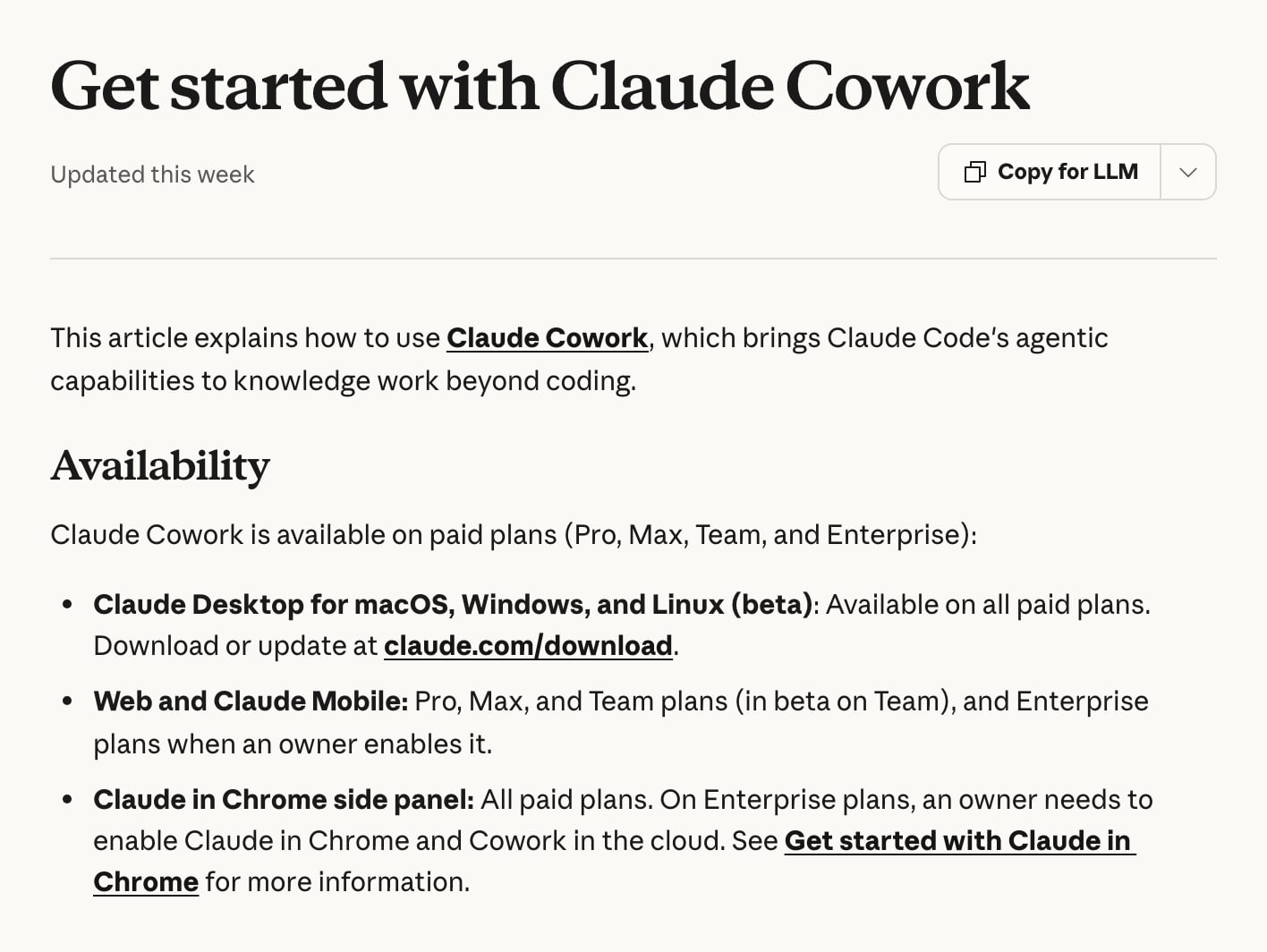
Cowork is Claude doing a task rather than answering a question. You describe the outcome, Claude proposes a plan, you review it, and it works through the steps: organising files, building a spreadsheet or a deck, pulling research together. Anthropic's getting-started page says it "brings Claude Code's agentic capabilities to knowledge work beyond coding."
One thing changed this autumn, and it explains why guides written in the spring look out of date. Chat and Cowork now share one message box. On accounts that have the new experience, which is rolling out to Pro and Max first, there's no separate "Cowork" button, and Claude decides how much of a job a request needs. If you still see both options, you're on the old layout and Cowork is the one you pick for a job.
How is Cowork different from Claude chat?
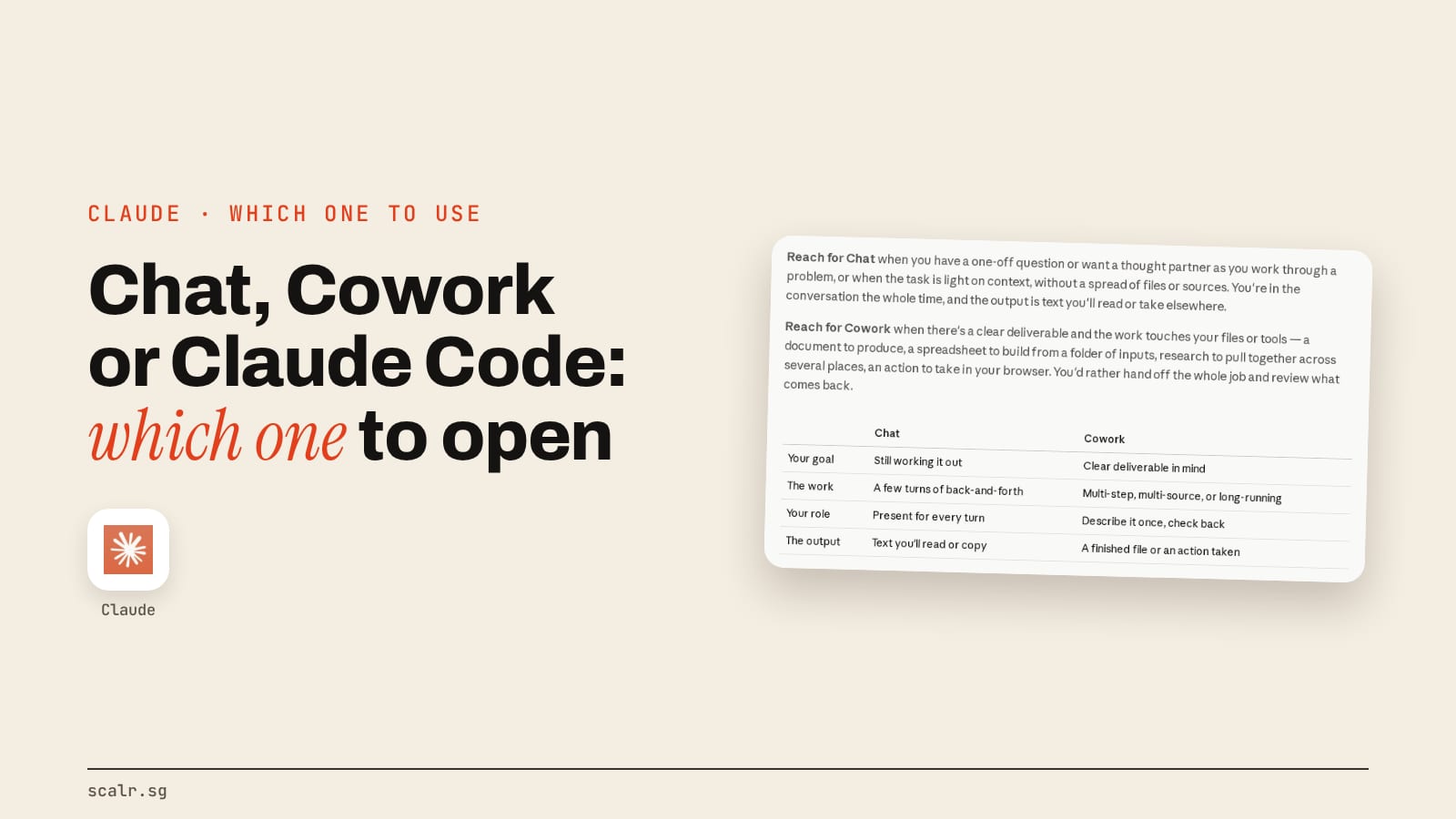
Chat keeps you in the loop on every turn. You ask, it answers, you copy the text somewhere else. Cowork starts from a deliverable. Anthropic's own tutorial puts it as "reach for Cowork when there's a clear deliverable and the work touches your files or tools", and reach for Chat for a one-off question or a thought partner.
The practical difference is what happens to your time. In chat you're the one moving things between windows. In Cowork you read a plan, say yes, and come back to a finished file. It also costs more of your allowance: Anthropic's pricing page says Cowork consumes limits faster than Chat, and its support page says multi-step tasks use more of your usage than quick questions. The five settings I paste into Claude, including the Cowork instructions box, are in my settings guide.
How is Cowork different from Claude Code?
Same engine, different front door. Claude Code is a terminal tool built for software work. Cowork is a normal app window for everything else. Anthropic's Cowork tutorial says it "runs on the same agentic engine as Claude Code", pointed at your files and apps instead of a codebase.
| Claude Cowork | Claude Code | |
|---|---|---|
| Built for | Documents, research, spreadsheets, admin, anything non-code | Writing and changing software |
| How you use it | App window, describe a job, approve a plan | Terminal, IDE or desktop app |
| Needs a terminal? | No | Yes, or the desktop Code tab |
| Lives where | Your Claude account, shared with chat | Your project folder and its config files |
| Plans | Pro, Max, Team, Enterprise | Pro, Max, Team, Enterprise |
I run my own workspace in Claude Code, because my work is mostly scripts, files and configuration, and I wrote up how to use it without writing code for people who think it isn't for them. If the job is a spreadsheet, a research pull or a deck, Cowork is the easier door. If the job lives in a folder of code, it's Claude Code. Neither is better in the abstract, they're pointed at different work, and I've laid out which one to open for each kind of task, chat included.
Which plan do you need, and what does Cowork cost?
Cowork has no price of its own. It comes with a paid plan, and there's no Free-plan version. Anthropic's pricing page was showing these figures on 28 October 2026:
| Plan | Price | Cowork |
|---|---|---|
| Free | US$0 | Not included |
| Pro | US$20 a month, or US$17 a month on annual billing (US$200 up front) | Included, rolling out |
| Max | From US$100 a month | Included, rolling out |
| Team | Per seat, see the pricing page | Included (web and mobile in beta) |
| Enterprise | Contact sales | Included, an owner enables web and mobile |
"Rolling out" is Anthropic's word on the pricing page: "Rolling out to Pro and Max, with more plans to follow." Prices exclude tax and move, so check the page before you pay. The limit you'll actually feel is usage, not price, and how Claude's limits work has a guide of its own. A Cowork session burns through your allowance faster than a chat does, so group related work into one session and start a fresh one for unrelated work, as Anthropic's own advice says.
Does Claude Cowork work on Windows and Mac?
Yes to both, plus a Linux beta. Anthropic's support page lists "Claude Desktop for macOS, Windows, and Linux (beta)", available on all paid plans (checked 28 October 2026). Web and mobile work on Pro, Max and Team, with Enterprise when an owner switches it on, but local folders and local apps need the desktop app.
The Mac side is simple: Anthropic's install page asks for macOS 13 (Ventura) or higher. For Windows it asks for Windows 10 or higher and lists no Cowork-specific edition requirement. Users have filed GitHub issues saying the Cowork tab doesn't appear on some Windows setups, including Home editions. That's user reports, not Anthropic documentation, so treat it as something to check, not a rule. Linux needs hardware virtualisation and about 25 GB of free disk space, per the same page.
One oddity is worth knowing. Anthropic's pages describe where the work runs in two ways. The install page says Cowork "runs your tasks in a virtual machine on your computer", while the safety page says sessions run in the cloud on Anthropic's servers and reach your files through the desktop app. Both lines are Anthropic's, so I've given you both rather than guess which one is current.
What can Claude Cowork touch?
Three things, and only what you grant. According to Anthropic's page:
- Folders. On desktop, Claude reads and writes files in the folders you connect, and nowhere else.
- Connectors. Whatever connectors you've switched on, such as Google Drive, Gmail, Calendar or Slack. I wrote up how to connect Claude to Gmail and Calendar on its own, and connectors are MCP servers under another name, which the MCP guide explains.
- A browser. Claude can open sites, read pages, click, type and fill forms, in a built-in browser or in your Chrome setup, through the extension my Claude in Chrome guide covers. Computer use, where Claude works your actual screen, is a separate research-preview option on desktop.
It also asks before it permanently deletes anything, in any mode. The output is real files: the same Claude that builds a PowerPoint on the free plan will do it from a folder of your notes in Cowork.
What are plugins and skills in Cowork?
A plugin is a bundle. Anthropic's plugin page says each one packages skills, connectors and sub-agents into one install, with slash commands that come from the skills. They're on every paid plan. You find them under the Customize menu, then Plugins, then Discover, then Add.
Skills are the part that changes how Claude behaves: a saved set of instructions it reaches for when a request matches. I covered those separately in the guide to Claude Skills. Plugins, sub-agents and hooks run in Cowork and Claude Code but not in plain chat, and a plugin's local MCP server runs on your own computer with your permissions, so Anthropic's advice is to install only from sources you trust. A worked example is Anthropic's own set of finance plugins, which install into Cowork from a repository link.
How do scheduled tasks work?
You describe a job once, pick a frequency, and Cowork runs it without you. Anthropic's scheduled tasks page says they're on all paid plans, with frequencies of hourly, daily, weekly, weekdays or manual. Each run is its own Cowork session, and you can pause, edit, delete or run one on demand from the Scheduled page.
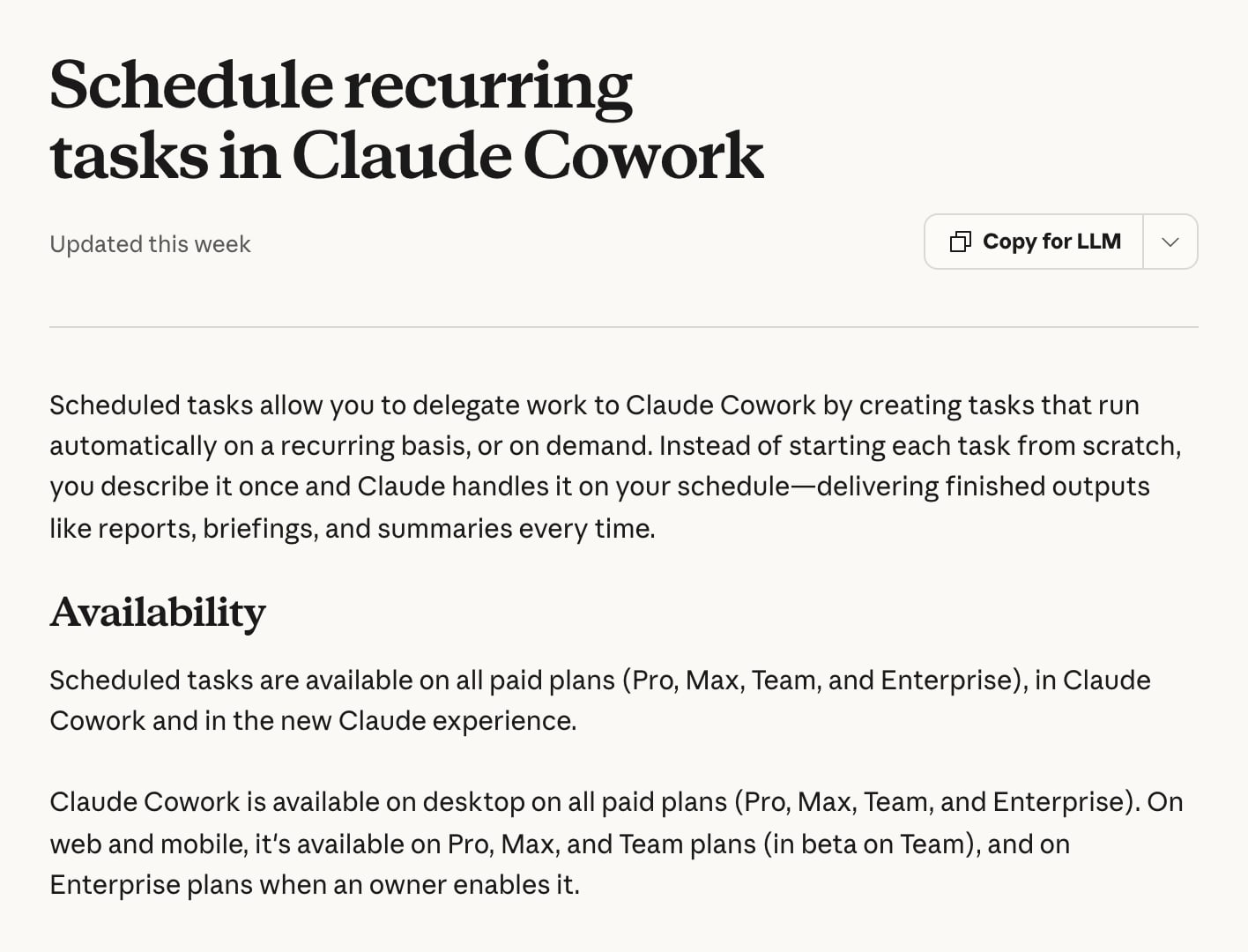
The answer to "does it need my computer on" has a catch. Anthropic says scheduled tasks "run remotely", so they fire even with your laptop asleep or the app closed, but "if a scheduled task requires local files or apps, it will only run locally." Tasks created on Pro and Max before 6 October that run on your computer keep running there. So a task that only reads the web or a connector can run unattended, and a task that needs a folder on your Mac waits for the Mac.
What have I actually used it for?
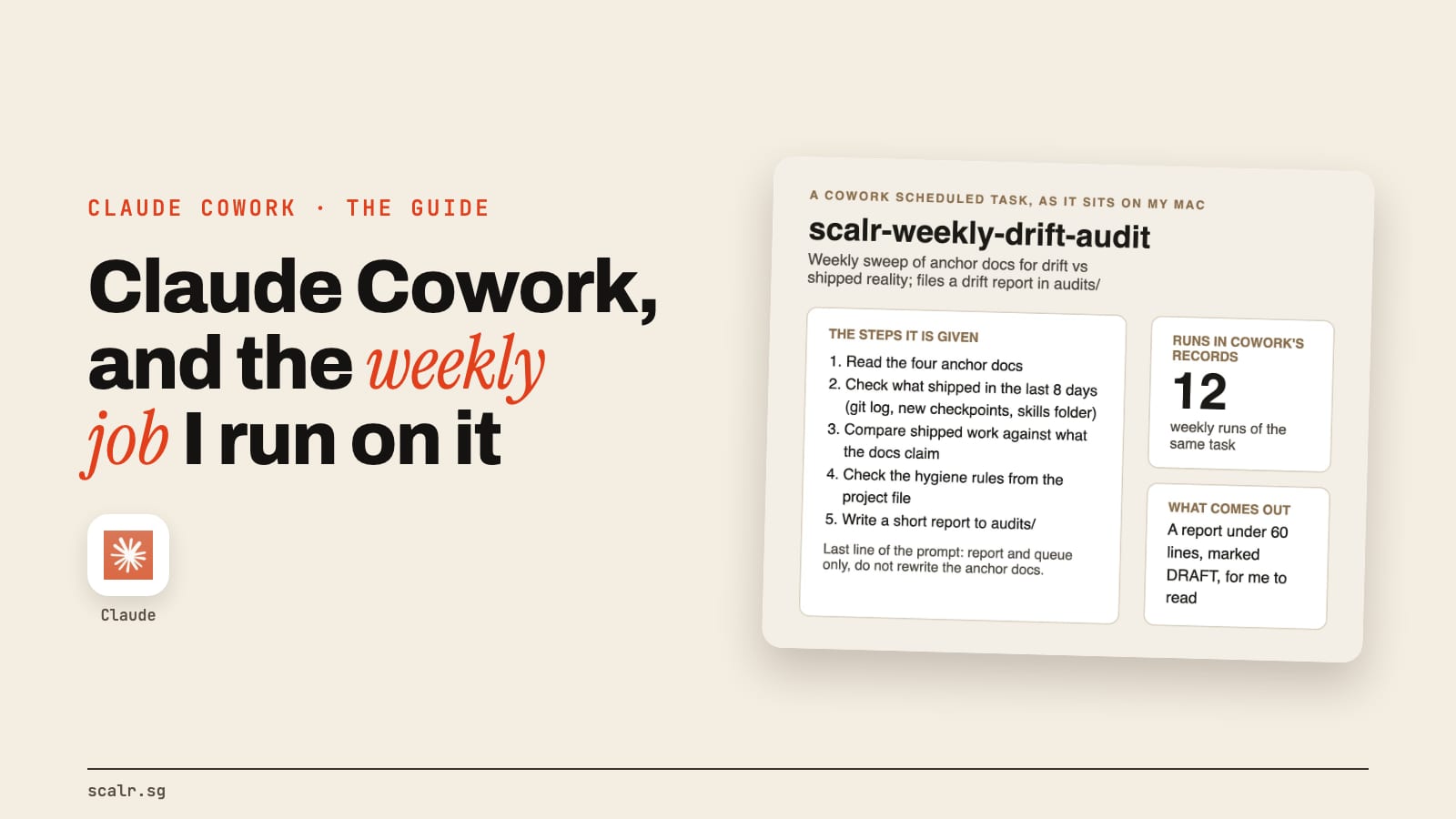
Mostly research and audit jobs. I counted the session records Cowork keeps on my Mac, reading only their titles and folder names: 25 sessions. Twelve of them are one scheduled task, my weekly drift audit. The other thirteen are one-off research and review jobs.
The weekly audit is the useful one. Its job is to catch my own documentation going out of date. It reads the handful of files that describe what my business is currently doing, checks what actually shipped in the last eight days, compares the two, and writes a short report. The last line of its prompt is the important one: report and queue only, don't rewrite the documents. Anything that needs a decision goes on my list, and the documents stay as they are until I decide.
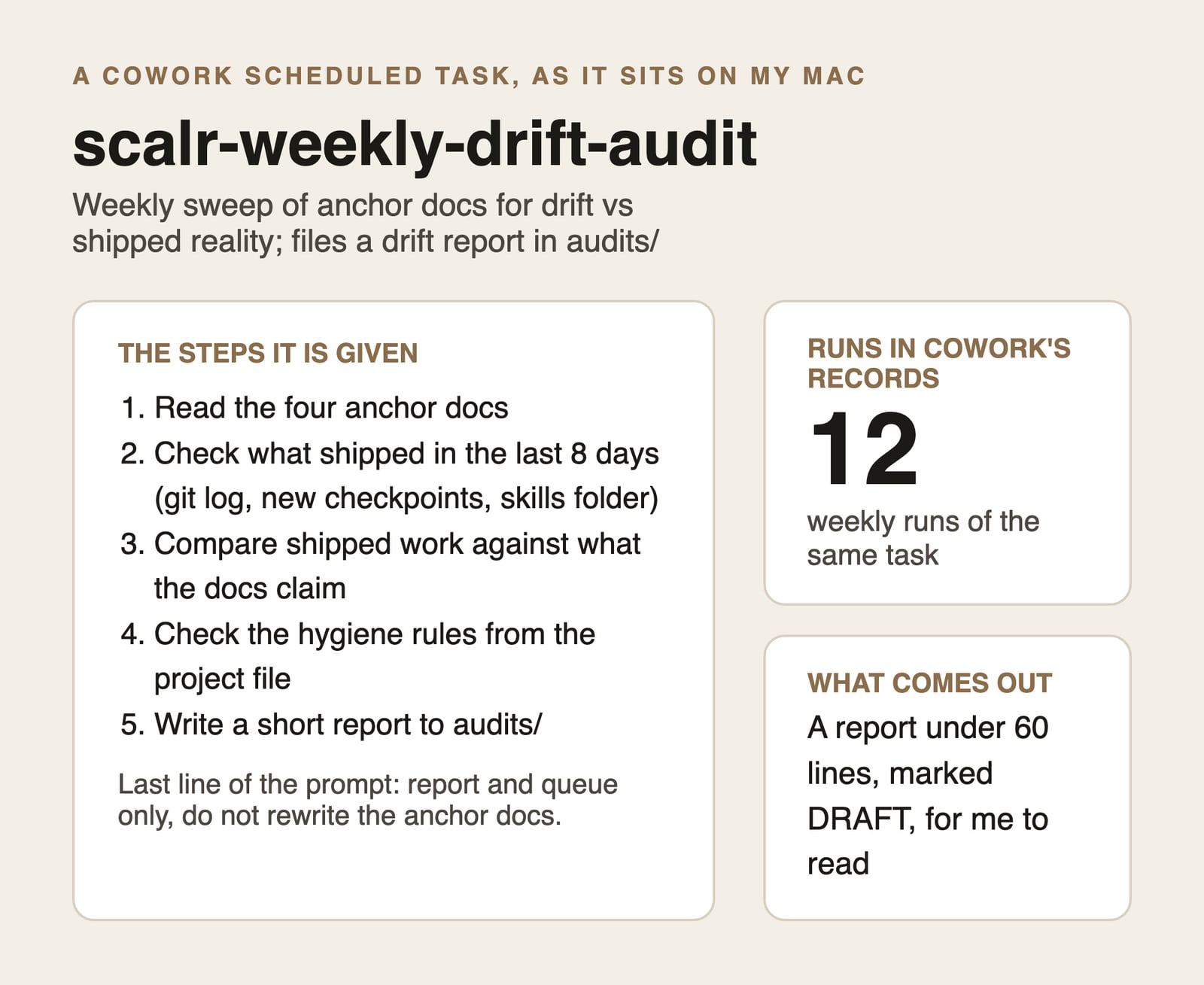
It needs a folder on my machine, so by Anthropic's rule above it's the kind of task that runs locally. These days the same audit runs as a headless Claude Code job on my Mac every Sunday night.
If you want a first scheduled task, a Monday check on something you already read every week is the safest shape, which is the same reasoning behind the four levels of AI adoption: start with a job where a draft is useful and a mistake is cheap.
How do you keep Cowork safe?
Treat it like a new colleague who's fast and literal. Anthropic's safety page says Cowork "has unique risks due to its agentic nature and internet access", and the biggest is prompt injection: instructions hidden in a page or file that Claude reads as part of a legitimate job. An attack needs two things, untrusted content and the ability to act, so limiting either one helps.
My short version of Anthropic's guidance:
- Give it a dedicated working folder, not your whole drive, and keep backups.
- Keep sensitive files, like financial documents, out of the folders you connect.
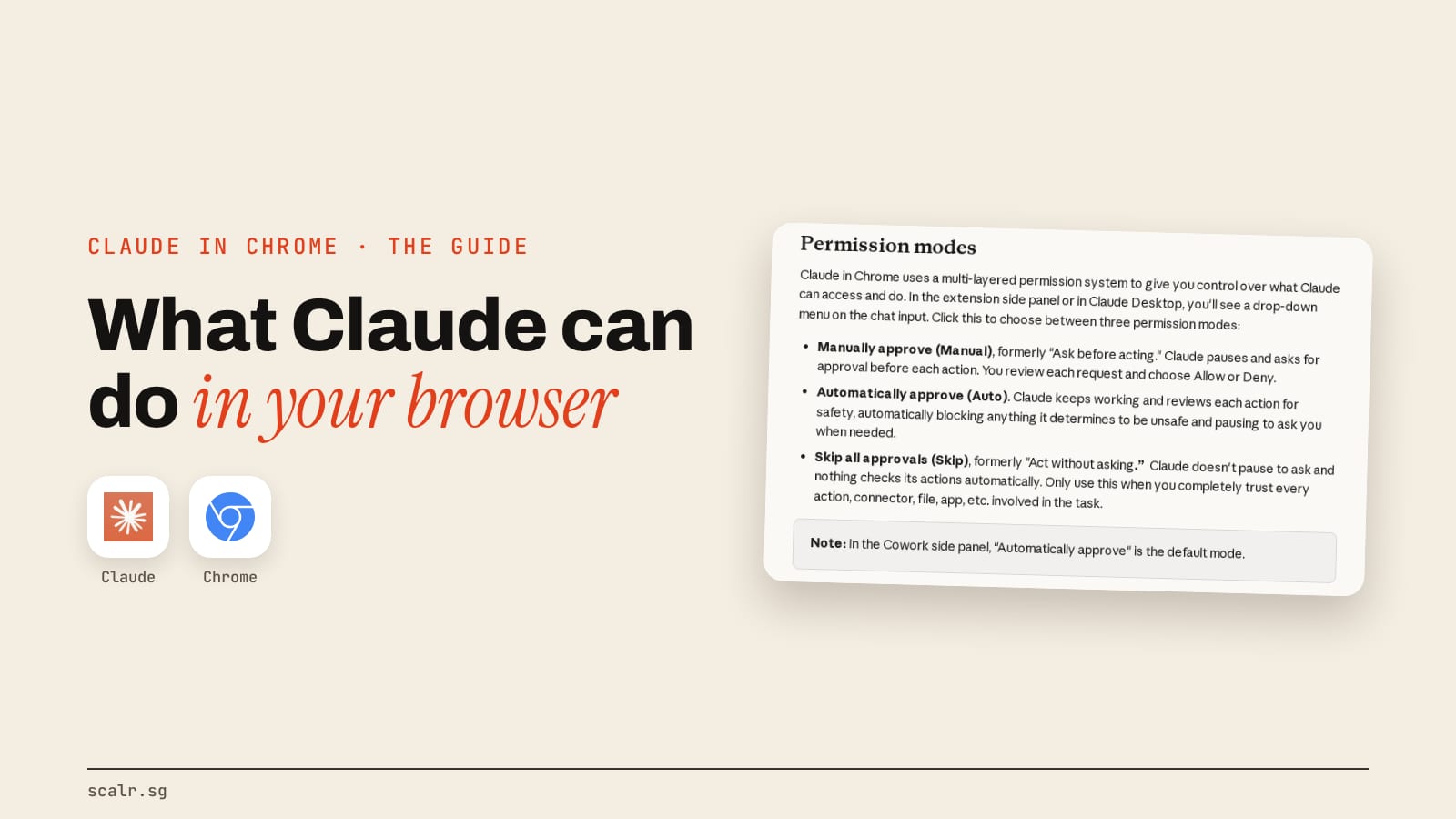
- Use manual approval for anything hard to undo, and skip-all-approvals only when you trust every file, connector and site.
- Don't let a scheduled task send messages, make purchases or touch sensitive files.
- Install only plugins and connectors you recognise.
Anthropic also says isolation limits where Claude's code runs, "it doesn't limit what Claude reads or does", and that you stay responsible for what it does on your behalf. My audit task is deliberately boring on this front: it reads documents and writes one report.
When is Cowork the wrong tool?
When a plain chat answers it in one go, use chat. It's cheaper on your allowance and you stay in control of each step. When the job is code, use Claude Code. When the task is hard to undo, sensitive, or touches money, I'd keep a person's hands on it, whatever the mode.
Cowork is also still moving. In the space of this year it became part of one combined Claude, its menus changed, and Anthropic's own pages disagree in places. Anything specific in this guide, like a plan or a price, carries the date I checked it for that reason.
Key takeaways
- Cowork is Claude doing a multi-step job across your folders, connectors and browser. It's the same engine as Claude Code without the terminal.
- It comes with a paid plan: Pro from US$20 a month, Max from US$100, and Team and Enterprise too. There's no Free-plan version (checked 28 October 2026).
- It runs on Mac, Windows and a Linux beta, and on web and mobile for some plans. Local folders need the desktop app.
- Scheduled tasks run remotely, unless they need your local files or apps, in which case they run on your computer.
- Give it a dedicated folder, approve what's hard to undo, and start with a job where a draft is useful and a slip is cheap.
FAQ
How much does Claude Cowork cost?
Claude Cowork has no separate price. It's included in paid Claude plans: Pro at US$20 a month (US$17 a month billed annually) and Max from US$100 a month, plus Team and Enterprise. The Free plan doesn't include it. These were Anthropic's figures on 28 October 2026, and Anthropic says Cowork uses your allowance faster than chat.
Does Claude Cowork work on Windows?
Yes. Anthropic's support page lists Claude Desktop for Windows, alongside macOS and a Linux beta, on all paid plans, and its install page asks for Windows 10 or higher with no Cowork-specific edition requirement (checked 28 October 2026). Some users report the Cowork tab missing on certain Windows setups.
Is Claude Cowork the same as Claude Code?
No, though they share an engine. Anthropic says Cowork runs on the same agentic engine as Claude Code. Claude Code is built for software work and is used from a terminal, an IDE or the desktop app, while Cowork is a normal app window for documents, research, spreadsheets and other non-code jobs.
Can Claude Cowork run tasks while my computer is off?
Yes, with one exception. Anthropic says scheduled tasks run remotely, so they can fire while your computer is asleep or the app is closed. A task that needs local files or apps only runs locally, so it waits until your computer is on and the desktop app is open.
Is Claude Cowork safe to use on my files?
It's safe enough to use deliberately, not blindly. Anthropic says Cowork only reaches the folders you grant, asks before permanently deleting files, and offers manual approval for each action. It also warns of prompt injection and says to keep sensitive files out of connected folders, so use a dedicated folder and keep backups.