claude
Five Claude Settings Worth Pressing, and the Lines I Paste In
Five settings sitting inside a normal Claude subscription that almost nobody presses, where each one lives, the exact lines I paste into them, and the one line that stops Claude agreeing with everything you say.
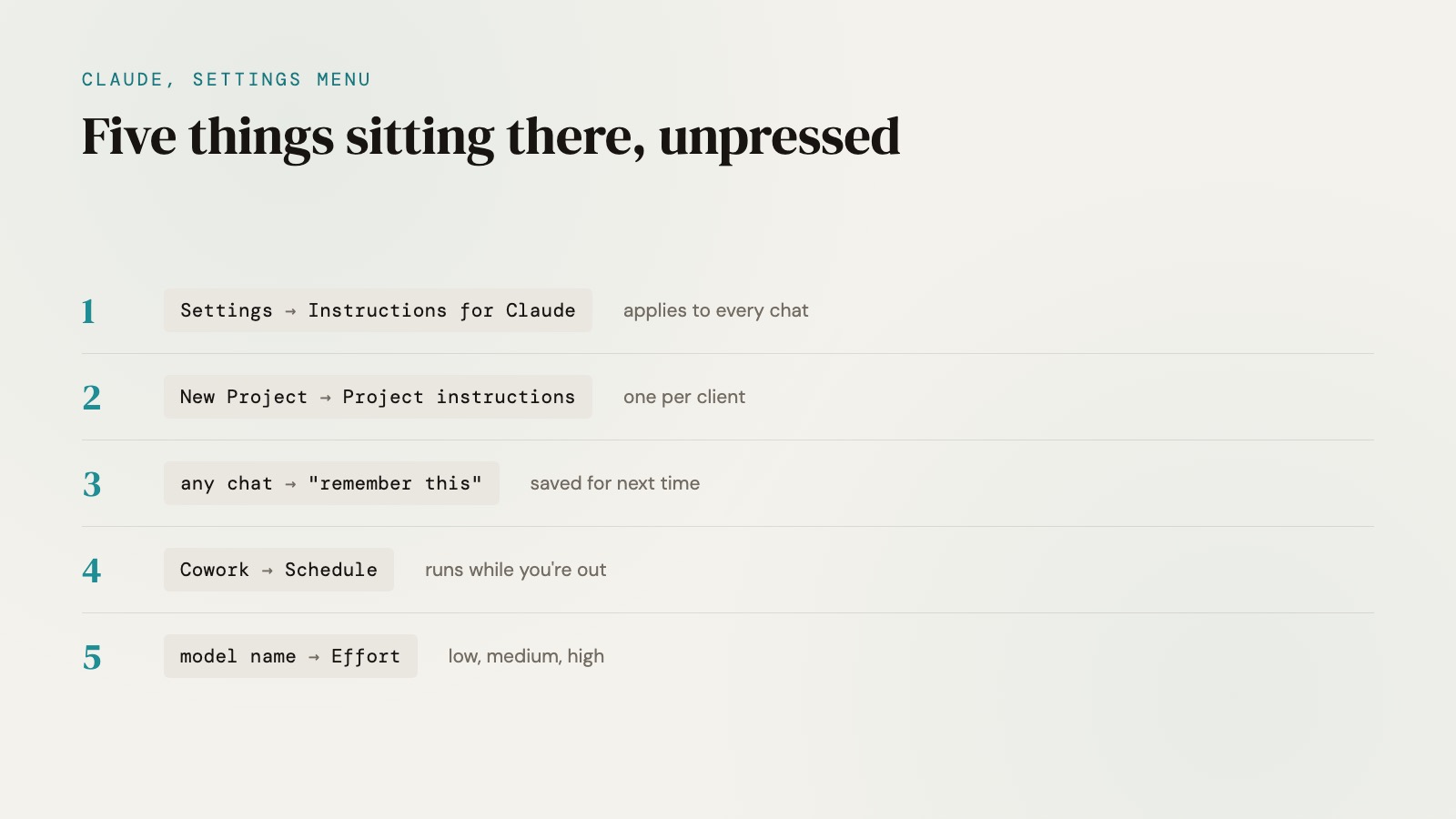
Claude has five settings sitting inside a normal subscription that almost nobody presses, plus one line you can paste into the first of them that changes what it says back to you, and none of it costs anything on top of what you already pay. Every one of them is a click away on claude.ai, once you know where to look.
I use all of it most weeks. Here's exactly where each one lives, and the lines I paste into each.
What these settings are and why nobody presses them
A Claude subscription is a chat window with a menu nobody opens. You type, it answers, you close the tab, and the settings sitting one click away in the corner never get touched, because nothing about the interface asks you to look there. That's not a knock on anyone. It's just what happens when the whole product gets marketed as "type a question, get an answer."
The five below are different. Two of them change how every future chat behaves before you've typed a word. One makes the thing remember. One lets it work while you're not there. One decides how hard it thinks, and what that costs.
- Instructions for Claude, in Settings
- Projects, one per client or context
- Memory, saved on its own or on command
- Cowork, plus a schedule
- The effort dial, next to the model name
That's roughly the order they sit on screen, top to bottom, not a ranking. The effort dial and the Instructions box get touched most sessions. Projects and Cowork get set up once and then forgotten, which is exactly why they're worth a proper look.
1. Instructions for Claude
Click your initials in the corner, then Settings, then Instructions for Claude. Whatever you write in that box applies to every conversation you start from then on, account-wide, according to Anthropic's own support page. Not this chat. Every chat.
Mine has a few short lines in it: what I do, how I like an answer delivered, what not to guess at. One line does more work than the rest combined, and it's the one people ask me about most:
Be my ruthless CMO. If my campaign is bad, tell me why, and show me the version that would convert. Give me the number you'd bet on. Skip the compliment.
I added that because AI agrees with you by default, and I wanted to know why. It turns out OpenAI actually looked into this and admitted it in writing. In a post about GPT-4o's sycophancy problem, OpenAI said "in this update, we focused too much on short-term feedback, and did not fully account for how users' interactions with ChatGPT evolve over time. As a result, GPT-4o skewed towards responses that were overly supportive but disingenuous." They rolled the update back days later.
Fake nice, basically. That's a problem when the same model is grading your campaign. The line above doesn't ask Claude to be harsh for its own sake, it asks for a reason, a rewrite, and a number to bet on. A compliment doesn't clear that bar, so it stops offering one.
2. Projects
New Project, name it, and anything you add stays inside it. Project instructions only apply to chats within that project, per the same Anthropic page, separate from the account-wide box above.
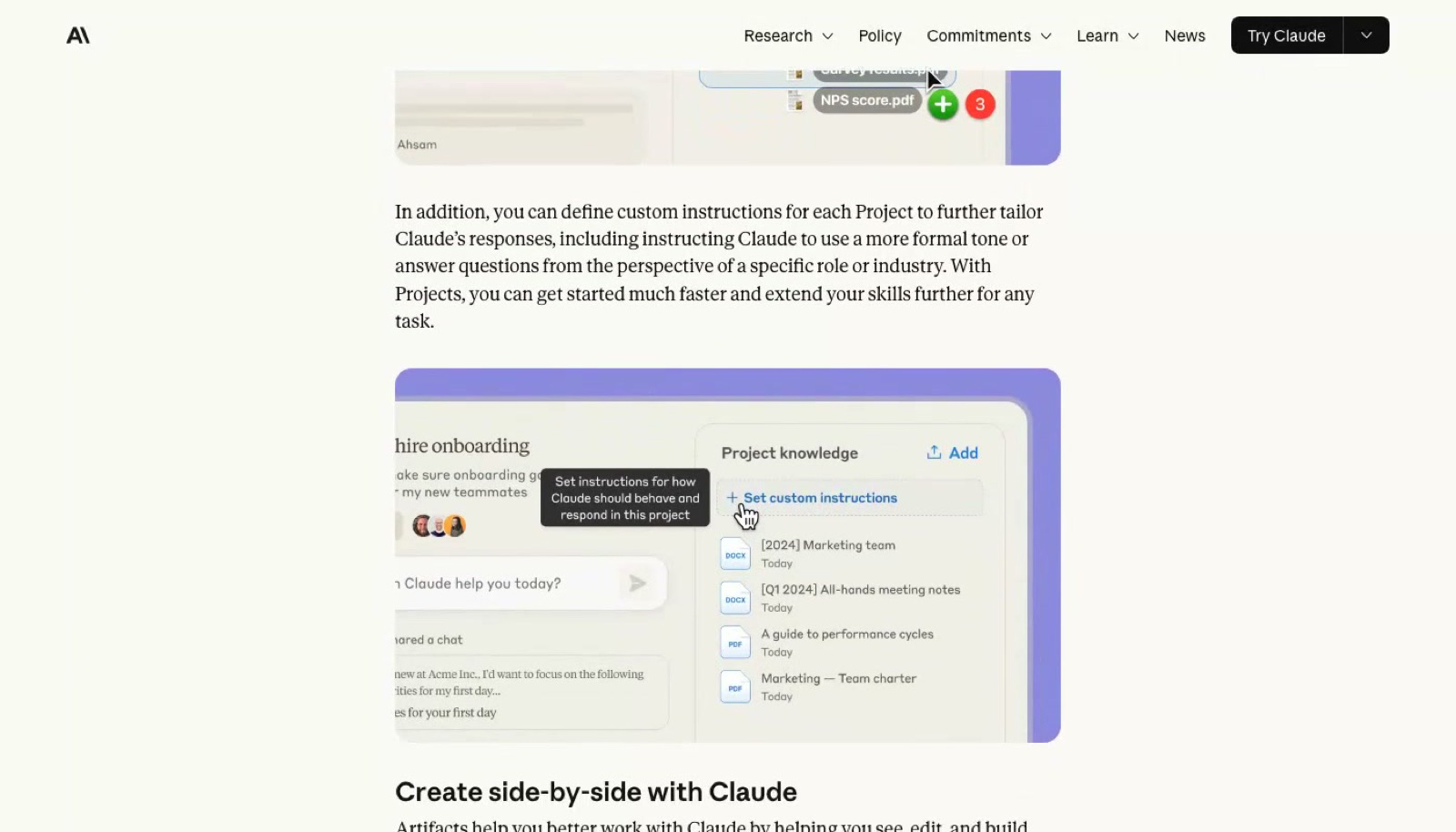
I make one per client. The line I paste into a new project is short: who the client is, where their brand files sit inside the project, and the one number or claim I never want Claude guessing at. Everything after that, Claude reads from the project's own files instead of me re-explaining the account from scratch in every new chat.
That's the real value. Not a folder. A place that already knows the context before you've asked the question.
3. Memory
Type "remember this" after anything worth keeping, and Claude saves it as its own note going forward. Anthropic's support page is direct about the mechanic: "Claude saves on its own, and you can also tell Claude to 'remember this' to save something directly." It's on by default on the Free, Pro and Max plans, and off by default for Team and Enterprise until an admin turns it on.
I built a much bigger version of this idea for my own business: a private, growing record of everything I don't want to re-explain, which I wrote up in the second brain behind my AI agent. Memory is the same instinct, built straight into the product, for anyone who never wants to type "as I mentioned before" again.
4. Cowork, plus a schedule
Cowork is Claude working on its own, without you sitting there watching it type. Anthropic's own framing is close to how it feels in use: you describe an outcome, step away, and come back to finished work. Press Cowork, then Schedule, and the line I paste in reads like a standing instruction to a person: every Monday at 8am, check the inbox and draft replies to anything routine, and leave the rest for me.
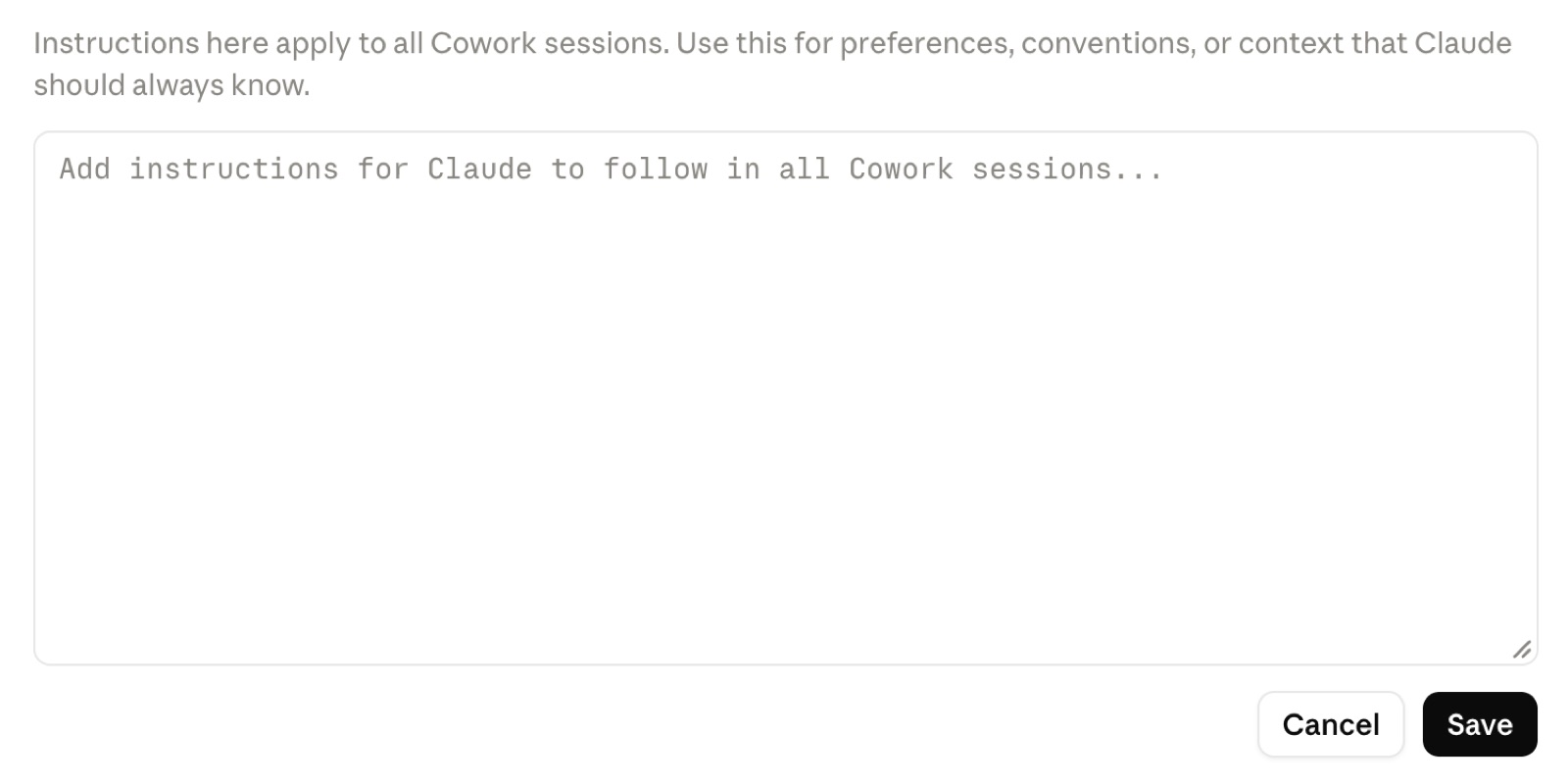
Cowork keeps its own instructions box too, separate from the one in Settings, for anything Claude should know in every Cowork session specifically:
Scheduled tasks themselves run in the cloud, so they don't need your computer to be awake or the desktop app open. Cowork sits on paid plans only, Pro and above, which is the whole premise of this piece: you're probably already paying for this and have never opened it. I broke down twenty jobs an agent like this can do, with the honest cost of each, in AI vs AI agent. Claude Code has its own version of the same idea, cloud sessions that keep working with your laptop shut, and paid plans got a one-time credit to try them.
5. The effort dial
Click the model name next to where you type, and Effort sits in that menu. Low and Medium "work well for routine tasks and stretch your usage further", High is the best overall balance of quality and speed, and the settings above that exist for the hardest calls. There's no line to paste here, it's a toggle, not a box. The rule I run is short enough to remember without one: low for quick jobs, high for hard calls. That one is worth real money as well as speed, and I broke the money side down separately in Claude at a quarter of the price.
FAQ
Where do I find Instructions for Claude in my account settings?
Click your initials, then Settings, then Instructions for Claude. Whatever you put in that box applies account-wide, to every conversation from then on, not just the one you're in.
Is Claude's memory feature on by default?
Yes, on the Free, Pro and Max plans. It's off by default on Team and Enterprise until an admin switches it on.
Do I need a paid plan to use Claude's Cowork feature?
Yes. Cowork sits on paid plans only, Pro and above, so it doesn't come with a free account.
Does a scheduled Cowork task need my computer to stay on?
No. Scheduled tasks run in the cloud, so your computer doesn't need to be awake and the desktop app doesn't need to be open for them to fire.
Keith's short take
None of this is complicated, which is sort of the point. A subscription isn't the same as using the thing, and I'd guess most people paying for Claude have never opened the Settings menu once. I hadn't either, for the first while.
The line that changed the most for me is the CMO one, mostly because of what it exposed. I didn't add it because I distrust Claude. I added it because I noticed I was reading confident answers as correct answers, and those aren't the same thing. Once you've seen a model admit, in writing, that it was tuned to keep you happy at the cost of being straight with you, it's hard to unsee it in every "great idea!" that follows.