claude code
Five Free Tools I Plug Into Claude Code
Playwright, whisperX, ffmpeg, Remotion and yt-dlp. What each one actually unlocks, what it costs, what annoys me about it, and the order to add them in. All five run in my stack every week.
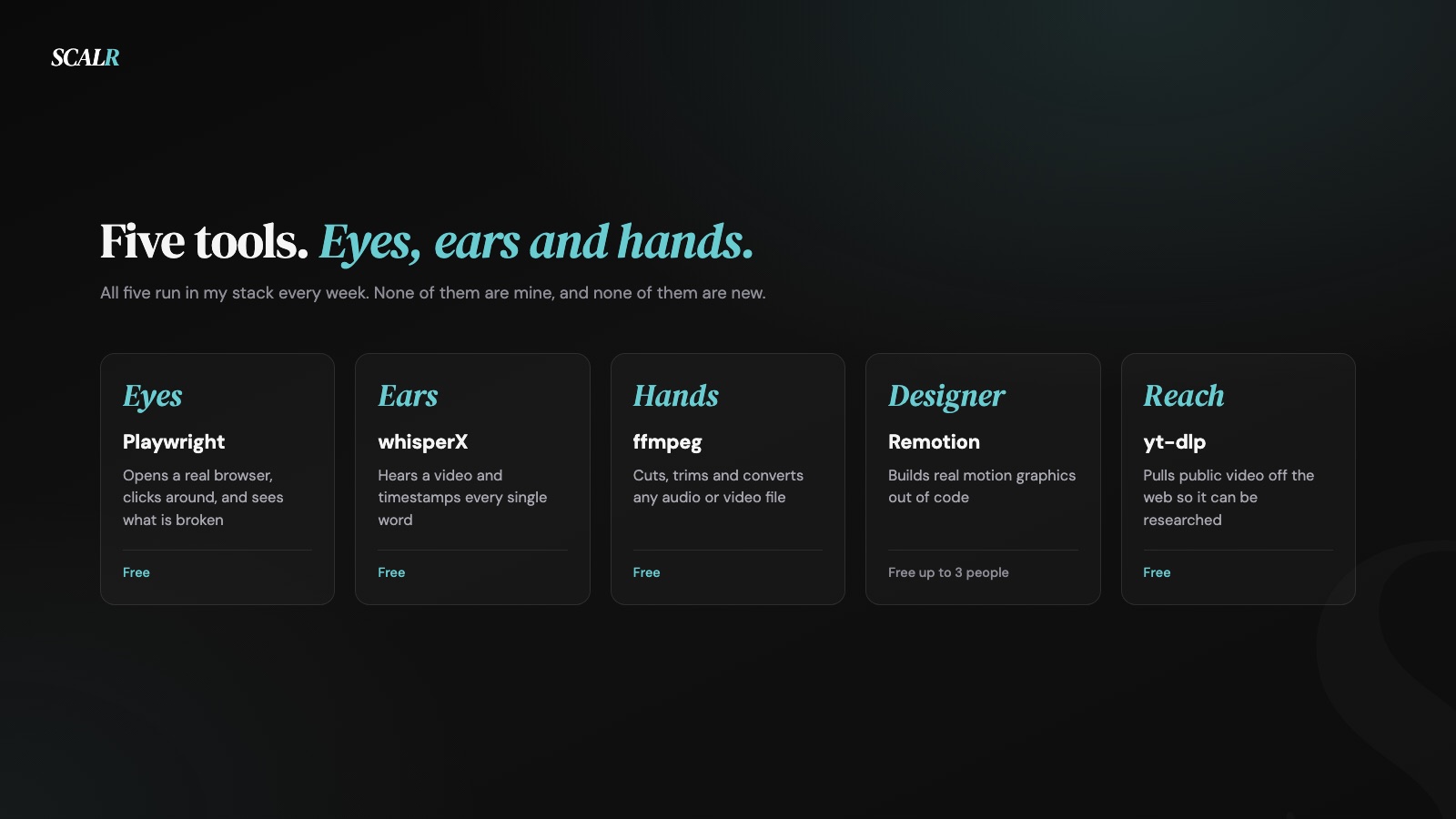
An AI that can only read and write text is a very good writer stuck in a box. It can describe your website and never look at it. It can talk about your footage and never hear it. Everything below is about getting it out of the box, and the honest surprise is that the five things that do it are all free and none of them are new.
How I picked these, and what I did not test
I run all five of these every week in my own pipeline, and I have no relationship with any of them. Nobody pays me, I don't sell any of them, and four of the five are open source projects run by people who have never heard of me.
That's the whole methodology, and it has an obvious limit worth stating. This is not a comparison review. I didn't run a bake-off against every alternative in each category and score them. I picked each one for a specific job, it worked, and it stayed. Where I seriously considered something else I've said so at the bottom.
I'm also not a developer. I don't write the code that drives these. The AI does, and I check the result, which is exactly why the list is what it is: these are the tools that survive being operated by someone who can't debug them.
The five, at a glance
| Tool | What it gives your AI | Price | The one gotcha |
|---|---|---|---|
| Playwright | Eyes. Opens a real browser and looks | Free, Apache 2.0 | It sees what is there, not whether it looks good |
| whisperX | Ears. Hears video with word-level timing | Free, BSD 2-Clause | Slow without a GPU |
| ffmpeg | Hands. Cuts, trims and converts anything | Free, LGPL and GPL | Never learn the flags yourself |
| Remotion | A designer. Builds motion graphics in code | Free up to 3 people, then paid | The licence changes at four |
| yt-dlp | Reach. Pulls public video off the web | Free, Unlicense | Breaks often, and what you pull is still someone else's |
Prices and licences checked 28 August 2026.
1. Playwright gives it eyes
Playwright is a browser automation tool from Microsoft. It drives Chromium, Firefox and WebKit through one interface, and it can take screenshots of what it sees.
What it does in my stack. Every website I build gets checked by it before anyone sees a link. It opens the real page at desktop and phone widths, screenshots both, and the AI reads those screenshots back. That's the difference between an AI that says the layout should work and one that can tell me the heading is colliding with the nav on a 390 pixel screen. I also use it to render the images on this blog, including the one at the top of this article.
What it costs. Nothing. Apache 2.0. npm init playwright@latest and it installs its own browsers.
What annoys me. Two things. It downloads several hundred megabytes of browser binaries the first time, which is startling if you were expecting a small library. And more importantly, it sees whether an element exists, not whether the page is any good. It will happily confirm that an ugly page rendered perfectly.
Who should skip it. Anyone who never touches a website. If you do touch one, this is the first thing on the list I would add, because the payoff arrives the same afternoon.
2. whisperX gives it ears
whisperX is a speech recognition tool by Max Bain that wraps OpenAI's Whisper model and adds the thing Whisper on its own doesn't give you: accurate timestamps for every individual word.
What it does in my stack. It transcribes every take I film. Those word-level timestamps are what make the rest of my editing possible, because knowing exactly when each word starts is what lets a system cut without clipping a syllable and place a caption on the beat. The reel attached to this article was captioned entirely from its output, and I walked through that whole pipeline in how my AI edits my videos.
What it costs. Nothing. BSD 2-Clause. pip install whisperx.
What annoys me. It really wants a GPU. It runs on a CPU, and the documentation tells you how, but it is slow enough that you feel it on every take. There's also a failure mode worth knowing: when it is uncertain, it can assign a word's timing to slightly the wrong place, and if the segment it landed on later gets cut, that word disappears from your captions even though the audio clearly contains it. On the reel attached to this piece it did exactly that twice.
Who should skip it. If you publish a couple of videos a month, a hosted transcription service is less setup and the cost is trivial at that volume. This earns its place when transcription is a step in a system rather than a thing you do occasionally.
3. ffmpeg gives it hands
ffmpeg is the tool almost every piece of video software on earth is quietly built on. It cuts, trims, converts, extracts frames and re-encodes basically any audio or video file from a single command.
What it does in my stack. It performs the actual cuts. When my editing system decides which twelve pieces of a three minute take to keep, ffmpeg is what physically assembles them. It also pulls the single frames I use as thumbnails and article images.
What it costs. Nothing. It ships under LGPL and GPL depending on how it is built.
What annoys me. The command line syntax is genuinely hostile. Flag order matters, the error messages are cryptic, and it will silently re-encode your file when you meant it to copy. I hit a good example of this recently: a loop that processed eight videos only produced two, because ffmpeg had quietly consumed the loop's input. There's a flag for that. You find out about it by having the problem.
Who should skip it. Nobody who touches video, but with a strong caveat: don't learn the flags. This is the single best argument for the whole category, because ffmpeg is enormously capable and genuinely unpleasant to operate by hand, and an AI holds all of it perfectly.
4. Remotion is the designer
Remotion lets you build videos in code, using React. Every caption, transition and graphic on my reels comes out of it.
What it does in my stack. It's the finishing engine. Once the cutting and the captions are decided, Remotion renders the actual video: text landing word by word, the graphics, the transitions, the music and sound effects, all from one render. It's the reason every reel on my account looks like it came from the same place. It did.
What it costs. This is the one with real conditions, so here it is in full. Remotion is free for individuals and for companies of up to three people, with all features and unlimited commercial use. At four people or more you need a Company Licence, which is $25 per seat per month for the Creators plan. There is a separate Automators plan at one cent per render with a $100 monthly minimum, aimed at platforms generating video at scale, and an Enterprise tier starting at $500 a month. Checked 28 August 2026.
So it's free at my size and it wouldn't be free for a team of five. That threshold is worth checking before you build anything on it.
What annoys me. It's React, which means as a non-coder I am fully dependent on the AI to write and fix the components. When something looks wrong I can describe the problem but I can't go in and find it myself. Renders are also CPU-heavy and take real minutes, which matters when you're iterating on a look.
Who should skip it. Anyone not publishing video regularly, and any team of four or more where a per-seat subscription is not worth it for the volume they produce. For everyone else it is the most impressive thing on this list by a distance.
5. yt-dlp gives it reach
yt-dlp pulls public video off the internet so your AI can watch it, research it, or use a clip from it.
What it does in my stack. When I react to something, this is how the source lands on my machine so the system can pull frames and I can quote it accurately rather than describing it from memory. It's a research tool first and an editing input second.
What it costs. Nothing. It's released under the Unlicense, which effectively puts it in the public domain, though the prebuilt executables bundle dependencies under stricter licences.
What annoys me. It breaks. Platforms change how they serve video and yt-dlp has to catch up, so a command that worked last month can fail today and the fix is usually to update it. Build that into your habits and it is a minor irritation. Assume it'll always work and it will fail on the day you're in a hurry.
Who should skip it. Anyone who does not work with other people's video. And a real caution rather than a technical one: a file being downloadable isn't the same as a file being yours. What you pull is still someone else's work, still subject to that platform's terms and to copyright, and a tool that makes downloading easy doesn't make any of that go away. I use it for research and for properly credited commentary, and I'd think hard before using it for anything else.
What I dropped, and why
Naming what did not make the list is more useful than another entry that did.
Whisper on its own. The base model transcribes beautifully and doesn't give you reliable word-level timing. That timing is the entire reason the caption system works, so the plain version was never an option for this job.
Puppeteer. It's the obvious alternative to Playwright and it does the same core thing well. Playwright covers three browser engines through one interface rather than one, and once I was already using it there was no reason to run both.
CapCut, Premiere and After Effects. All better than my setup at what they do. All impossible for a system to drive, because they are applications you operate by hand. The entire premise here is that the work happens without a person in the timeline, and that rules out the whole category no matter how good it is.
MoviePy. A friendlier Python layer over ffmpeg. It adds a dependency without removing the need to understand what ffmpeg is doing underneath, and since the AI is the one writing the commands anyway, the friendliness was solving a problem I didn't have.
FAQ
Is Playwright free to use with Claude Code?
Yes, Playwright runs under an Apache 2.0 licence, so there's no cost to install or run it. The one surprise the first time is that it downloads several hundred megabytes of browser binaries so it can drive Chromium, Firefox and WebKit itself.
Does whisperX need a GPU to run well?
No, but it wants one badly. It runs fine on a CPU too, and the documentation explains how, but it's slow enough that you feel it on every single take.
What order should I add ffmpeg, Playwright, whisperX and Remotion in?
ffmpeg goes first since everything else on this list assumes it's already installed, then Playwright for the fastest payoff, since you'll see value from it the same day. whisperX comes next, once you actually have footage to feed it, and Remotion goes last because it's the biggest lift of the five and the only one with a licence to check first.
How much does Remotion cost for a small team?
Remotion is free for individuals and for companies of up to three people, with all features and unlimited commercial use. At four people or more it needs a Company Licence, which runs $25 per seat per month on the Creators plan, checked 28 August 2026.
The order to add them in
Adding all five at once is how people end up with a broken setup and no clue which part broke. So, in order.
ffmpeg first. Everything else assumes it exists, it takes minutes to install, and it is the one you will use in the widest range of situations.
Playwright second. Fastest visible payoff of anything on this list. If you have a website, you'll get value from it the first day.
whisperX third, once you actually have footage to feed it. Before that it's a solution waiting for a problem.
Remotion last, because it is the biggest lift by far and the only one with a licence to think about. It's worth it if you publish video regularly and it's overkill if you don't.
yt-dlp whenever you need it. It's a research tool, so it slots in the day you need to work with something you didn't film.
The thing to understand about all five is that none of them are AI tools. They are ordinary, boring pieces of software that have existed for years, and what changed is that something can now operate them for you without you learning their commands. That's the actual shift, and it's why the list is made of old tools rather than new ones.
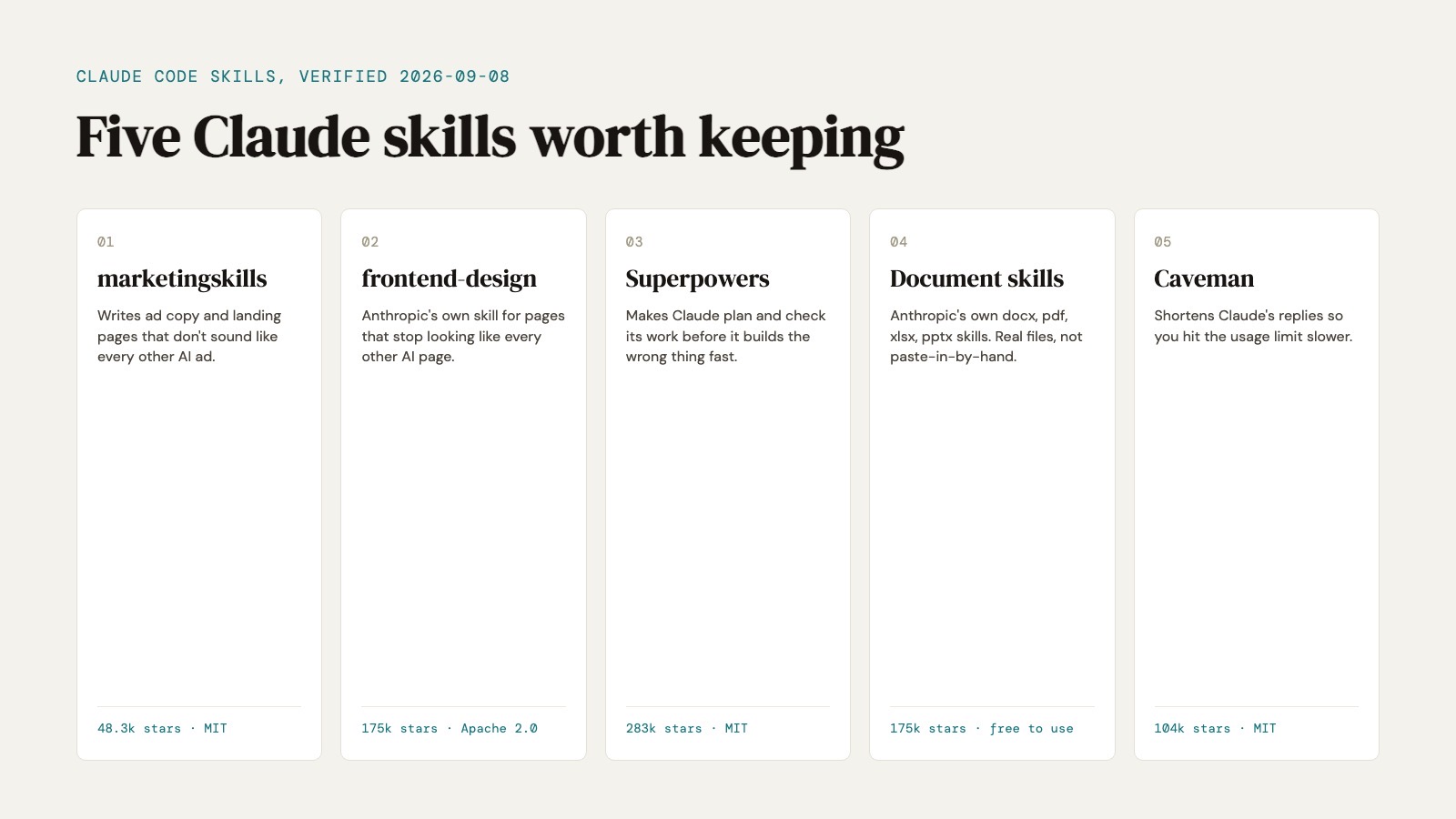
Tools are one layer. Skills are another, the habits Claude uses when it's operating the tools it already has, and I picked the five worth keeping the same way I picked these.
Since this one shipped, I've started pasting whole GitHub repos into Claude Code the same way, for effects a general-purpose tool can't give a page on its own. The four I actually run, and the lines I type to wire them in, are in how I build a $10,000 website with Claude.