Claude Code
How to Use Claude Code When You Don't Code
How to use Claude Code if you've never written code: the five ways to run it, the install lines for Mac and Windows, your first session, what the permission prompts mean, and where beginners get stuck. Checked against Anthropic's docs on 28 October 2026.
Claude Code is Anthropic's AI agent that works inside a folder on your computer. You describe what you want in plain English, it reads the files, writes and runs the code, and asks before it changes anything. You don't need to code. You need a paid Claude plan or Console credit, and roughly ten minutes to install it.
I'm not a developer. I don't write the code my systems run on, the AI does, and I check the result. Everything below is how that works day to day, plus the install and setup steps, which I've checked against Anthropic's own docs on 28 October 2026.
What is Claude Code, in plain words?
Claude Code is the version of Claude that can act, not just talk. In a chat window, Claude writes an answer and you copy it somewhere. In Claude Code, you point it at a folder and it works there: it opens files, edits them, runs commands, and tells you what happened.
Anthropic's overview calls it "an agentic coding tool that reads your codebase, edits files, runs commands, and integrates with your development tools." Strip the jargon and it's a loop. You ask for an outcome. Claude looks at what's in the folder, proposes a change, and waits for your yes. Then it makes the change, runs it to see if it worked, and reports back.
The word "coding" in the name undersells it. A folder can hold a website, a spreadsheet export, a pile of video clips or a set of documents. Claude Code works on any of them, and the code it writes is mostly the means of getting your outcome done. That's why a person who doesn't code can use it, as long as they can say clearly what they want and check whether they got it.
Which way should you run Claude Code?
There are five ways to run it, and they're all the same engine underneath. Anthropic says every surface "connects to the same underlying Claude Code engine," so your instructions and settings carry across. The choice is about comfort, not capability.
| Way to run it | Best if you... | Needs |
|---|---|---|
| Desktop app | want no terminal at all and like seeing changes as a visual diff | Paid Claude plan |
| VS Code extension | already have VS Code, or want files and chat side by side | VS Code 1.94.0 or later, paid plan or Console account |
| Terminal | are fine typing commands, or want the full feature set | Paid plan or Console account |
| JetBrains plugin | use IntelliJ, PyCharm or WebStorm | The terminal install as well |
| Web at claude.ai/code | want it running in the cloud while you do something else | Paid plan and a GitHub repository |
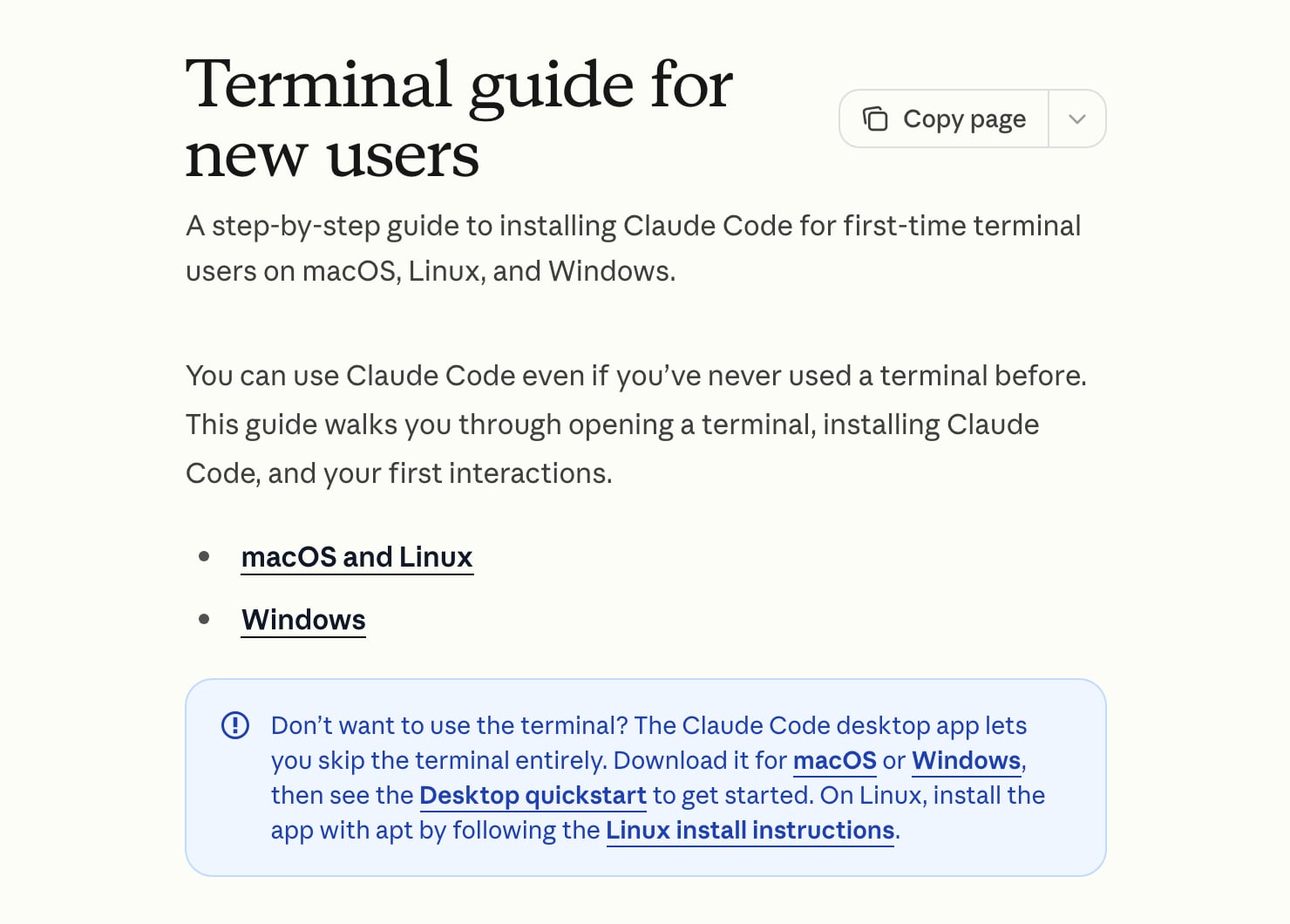
If you've never opened a terminal, start with the desktop app. Anthropic's docs say it gives you "Claude Code with a graphical interface" so you can review changes "without using a terminal," and that it includes Claude Code, so there's no separate install. If you're comfortable pasting one line, the terminal and the VS Code extension are where most of the documentation and most of the community advice live.
I work in the VS Code extension. If your work is documents and research rather than a project folder, Anthropic's Cowork is the other route, and it has its own guide.
How do you install Claude Code on Mac and Windows?
For the terminal version, Anthropic recommends its native installer. Open a terminal, paste the line for your system and press Enter. On a Mac, press Cmd+Space, type Terminal and press Enter. On Windows, press Win+X and pick Windows PowerShell.
macOS, Linux and WSL:
curl -fsSL https://claude.ai/install.sh | bashWindows PowerShell:
irm https://claude.ai/install.ps1 | iexThe installer shows no progress while it downloads, so leave the window alone until it says it's done. Then open a new terminal window and run claude --version. If it prints a version number, you're in. Mac users who prefer Homebrew can run brew install --cask claude-code, and Windows users have winget install Anthropic.ClaudeCode. The native install updates itself in the background, while Homebrew and WinGet installs don't.
Requirements are short. Claude Code needs macOS 13.0 or later, or Windows 10 version 1809 or later. On native Windows, Anthropic recommends Git for Windows so Claude can use its bash tool, and falls back to PowerShell if it isn't there. The guide says you won't need to learn Git yourself.
Then start it. In the terminal, move into the folder you want to work in and type claude. The first time, it opens a browser window so you can sign in with your Claude account.
If you see "command not found: claude" on a Mac, the installer's folder isn't on your PATH yet. Anthropic's guide gives a two-line fix, and the installer prints the exact command under "Setup notes" when it finishes. I'd run that rather than guess.
How do you use Claude Code in VS Code?
VS Code is a free code editor from Microsoft, and the Claude Code extension puts a Claude chat panel inside it, next to your files. Anthropic calls it "the recommended way to use Claude Code in VS Code," and it needs VS Code 1.94.0 or later.
To set it up, search "Claude Code" in the Extensions view (Cmd+Shift+X on Mac, Ctrl+Shift+X on Windows), install it, then open the Command Palette (Cmd+Shift+P or Ctrl+Shift+P), type "Claude Code" and pick "Open in New Tab." Once a file is open, a small Spark icon also appears in the top-right of the editor, and clicking it opens the panel. You sign in with the same Claude account.
What makes it easier for a non-coder is that you can see the folder. The file list is on the left, Claude's plan and proposed edits are on the right, and when it wants to change a file it shows the before and after. You're not typing paths into a blind terminal. Anthropic's extension page lists inline diffs, @-mentions for pointing at a file, plan review and conversation history.
What does your first session look like?
Make a new empty folder on your computer, open it in your chosen surface, and start Claude Code there. Anthropic's terminal guide suggests prompts like these for a beginner, and they're the right size:
make me a simple webpage that says hello world
look at the screenshots on my Desktop and rename them based on what's in each image
I want to build a personal budget tracker. What would I need?
Claude will say what it's about to do. For the first one, it proposes creating an HTML file and asks for permission. You approve, it writes the file, and you double-click the file to see the page in your browser. That's the whole loop in miniature: you asked for an outcome, it did the typing, you looked at the result.
Two habits make the second session better than the first. Be specific about the outcome, because Anthropic's own tip is to say "fix the login bug where users see a blank screen" and not "fix the bug." And ask questions before asking for changes. "What does this folder contain?" is a perfectly good first message, and Claude reads the files on its own without you attaching anything.
What do the permission prompts and modes mean?
A permission prompt is Claude asking "may I do this?" before it edits a file or runs a command. Approving means you've seen what it's about to do and said yes. In the desktop app and VS Code you'll see a diff with approve and decline buttons. In the terminal you press Enter to choose Yes.
The session's permission mode decides how often it asks. Press Shift+Tab in the terminal to cycle through the modes, or click the mode indicator under the prompt box in VS Code and the desktop app.
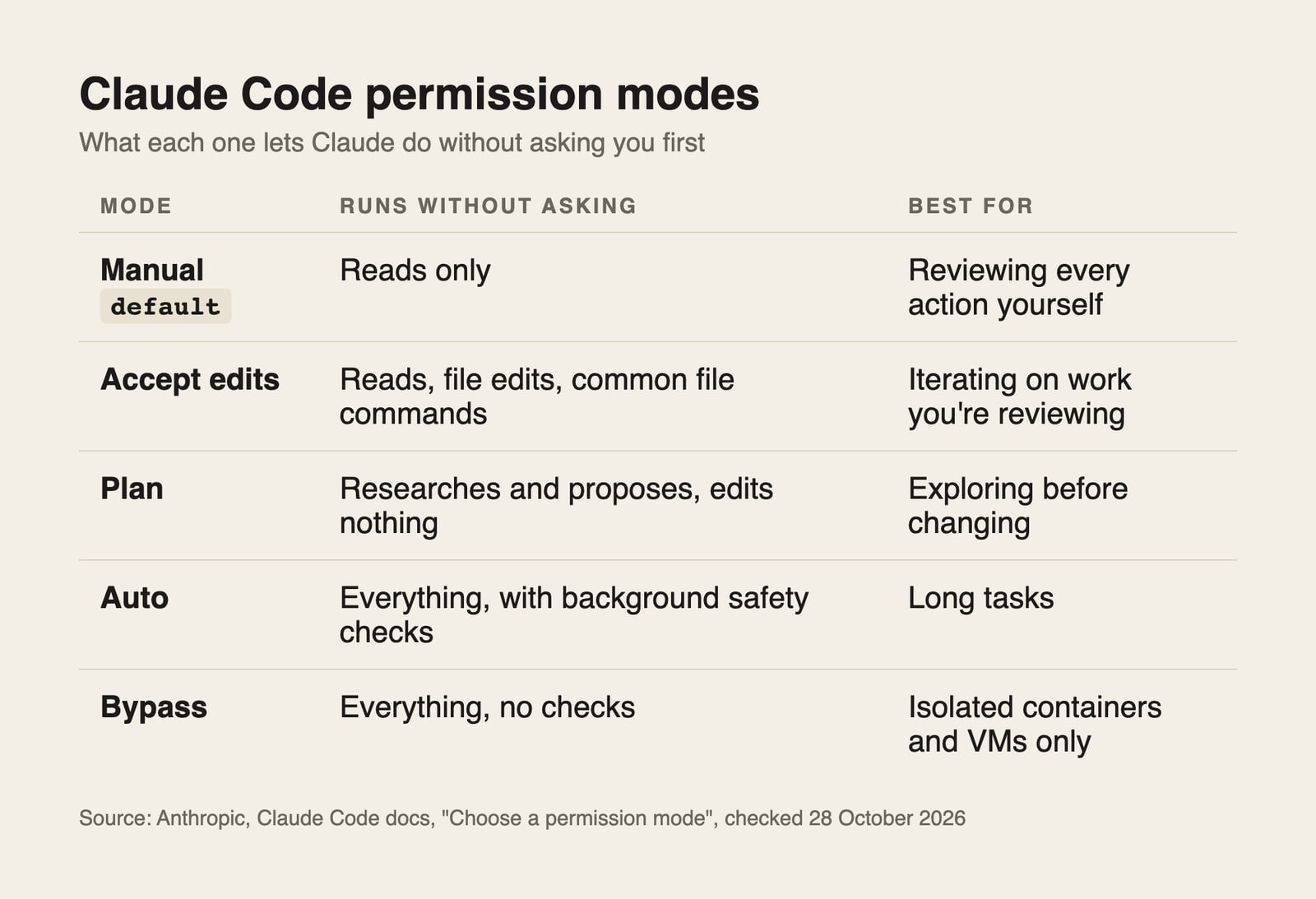
In Manual mode Claude stops before most edits, shell commands and network access. In Plan mode it researches and writes a plan but doesn't touch your files until you approve the plan, which is where I'd start on anything I can't easily undo. Auto mode lets a separate checker review actions instead of asking you, and Anthropic is clear that it "reduces permission prompts but does not guarantee safety." Bypass turns the checks off and is meant only for isolated machines, so a beginner should never need it.
One change to know about: the docs say that from Claude Code v2.1.283, Auto is the built-in starting mode for interactive terminal and VS Code sessions. So your first session may not start in Manual. Look at the mode indicator and set it to the one you want before you give a big task.
Which commands do you actually need?
Four commands and one key cover almost everything in the first few weeks. Type them at the prompt, inside a session.
| Command | What it does |
|---|---|
/help | Shows the commands available to you |
/clear | Starts a new conversation with empty context |
/usage | Shows session cost, plan usage limits and activity stats |
/resume | Reopens a previous conversation |
Esc key | Interrupts Claude while it's working |
/clear matters more than it looks. A long session fills up with old context, which is why I /clear whenever I switch topics. It's a standing rule in my own notes, for accuracy. /usage is how I check where I stand against my plan's limits, because how much a plan lets you do is a topic of its own, with its own guide.
How does a non-coder actually work with it?
The working pattern is three steps: you describe the outcome and the rules, Claude writes and runs the files, and you check the result. You never have to judge the code. You judge the thing it produced.
I keep a file in my workspace called CLAUDE.md, which Claude Code reads at the start of every session. Anthropic describes it as a markdown file in your project root where you put standing instructions. Mine says I'm a non-coder, asks Claude to explain a command in plain language before it gives it to me, and asks it to use full file paths. It means I don't have to repeat those rules in every session.
What I've built this way, without writing code myself: the pipeline that edits my reels, this website, the system that schedules my posts, my social analytics dashboard, and the step that publishes these articles. The folder they all live in holds 590 commits and 56 skills. A skill is a saved set of instructions Claude loads when a task matches, and the complete guide to skills covers them separately.
The honest framing is that I direct and check, and Claude Code does the typing. For a worked example on one build, see how I build a website with it.
Where do non-coders get stuck?
Four places come up again and again.
The terminal itself. Not knowing which folder you're in is the commonest one. The fix is to open the project folder in the desktop app or VS Code, so you start in the right place without typing cd.
Install errors that look scary. A "command not found" or a PowerShell error is almost always a PATH issue or the wrong window (PowerShell versus CMD). Anthropic's install troubleshooting page matches each error message to a fix, and you can also paste the error into Claude.
Approving things you didn't read. After a while the prompts feel repetitive and you click Yes on autopilot. I'd rather slow down on anything that deletes, sends or publishes, and stay in Plan or Manual for those.
The web version needs GitHub. Claude Code on the web at claude.ai/code clones a GitHub repository, so it isn't a no-setup option for a folder that lives on your laptop. Anthropic's quickstart says to connect GitHub first. If you're curious what a first cloud session looks like, I walked through one here.
Can you use Claude Code for free?
Not on Claude's free plan. Claude's pricing page lists Claude Code as included with Pro and Max, and marks it "No" for Free, as checked on 28 October 2026. Anthropic's quickstart lists three ways in: a paid Claude subscription, a Claude Console account with prepaid credits, or a supported cloud provider.
What is free is the learning. Anthropic runs Claude Academy with free courses, including Claude Code 101. And if you want the Claude Code experience without Anthropic's models, DeepSeek's open-source agent app costs nothing to install and charges per use for its model, which I covered in DeepSeek's free version of Claude Code. Neither one makes Claude Code itself free.
When is Claude Code the wrong tool?
When the job is a question, not a task. If you want an answer, a rewrite or a brainstorm, the normal Claude chat is faster and has nothing to approve. Claude Code earns its place when the result has to land in files: a page, a report, a renamed folder, a repeatable process.
It also isn't the right place to start if you can't yet describe the outcome. A vague "make my marketing better" gets a vague result in any tool. I'd write down what finished looks like first. I wrote about that gap in the four levels of AI adoption.
Key takeaways
- Claude Code acts on a folder: you ask in plain English, it edits and runs files, and you approve each step.
- The desktop app needs no terminal. The VS Code extension and terminal install are one step more.
- Free Claude accounts don't include it. You need Pro, Max, a Console account or a cloud provider.
- Learn Shift+Tab,
/clear,/usageand Esc first, and start in Plan mode for anything you can't undo. - You don't judge the code. You judge what it made.
FAQ
Do you need to know how to code to use Claude Code?
No. Anthropic's terminal guide says "you don't need to know how to code" and that you describe what you want in plain English. What you do need is a clear idea of the result and the habit of checking it, because Claude can produce something that runs and still isn't what you meant.
How do you install Claude Code on Windows?
Open PowerShell, paste irm https://claude.ai/install.ps1 | iex and press Enter, then run claude --version in a new window to confirm. Anthropic recommends installing Git for Windows first, but Claude Code falls back to PowerShell without it. WinGet users can run winget install Anthropic.ClaudeCode instead.
Is Claude Code free to use?
No, not on Claude's free plan. Claude Code is included with Pro and Max, or you can pay per use through a Claude Console account with prepaid credits. The app is free to download, but the models behind it are what you pay for. Free courses exist on Claude Academy.
How do you use Claude Code in VS Code?
Install the Claude Code extension from the Extensions view, open the Command Palette, type "Claude Code" and choose "Open in New Tab," then sign in with your Claude account. You need VS Code 1.94.0 or later. A Spark icon in the editor's top-right also opens the panel once a file is open.
What is the difference between Claude Code and the Claude desktop app?
The Claude desktop app contains Claude Code in its Code tab, alongside normal chat. The Code tab is Claude Code with a graphical interface and no terminal needed, and it requires a paid plan. The terminal version is the same engine run from a command line.