Claude Code
The Claude Code VS Code Extension: What It Is, Where to Get It Safely, and the Cursor Backdoor
The Claude Code VS Code extension is Anthropic's official panel for running Claude Code inside VS Code and editors built on it. What it does, where Anthropic publishes it, and what the tampered copy on Cursor's marketplace did in October 2026.
The Claude Code VS Code extension is Anthropic's official plugin that puts Claude Code in a panel inside VS Code, next to your files, so you can read Claude's plan, approve its edits and keep several conversations open without living in a terminal. Anthropic publishes it to two places only: Microsoft's Visual Studio Marketplace and the Open VSX Registry.
That second fact matters more than it did a week ago. On 29 October 2026 a tampered copy of the extension, carrying an SSH backdoor, sat in Cursor's own extension marketplace for about 11 hours. This page covers what the real extension is, where to get it, what the fake one did, and how to check a machine.
What is the Claude Code VS Code extension?
It's a graphical front end for Claude Code. Anthropic's VS Code docs describe it as "a native graphical interface for Claude Code, integrated directly into your IDE" and call it "the recommended way to use Claude Code in VS Code."
In one line: the extension is Claude Code with a window around it, running inside your editor.
The docs list what that window gives you:
- review and edit Claude's plan before you accept it
- auto-accept edits as they're made
- @-mention files, down to a line range you've selected
- conversation history
- several conversations in separate tabs or windows
It needs VS Code 1.94.0 or later and a paid Claude plan or a Console account. The docs also say it installs in VS Code forks, naming Cursor, Devin Desktop and Kiro, and that for editors it won't install in, you can run the claude command in the editor's terminal instead.
I work in the VS Code extension, and for a non-coder the appeal is simple: you can see the folder. I covered that setup in how to use Claude Code when you don't code.
How is the extension different from the Claude Code terminal and desktop app?
It isn't a different Claude. The extension, the terminal app and the desktop app all run the same Claude Code, on the same account and the same models. The docs note that the extension bundles a Claude Code version of its own, so a feature that needs a newer Claude Code arrives when the extension updates.
| Way in | What you see | Best for |
|---|---|---|
| VS Code extension | a chat panel beside your files, with diffs you approve | people who already use VS Code or a fork of it |
Terminal (claude) | text in a terminal window | people comfortable typing commands |
| Desktop app | a standalone window, no editor needed | people who've never opened a terminal |
Source: Anthropic's Claude Code docs, checked 1 November 2026.
The choice is about where you like to work, not about capability. What changes is the install path, and that's where the October incident sits.
Where should you install the Claude Code extension from?
From the listings Anthropic itself publishes to. The install section of its docs gives a direct link for VS Code and one for Cursor, then adds a warning box that reads differently now.
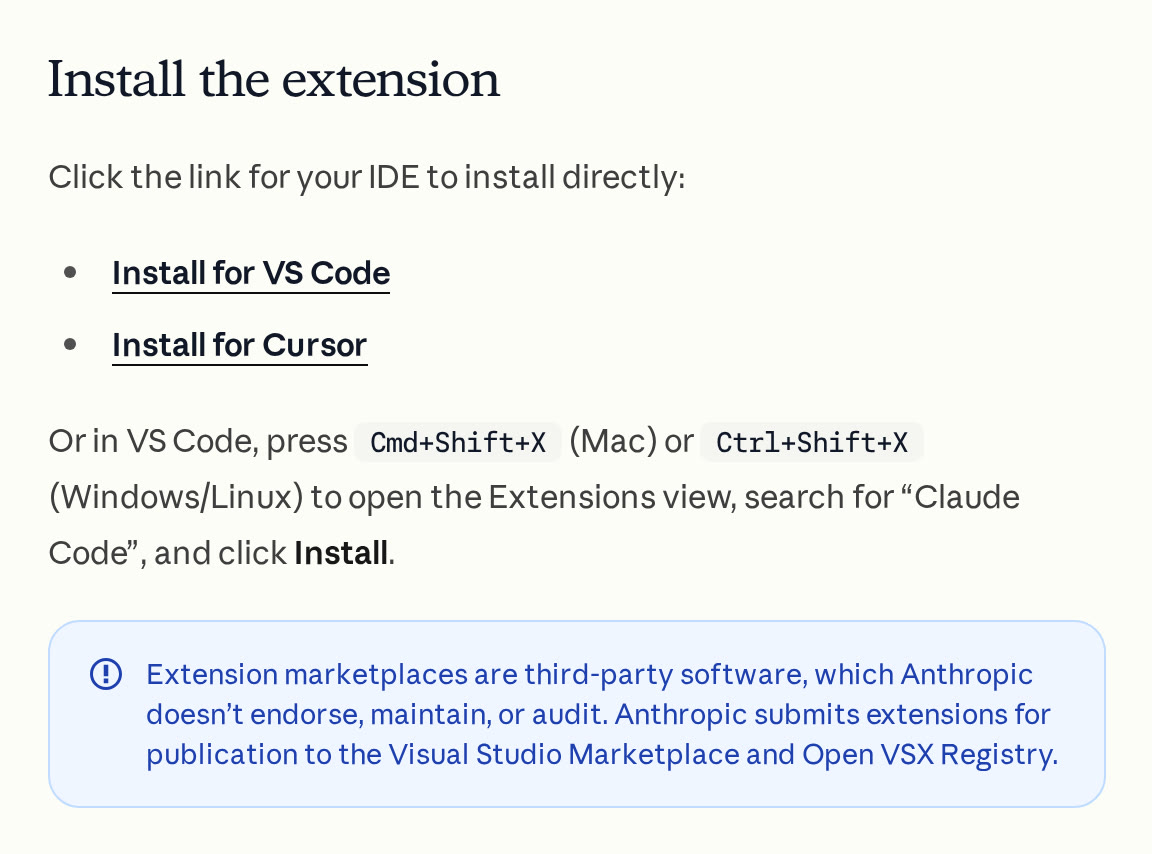
So there are two official sources. VS Code pulls from Microsoft's Visual Studio Marketplace. Most forks pull from Open VSX, the open registry run by the Eclipse Foundation, where the listing's ID is anthropic.claude-code. Cursor runs its own marketplace, and the docs are plain that a marketplace is "third-party software, which Anthropic doesn't endorse, maintain, or audit."
Three checks before you click install:
- The ID is
anthropic.claude-code. That's the ID Anthropic's docs and both registries use. - The source is one of the two official registries, or your editor's link to them.
- The version is current. On 1 November 2026 Open VSX showed 2.1.316 as the newest Anthropic release.
None of these would have stopped the October copy. It had the right ID and believable version numbers, and it came through the marketplace Cursor itself installs from. That's why the clean-up checks further down matter as much as the install checks.
What happened with the Claude Code extension on Cursor's marketplace?
On 29 October, between about 2:27am and 1:35pm Pacific time, Cursor's marketplace served versions 2.1.312 and 2.1.313 of Anthropic.claude-code for Windows and macOS that, in Cursor's words, "were not developed by Anthropic." In Singapore that window ran from about 5.27pm on 29 October to 4.35am on 30 October.
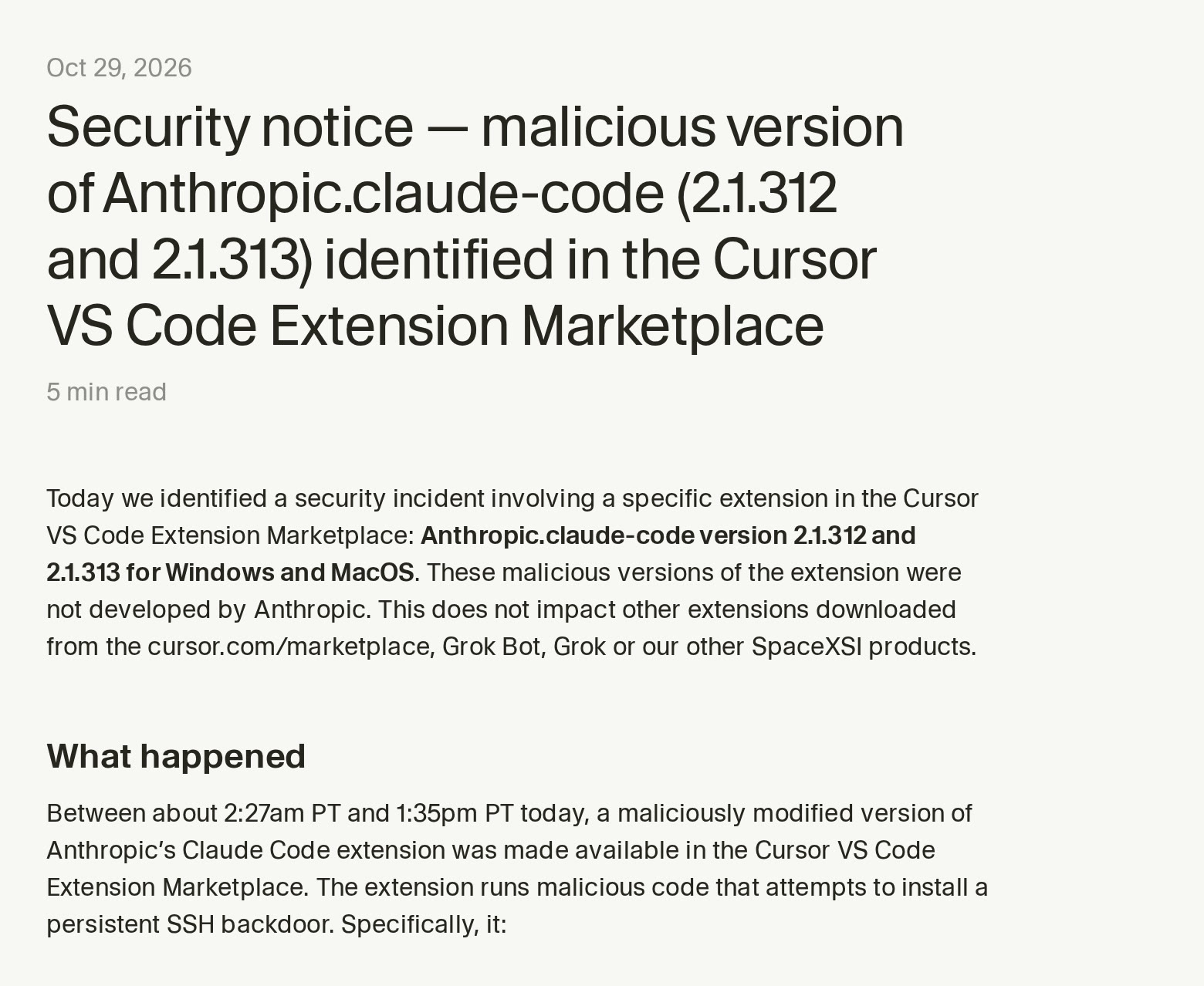
Phorion, a macOS security company, published the most detailed breakdown of the malicious code. Cursor described the incident as "impacting at most 5,000 users," as The Hacker News reported. Cursor removed the versions, audited access, rotated its keys and rebuilt the marketplace, and it says it found no other extension tampered with.
Anthropic's official copies weren't touched. David Dworken, a security engineer at Anthropic, wrote that "the versions on our official channels including VS Code and OpenVSX are not affected and this only impacts Cursor users," per The Hacker News. Microsoft's analysis says the packages were never on the Visual Studio Marketplace or npm, and that Anthropic confirmed its own systems weren't compromised.
How the attacker got publishing access to Cursor's marketplace hasn't been explained by Cursor or Anthropic as of 1 November.
What did the backdoored extension actually do?
It ran the moment the editor loaded it, with no click needed. Phorion found the malicious code placed at the top of the extension's main file, so it executed before the real extension even started. From there, according to Phorion, Cursor and Microsoft, it tried to:
- Add a door. SSH is the standard way to log in to a computer remotely, and a key in your
authorized_keysfile lets its owner in without a password. It appended an attacker's SSH key, labelledsvc-telemetry, to the user's~/.ssh/authorized_keysfile, then tried to switch on the machine's SSH service. - Dial out. It opened a reverse SSH tunnel to a server at
134.209.82.225, so the attacker could reach the machine from outside without the user's network letting them in. - Stay put. On macOS it installed a LaunchAgent (a program the Mac starts every time you log in) disguised as an Apple one,
com.apple.sysmond. On Windows it used a scheduled task calledSysMonor a Startup folder script. The tunnel retried about every 60 seconds. - Report back. It sent the hostname, username, operating system, public IP, Git email and the names (not the values) of environment variables that looked like credentials.
Several of these steps often failed. Cursor says opening SSH "would usually fail" without admin rights, and Phorion found a macOS bug that skipped the step that turns SSH on. The key and the persistence were still written, though, so the door stays in place and works if SSH is ever enabled later. Cursor also says the attacker's server has been taken offline.
That's why every advisory repeats the same line: in Cursor's words, "uninstalling the extension may not be sufficient."
How do you check if your machine was affected?
The first question is whether you installed or updated the Claude Code extension in Cursor, on a Mac or Windows PC, during that window. If you use VS Code itself, or the terminal or desktop app, the advisories say you weren't exposed.
If you were in Cursor during the window, these are the checks from Cursor's notice and Phorion's write-up:
| Check | Where | What a hit looks like |
|---|---|---|
| The SSH key | ~/.ssh/authorized_keys | a line ending in svc-telemetry |
| macOS persistence | ~/Library/LaunchAgents/ | a file named com.apple.sysmond.plist |
| Windows persistence | Task Scheduler | a task named SysMon |
| Leftover files | ~/.config/ | hidden files .smt and .smtk |
| Remote login | macOS Settings, General, Sharing | Remote Login on when you never turned it on |
On a Mac, one line in Terminal covers the first check:
grep svc-telemetry ~/.ssh/authorized_keysNo output means the key isn't there. Cursor's notice has the PowerShell command for Windows.
If anything turns up, treat the machine as compromised. Cursor's advice is to isolate the machine, run its remediation script for your platform (remediate-macos.sh as the affected user, remediate-windows.ps1 as Administrator), and rotate any passwords, tokens and sessions that machine could reach, doing that from a different, trusted computer. Cursor suggests considering a full rebuild, and Microsoft says to rebuild if trust can't be restored. A company with a security team should hand it the full indicator lists in Cursor's notice and Phorion's write-up rather than cleaning up by hand.
Cursor recommends running the scripts even if the attacker likely never logged in.
Does this mean the Claude Code extension isn't safe to use?
No. The problem was a tampered copy published through one third-party marketplace. The extension from Microsoft's marketplace or Open VSX wasn't affected, and Anthropic's own systems weren't breached, per Anthropic and Microsoft.
What the incident does show is that an AI coding extension is a juicy target. It runs inside the editor with your user account's reach, it updates itself, and people install it on the machines that hold their keys and client files. Microsoft's recommendation is to allow extensions only from approved publishers and to hold new versions for a cooling-off period before installing them, and it points to Cursor's hardening guidance for how.
If you never touch an editor, none of this applies. The desktop app and the terminal install don't use an extension marketplace at all.
The short version
- The Claude Code VS Code extension is Claude Code in a panel inside VS Code and its forks, not a separate product.
- Anthropic publishes it only to the Visual Studio Marketplace and Open VSX, under the ID
anthropic.claude-code. - On 29 October 2026, Cursor's own marketplace served tampered versions 2.1.312 and 2.1.313 for about 11 hours, to at most 5,000 users.
- The fake planted an SSH key named
svc-telemetryand startup persistence, so uninstalling isn't enough. - VS Code, terminal and desktop app users weren't affected.
FAQ
What is the Claude Code VS Code extension?
It's Anthropic's official extension that runs Claude Code in a graphical panel inside VS Code. You can review Claude's plans, approve edits as diffs, @-mention files and keep several conversations open. It needs VS Code 1.94.0 or later and a paid Claude plan or Console account.
Is the Claude Code extension free?
The extension costs nothing to install, but Claude Code itself needs a paid Claude subscription or an Anthropic Console account, per Anthropic's docs. The extension uses the same plan and limits as the terminal and desktop app.
Does the Claude Code extension work in Cursor?
Yes. Anthropic's docs include an install link for Cursor and say the extension also installs in forks like Devin Desktop and Kiro. After the October incident, check that the version you have is current and that you didn't install 2.1.312 or 2.1.313 from Cursor's marketplace on 29 October.
Which Claude Code extension versions were malicious?
Versions 2.1.312 and 2.1.313 for Windows and macOS, served only by Cursor's marketplace between about 2:27am and 1:35pm Pacific time on 29 October 2026. Anthropic says its copies on the Visual Studio Marketplace and Open VSX weren't affected.
Is uninstalling the Claude Code extension enough after the backdoor?
No. The backdoor wrote an SSH key and startup items outside the extension's folder. Check for the svc-telemetry key, remove the persistence, run Cursor's remediation script, and rotate credentials from a trusted machine if anything turns up.
Was Anthropic hacked?
Anthropic and Microsoft say no. Anthropic's systems weren't compromised, and the tampered copy was published through access to Cursor's marketplace. How that access was obtained hasn't been made public.