Claude
Claude Makes Your PowerPoint on the Free Plan. Here Is the Prompt.
The normal Claude chat builds a real .pptx file on every plan, including Free. The exact 10-slide deck prompt, how to change one slide in the same chat, how to make the charts build from your own numbers, and the change-slide prompts worth keeping.
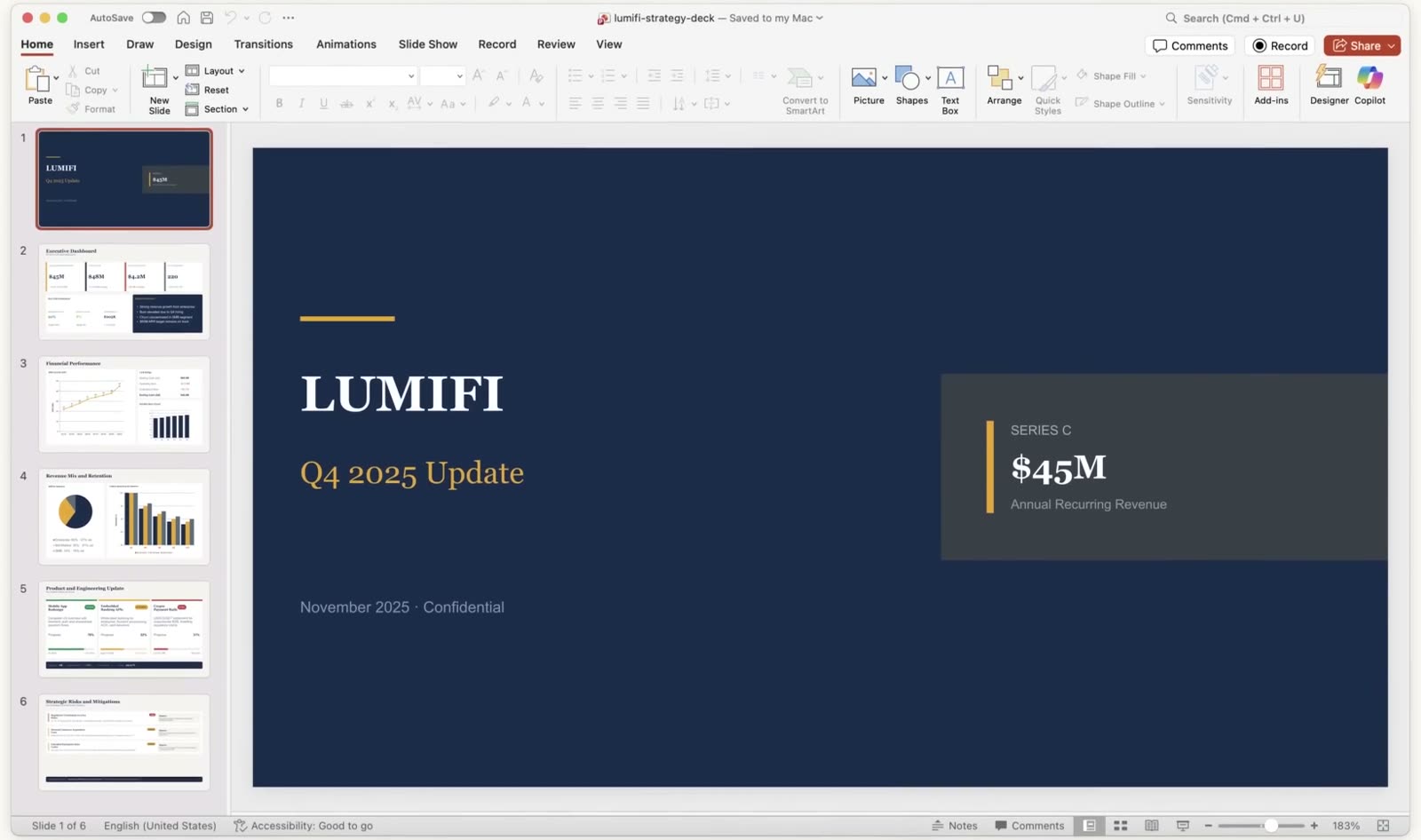
You don't need a paid plan or a design tool to get a PowerPoint deck out of Claude. The normal chat at claude.ai builds a real .pptx file you download and open in PowerPoint, and Anthropic's own help page lists that feature on every plan, Free included. You describe what the deck is for, it hands you the file, and you fix slides by talking to it in the same conversation.
The video didn't have room for the details, so they're all here. That's the exact prompt for a 10-slide deck and why it's shaped the way it is, how to change one slide without starting over, how to drop in your own numbers so the charts build from them, and a list of change-slide prompts you can copy.
Is it really free, and which part costs money?
The chat route is free. Anthropic's Create and edit files with Claude page says it in one line.

That same page lists PowerPoint presentations (.pptx) next to Excel, Word and PDF as files Claude can make, with a 30MB cap per file on uploads and downloads. But Anthropic now has three different ways to get slides out of Claude, and only one of them is on the free plan, which is where most of the confusion comes from. Prices below were checked on 6 October 2026.
| Route | Plan | What you get | The catch |
|---|---|---|---|
| The normal chat (file creation) | Free and up | A .pptx file to download, revised by asking in the same chat | You edit by asking, or by opening the file in PowerPoint yourself |
| Claude Slides | Paid plans, in beta | A deck that lives inside Claude, edited slide by slide, exported to PowerPoint or PDF | Not on Free |
| Claude for PowerPoint add-in | Pro, Max, Team, Enterprise | Claude working inside PowerPoint itself, including on your company template | Not on Free, and needs a PowerPoint install |
Anthropic's artifacts page states that the Slides, Docs and Design templates "are in beta on paid plans only", and the add-in's own page says it's "generally available to Pro, Max, Team, and Enterprise plans". On the pricing page, Pro is US$20 a month billed monthly, or US$17 a month on the annual plan.
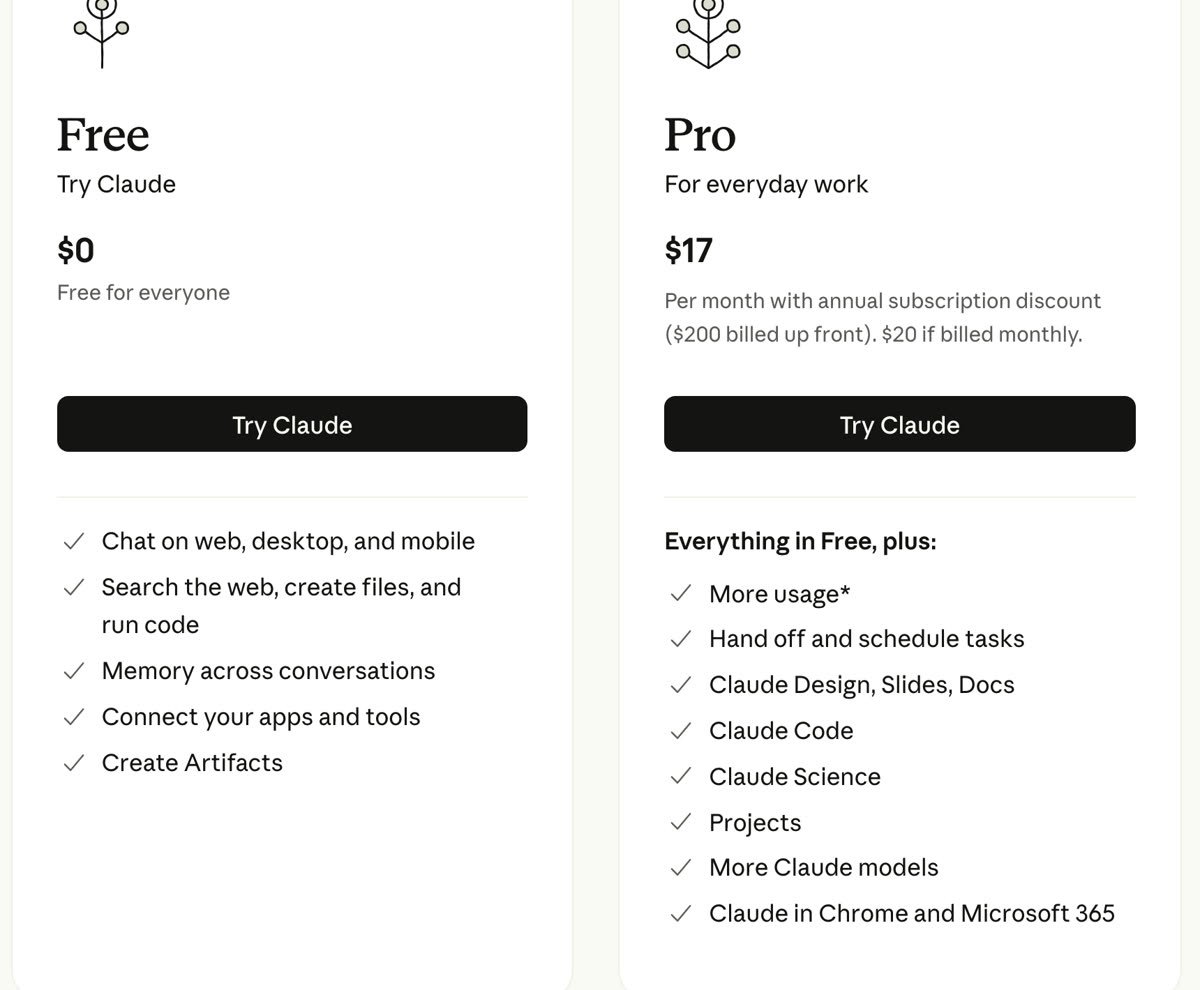
So everything below runs in the free chat. None of it needs the add-in or the Slides editor.
How I put this together
There's no deck of my own on this page. The pictures are stills from Anthropic's own demo videos, because they show the feature working from the first message to the opened file, and that's a fairer look at it than a one-off of mine would be. Those demos were recorded on paid accounts with older models, so read them as what the feature does, not as a promise about how fast the free plan does it.
The prompt is built from two things. Anthropic's help page gives one instruction for getting good files, which is to be specific and describe "the structure, content, and formatting you want." And a deck people can follow has a known shape, so the prompt hands Claude that shape slide by slide instead of hoping it guesses one. But I can't tell you how far a long revision session stretches on the free plan, because Anthropic doesn't publish the free limit as a number, and its help page warns that creating files "will use more of your limit compared to normal chats".
How do you switch it on?
On the free plan it should already be on. Anthropic's page says code execution and file creation is enabled by default on Free, Pro and Max. If Claude replies with text when you asked for a file, check Settings, then Capabilities, and make sure Code execution and file creation is toggled on. On the iPhone or Android app it's the same toggle, under your name in the sidebar, then Settings, then Capabilities.
What's the exact prompt for a 10-slide deck?
Paste this into a new chat, fill in the three brackets at the top, and send it as one message. If you have notes, a report or a past deck, attach it to the same message.
Make me a 10-slide PowerPoint deck as a downloadable .pptx file.

What it's for: [who will see it, and what you want them to do after]
The audience: [who they are and what they already know]
The brief: [paste a paragraph or your notes, or attach a document]

Follow this structure, one idea per slide:
1. Title: the deck's name and a one-line promise
2. The problem: what's broken or at stake, in the audience's words
3. The answer: our recommendation in one sentence
4. Why now: what changed that makes this the moment
5. How it works: three steps, no more
6. Proof: the numbers or examples that back it up, as a chart if there's data
7. The plan: what happens, who does it, and by when
8. The cost: what it takes, in money or time
9. The risks: the two biggest, and what we'd do about each
10. The ask: the one decision we need from this room

Rules:
- Write every slide title as a full sentence that states the point,
  so someone reading only the titles still gets the argument.
- No more than 30 words of body text on a slide. Put the rest in the
  speaker notes.
- 16:9, one clean font, one accent colour, plenty of white space.
- Use only facts from my brief or attached files. If something is
  missing, leave a [placeholder] and list them all at the end.
  Don't invent numbers.
- List the 10 slide titles in your reply, then build the file
  without waiting for me.
Each part of that is doing a job. Naming the file type in the first line matters because Claude can answer a deck request with text, a chart or a file, and asking for a downloadable .pptx removes the guess. The structure is a standard pitch arc (problem, answer, proof, plan, ask), and handing it over slide by slide is what stops the usual AI deck of ten slides that all say roughly the same thing. Sentence titles are an old consulting habit, and they're the quickest way to see whether the argument holds before you look at a single design choice. The placeholder rule is the one I'd never drop, because a deck that makes up a number looks exactly as confident as a deck that doesn't.
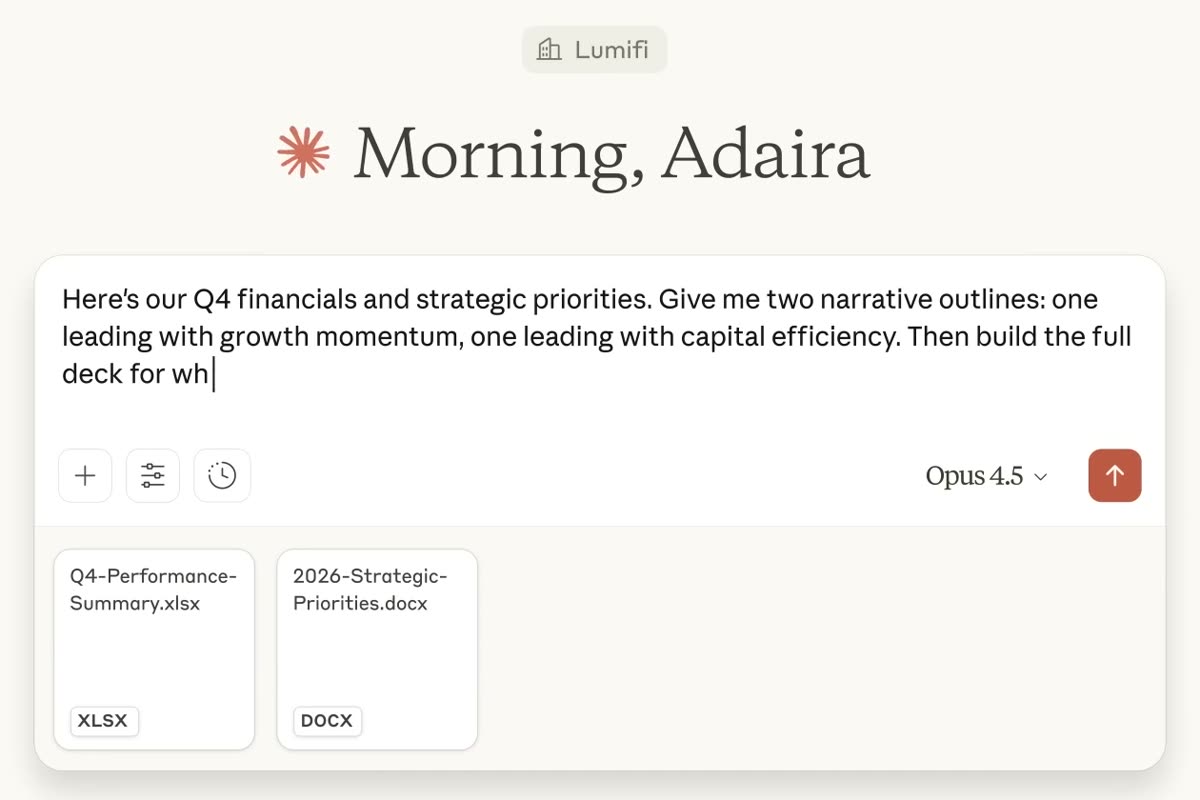
When it's done, the file shows up as a card in the chat with a Download button, and Anthropic's page says you can also save it straight to Google Drive. In that same demo, the finished deck opens in PowerPoint as a normal, editable six-slide file, and it's the one at the top of this page.
How do you change one slide without starting over?
You stay in the same chat and say which slide and what to change. Claude still has the brief, the files and the deck it made, so you don't repeat any of it.
Change slide 4 only. Turn it into a comparison table with three
columns: [option A], [option B], [option C]. Keep every other slide
exactly as it is, and give me the updated .pptx.
The "keep every other slide exactly as it is" line is the important half, because without it a revision can end up rewording slides you were already happy with.
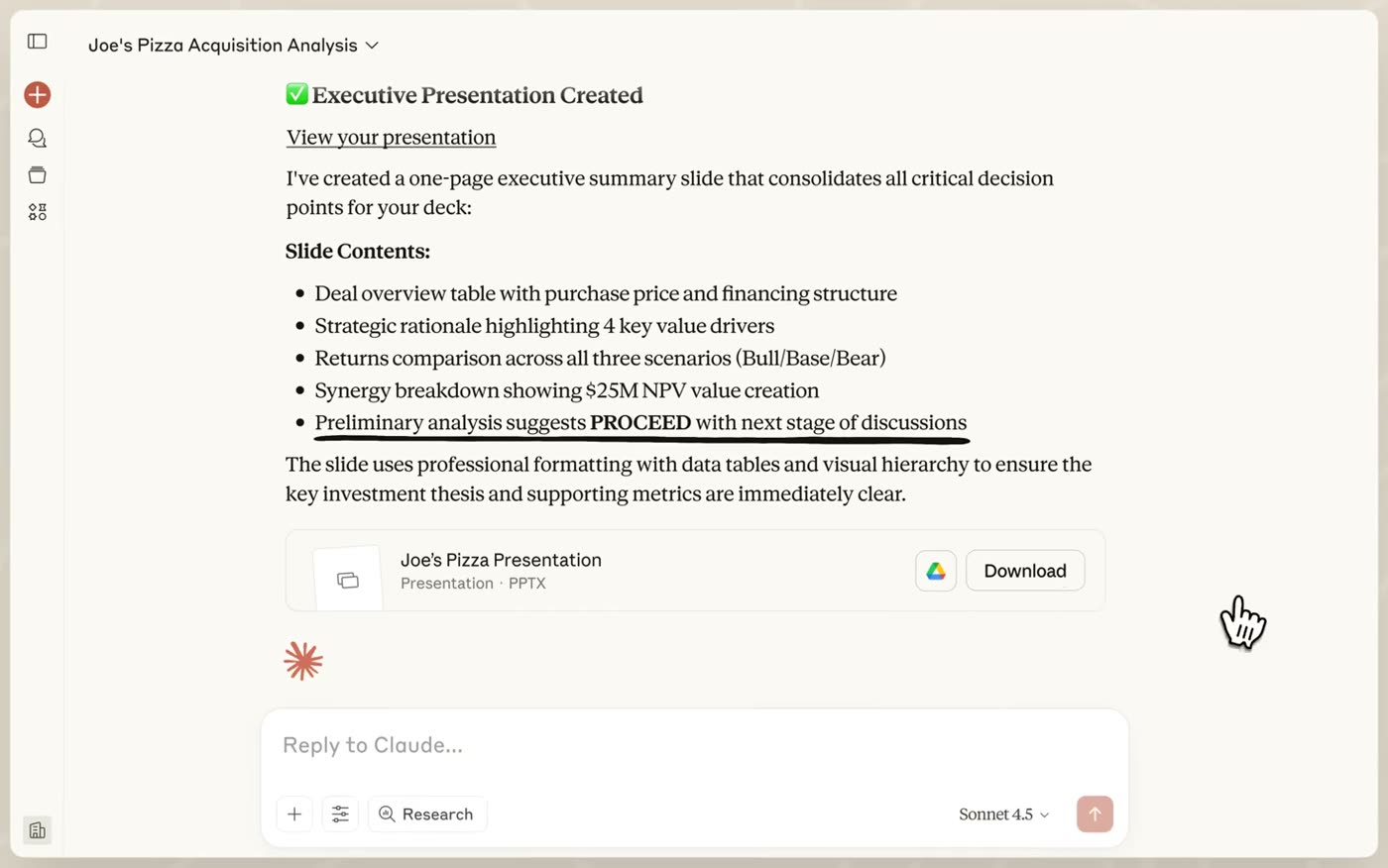
In Anthropic's demo, the follow-up comes back as a new file card further down the same conversation, which means every revision is a fresh download. So always open the newest card. If you've already moved things around in PowerPoint yourself, attach that saved file to your message and say "edit this version", or your own changes won't be in the next one.
How do you make the charts build from your own numbers?
Attach the spreadsheet to your message. Anthropic's page lists uploading CSV, TSV and other data files for analysis and visualisation, and its own examples include turning a CSV into a PowerPoint that shares the results. The trick is telling it exactly which numbers go where, and what to do when a number is missing.
Attached is [file name]. Use only the numbers in it.
Build slide 6 as a bar chart of [what you're measuring] by
[month / quarter / region]. Label both axes, and put the file
name in small text under the chart as the source.
If a number you'd need isn't in the file, tell me instead of
estimating it. Give me the updated .pptx.
You'll see Claude work through the file before the slide appears. In Anthropic's demo it reads the data, then lists steps like "Creating Chart 1 showing location performance analysis" as it builds each one.
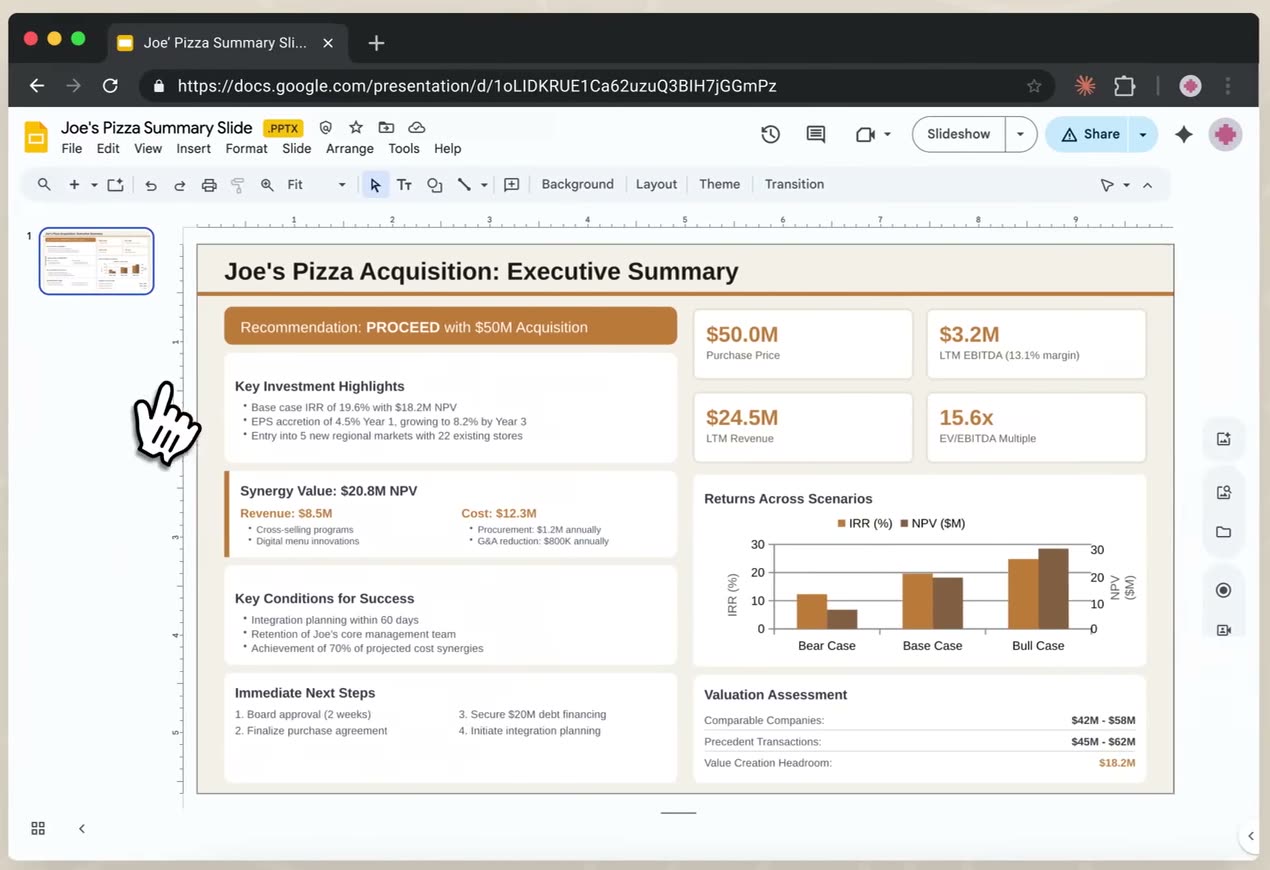
Two checks before that slide goes in front of anyone. First, check every number on the chart against your sheet, the way you'd check a junior's work, because the placeholder rule lowers the risk of a made-up figure without removing it. Second, if you'll need to update the chart later, click on it in PowerPoint. If you can edit its data, it's a real chart. If it behaves like a picture, ask Claude to rebuild that slide with "an editable PowerPoint chart, not an image" and check again.
What should you type to change slide N?
These are the revisions most decks need, written to paste straight into the same chat. Swap the slide numbers for yours.
- "Slide 3 is too wordy. Cut it to one sentence and three short bullets, and move the rest to the speaker notes."
- "Turn slide 5 into a three-step diagram instead of bullets."
- "Make slide 6 a line chart from column [X] of the attached sheet, by month."
- "Swap slides 7 and 8, and fix any wording that referred to the old order."
- "Split slide 2 into two slides. The deck can be 11 slides."
- "Rewrite every slide title so it states the point, not the topic."
- "Slide 9 lists five risks. Keep the two biggest and say what we'd do about each."
- "Use [hex colour] as the accent colour on every slide and change nothing else."
- "Add a final slide with the three questions this audience is most likely to ask, with a short answer to each."
- "Read the whole deck as [the audience] would, and tell me which slide is weakest and why, before you change anything."
The last one is the one I'd run before sending any deck. It costs one message and doesn't touch the file, so it's a cheap way to find out whether the slide you were already slightly worried about is as weak as you thought.
Where does the free route stop?
It stops at your company template, mostly. Building slides on an existing corporate or client template is listed as a feature of the Claude for PowerPoint add-in, which is a paid feature. In the free chat you can attach your template file and ask Claude to follow it, but check the result closely before you assume it matched.
Usage is the other thing to watch. File creation draws from the same usage limit as the rest of your chats, and Anthropic says it uses more of it than a normal conversation, so a deck with ten rounds of revisions is a heavier session than ten questions would be. Two smaller things are worth knowing too. Anthropic has turned off public sharing for conversations that contain these files on the Free, Pro and Max plans, so you share the .pptx, not the chat link. And its help page warns that instructions hidden inside files or websites could trick Claude into leaking data from the conversation, so build decks from your own files and the sources you trust.
FAQ
Can Claude make a PowerPoint on the free plan?
Yes. Anthropic's help page lists code execution and file creation for all Claude users, Free included, and PowerPoint (.pptx) is one of the file types it makes. You ask in a normal chat and download the file.
Is Claude Slides free?
No. Anthropic's artifacts page says the Slides, Docs and Design templates are in beta on paid plans only, and the pricing page lists them under Pro. The free route to a PowerPoint deck is the normal chat, which makes a .pptx you download.
Do I need PowerPoint installed to use a deck Claude makes?
No. The .pptx opens in PowerPoint, but it also opens in Google Slides, and Anthropic's page says you can save Claude's files straight to Google Drive. Anthropic's own demo opens one of these files in Google Slides.
Can Claude edit one slide of a PowerPoint without redoing the whole deck?
Yes, in the same chat. Name the slide, say what to change, and add "keep every other slide exactly as it is". In Anthropic's demo the change comes back as a new .pptx in the same conversation, so download the newest one.
Can Claude build PowerPoint charts from my own spreadsheet?
Yes. Attach the spreadsheet, tell Claude which numbers go on which slide, and tell it to flag missing numbers instead of estimating them. Check every figure on the chart against your sheet before the deck goes out.
What changes when the deck takes ten minutes
I don't think this kills presentations, but it probably kills the hour between knowing what you want to say and having it look presentable. Once that hour's gone, "the deck took too long" stops working as an excuse, and what's left to judge is the thinking behind it. That's why the prompt above spends more lines on the argument than on the design.
The same habit carries over to anything visual you make with Claude. When I had it design a whole carousel, the result came down to how specific the ask was, and the deck prompt above is built the same way: the structure, the rules and the sources go in up front, so the file that comes back is one you'd actually send.