Claude
Claude's Free Finance Agents: Three Worth Setting Up for Your Business
Anthropic published ten finance agents for Claude, free on GitHub. The three that fit a business owner's books (Month-End Closer, GL Reconciler, Meeting Prep Agent), how to install them in Claude Cowork or Claude Code, and the first job to give each one.
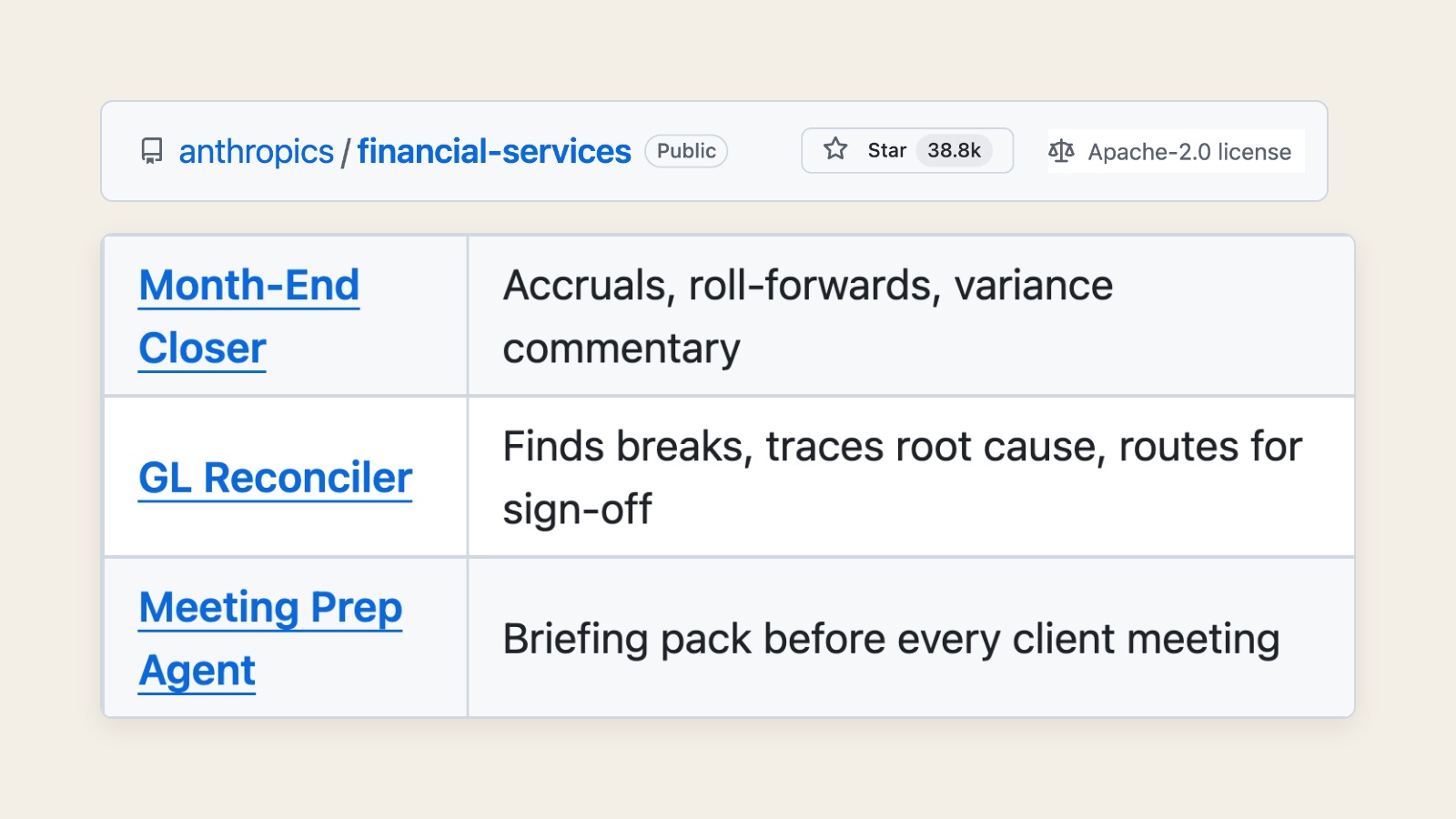
On 5 May 2026, Anthropic released ten finance agents for Claude as free, open-source plugins in a public repo, anthropics/financial-services. They were built for banks, funds and financial advisers, but three of them match the money work almost any business does: the Month-End Closer, the GL Reconciler and the Meeting Prep Agent. You need a paid Claude plan to run them, and every one of them drafts work for a person to sign off.
I made a short video on this. This longer version covers what's actually in the repo, what the three agents produce, how to install them and the first job I'd give each one.
What did Anthropic actually release?
Anthropic called it Agents for financial services, and the first line of the post sets out the scope plainly.
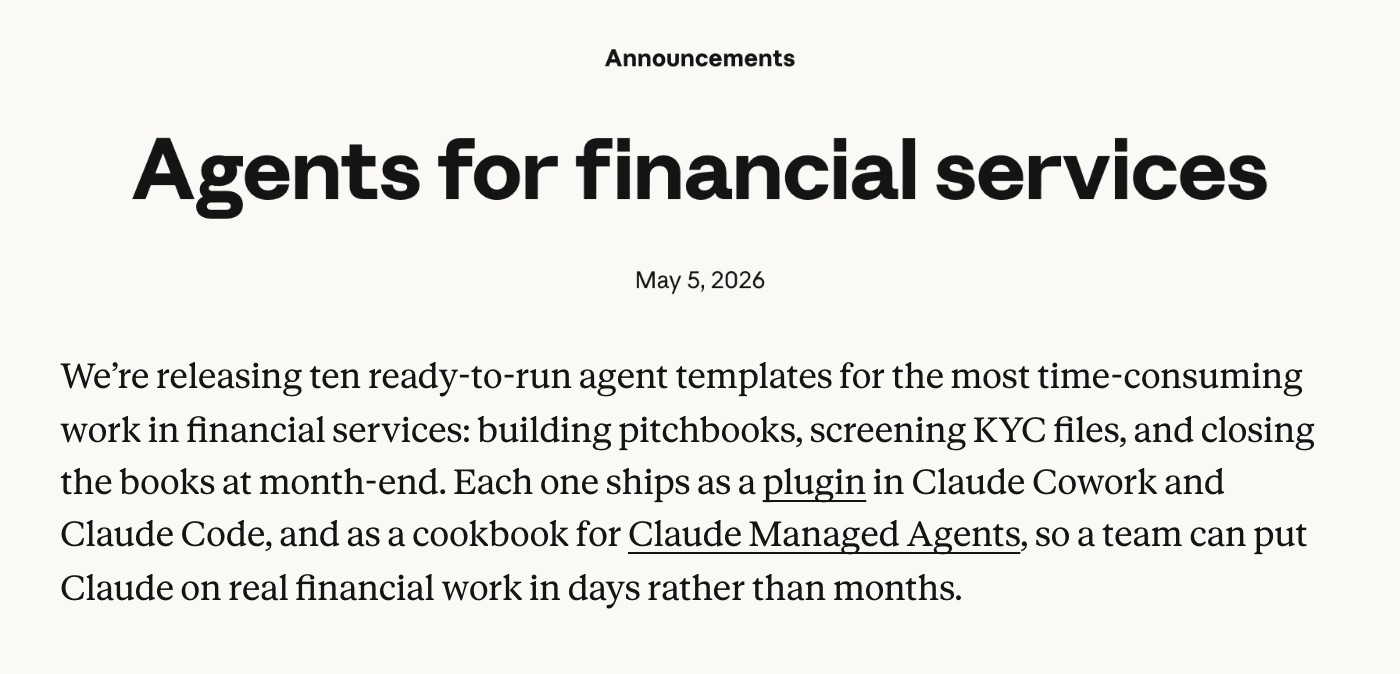
Each agent ships as a plugin for Claude Cowork and Claude Code, and as a template for developers deploying through Anthropic's API. The code lives on GitHub under the Apache 2.0 licence, which means it's free to use and change. More than 38,800 people had starred the repo by 6 October, and it's still being worked on, with its most recent update landing on 21 September.
The README describes the whole thing as reference agents for "the financial-services workflows we see most", and names who those are: investment banking, equity research, private equity and wealth management. So I'd read everything below with that in mind, because these were designed for analysts at financial firms rather than for a café or a renovation firm. Some of them just happen to do work that every business with a set of books also has to do.
The README lays out all ten in one table.
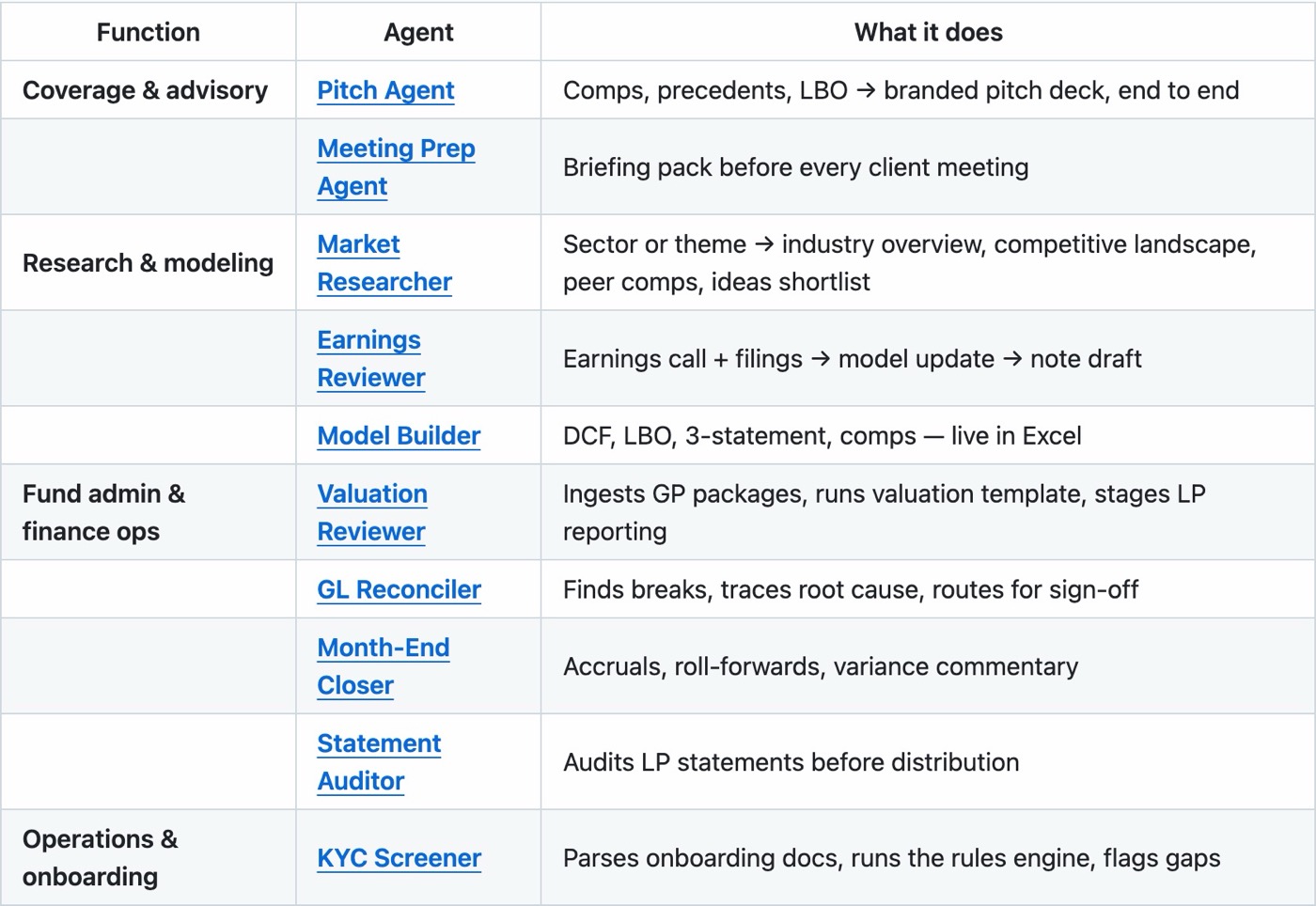
Most of them are for deal and research work, like pitch decks from comparable companies, valuation models in Excel, earnings call reviews and KYC screening, which matter inside a bank but not to most business owners. The three below are the exceptions.
Which three finance agents fit a business owner?
Month-End Closer
The Month-End Closer runs the close for one entity and one month. Its own instructions describe it as "a controller's right hand". It produces an accrual schedule with a draft journal entry for each accrual, roll-forward schedules that tie back to the ledger, variance commentary on the lines that moved against last month and against budget, and a close package that puts all of it together for review.
The variance commentary is the part I'd look at first. The skill behind it flags any line that moved by more than a set threshold (5% by default, or a fixed floor) and always comments on revenue, staff costs and cash. It also has to explain why a number moved, not just restate that it did. When the data doesn't show the reason, it's told to write "driver unclear" and flag it for a person rather than invent one, and that's what I'd want from anything that touches my accounts.
But it doesn't post anything. The journal entries are drafts, and the agent's own guardrail says posting needs approval outside the agent.
GL Reconciler
The GL Reconciler compares your general ledger (the master record of every account) against a second record that should agree with it, and finds where they don't. It was written for fund accountants matching the ledger to a subledger, but the method underneath is the one any bookkeeper uses: line both sides up on a common key, match what agrees, and list every break.
Then it does the slower part, which is working out why. Each break gets sorted into a bucket, such as a timing difference, a duplicate or missing entry, a mapping error where something landed in the wrong account, or a small recurring fee booked on one side only. Each one comes back with a one-sentence root cause, who should fix it, and whether it'll clear by itself. And before the report is drafted, a separate check re-verifies every break. The agent never writes to the ledger either.
Meeting Prep Agent
The Meeting Prep Agent builds a briefing pack before a client meeting: a relationship summary, recent activity, open items, a suggested agenda, and three to five talking points to raise.
It's the one that needs the most adjusting. It was written for wealth advisers, so its pack also includes a holdings snapshot and market news on the client's portfolio, and its review skill asks for things like assets under management and target allocation. For most businesses, half of that doesn't apply. But the repo expects you to change it. Its own advice is to install the agents that match your work, "then tune the prompts, skills, and connectors to how your firm does it", and the agent's instructions are a plain text file you can edit.
What do you need before you install them?
A paid Claude plan. Cowork and Claude Code aren't on the Free plan, and Anthropic's pricing page lists Pro at US$20 a month billed monthly, or US$17 a month on an annual plan, with Max from US$100 a month. So the repo is free, but you'll need one of those plans to run it.
The second thing is your data, and this is where a small business setup differs from a bank's. The agents are written to pull figures through connectors into a firm's internal ledger and CRM, which a big finance team has wired up and most small businesses don't. But the skills underneath work from extracts. The reconciliation skill starts from "a GL extract and a subledger extract", and the variance skill from this period's actuals, last period's and the budget. So the practical route for most owners is to export those reports from the accounting software you already use and hand the files over.
I haven't run these on anyone's books yet, so treat the first month as a side-by-side test against the close you already do.
How do you install them in Claude Cowork?
Cowork is the easier path if you don't use a terminal. You add the repo once, then pick the agents you want from its list.

- Open Claude Desktop and go into Cowork.
- Find the plugins screen. The README says Settings, then Plugins, then Add plugin. Anthropic's help centre currently describes it as the Customize menu, then the Plugins tab, then Add, then Add marketplace and Add from a repository. Menus move between releases, so use whichever one you see.
- Paste the repo address:
https://github.com/anthropics/financial-services - From the list that appears, install Month-End Closer, GL Reconciler and Meeting Prep Agent. Each one bundles the skills it uses, so you don't need anything else to start.
Once they're in, the README says the agents show up in Cowork and their skills fire on their own when a request matches.
How do you install them in Claude Code?
If you already work in Claude Code, it's four lines. The first adds the repo as a plugin marketplace, and the rest install the three agents by name:
claude plugin marketplace add anthropics/financial-services
claude plugin install month-end-closer@claude-for-financial-services
claude plugin install gl-reconciler@claude-for-financial-services
claude plugin install meeting-prep-agent@claude-for-financial-services
The README also suggests installing financial-analysis@claude-for-financial-services first, which carries the shared modelling skills and the data connectors. But you can skip it for these three, since each agent plugin carries its own skills.
What's the first job to give each one?
Start small and pick something you already know the answer to, so you can tell whether the output is right.
Month-End Closer. Export last month's profit and loss, the month before and your budget if you keep one, and ask it for variance commentary on every line that moved more than 5%. You already know why most of those lines moved. And if its explanations match yours and it flags the ones it can't explain, give it the accruals next.
GL Reconciler. Pick one account and one month you've already reconciled. Your main bank account works well. Export the ledger entries for it and the bank's statement for the same month, and ask for a break list with a cause for each. Since you know where the differences were, you'll see quickly whether it finds them and whether its reasons hold up.
Meeting Prep Agent. Before your next client meeting, give it the email thread, your notes from the last call and any open quotes or invoices. Ask for the relationship summary, open items, a suggested agenda and three talking points, and tell it to leave out the holdings and market sections. Read the pack against what you remember. If it misses something you'd have raised, that goes into its instructions.
Does this replace your accountant?
No, and the repo says so in a notice at the top of the README.
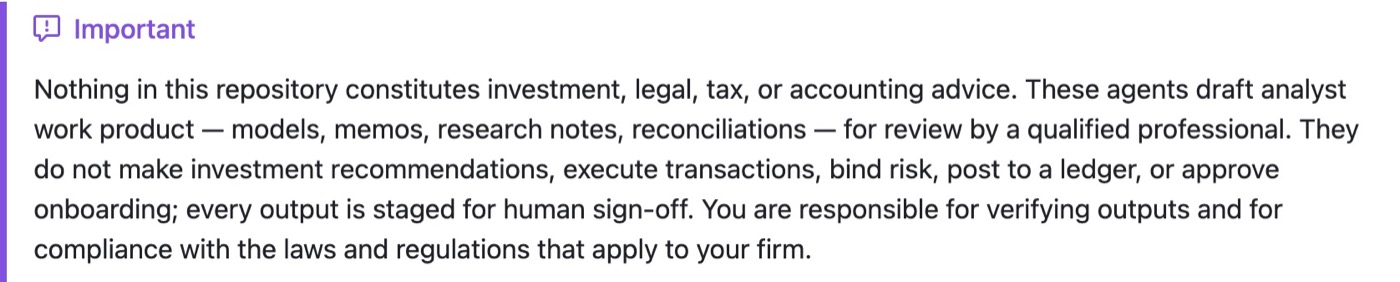
Nothing in the repo is investment, legal, tax or accounting advice, and the agents "draft analyst work product" for review by a qualified professional. They don't post to a ledger, execute transactions or approve anything, every output waits for a person to sign off, and you stay responsible for checking it.
So I don't see them replacing your accountant, but they could take over the evening an owner spends tidying the books before the accountant can even start, which is usually the owner's own unpaid time.
FAQ
Are Anthropic's finance agents for Claude free?
The agents are free. Anthropic published them in the anthropics/financial-services repo on GitHub under the Apache 2.0 licence, so anyone can download and change them. Running them needs Claude Cowork or Claude Code, which come with paid Claude plans starting at US$20 a month for Pro.
Do Claude's finance agents work on the Free plan?
No. The agents install as plugins in Claude Cowork or Claude Code, and neither is included in Claude's Free plan. Plugins in Cowork work on Pro, Max, Team and Enterprise plans.
How many finance agents did Anthropic release?
Ten: Pitch Agent, Meeting Prep Agent, Market Researcher, Earnings Reviewer, Model Builder, Valuation Reviewer, GL Reconciler, Month-End Closer, Statement Auditor and KYC Screener. Anthropic announced them on 5 May 2026. For a business owner, the Month-End Closer, GL Reconciler and Meeting Prep Agent are the most relevant three.
Can Claude's GL Reconciler fix the errors it finds in my books?
No. The GL Reconciler finds breaks between two records, traces each to a likely cause and drafts an exception report, but its instructions bar it from posting to the ledger. Any adjustment needs a person to approve and make it.
Where I'd start
What I find interesting here is that the drafting work a big finance team does by hand now sits in a free repo that a business of one can install. In IMDA's latest report, the most common reason Singapore firms gave for not using AI was that they're too small to need it, and a free month-end close is a good way to test that.
If I were starting this week, I'd install the GL Reconciler alone, run it on a month I'd already closed, and only add the other two once its answers matched mine.