websites
20 Things to Fix Before Your Website Gets You Sued
The legal exposure sitting on most small business websites, from fake reviews and hidden fees to cookie consent, alt text and a data deletion route. What each item means, why it carries real risk, and what to ask Claude to check.
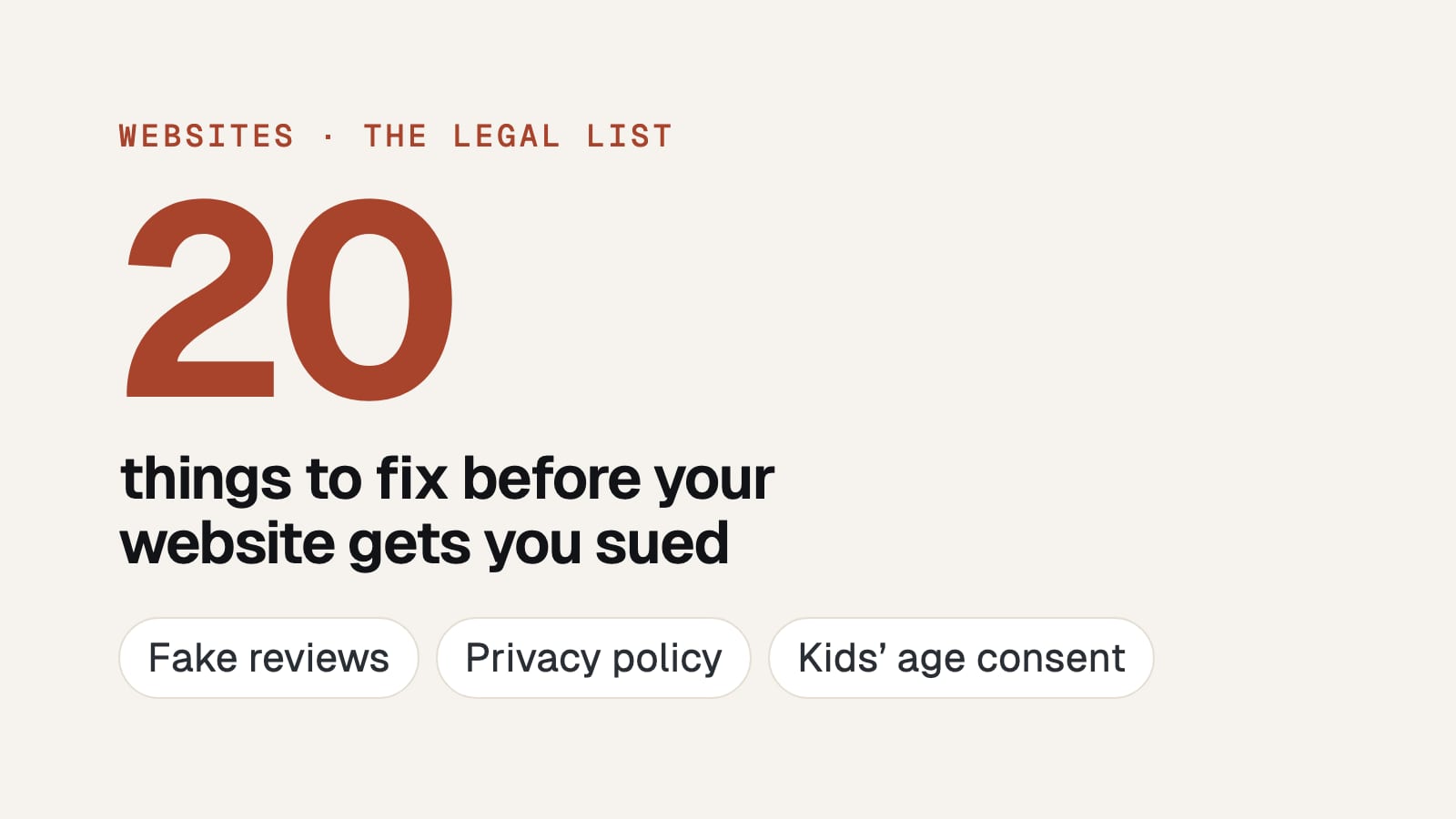
Most small business websites carry legal exposure the owner has no idea about, and almost none of it is exotic. Twenty ordinary things, most of which take an afternoon.
I'm not a lawyer and none of this is legal advice, it's the checklist I run on my own site and on every site I build. What actually applies to you depends on where you and your customers are.
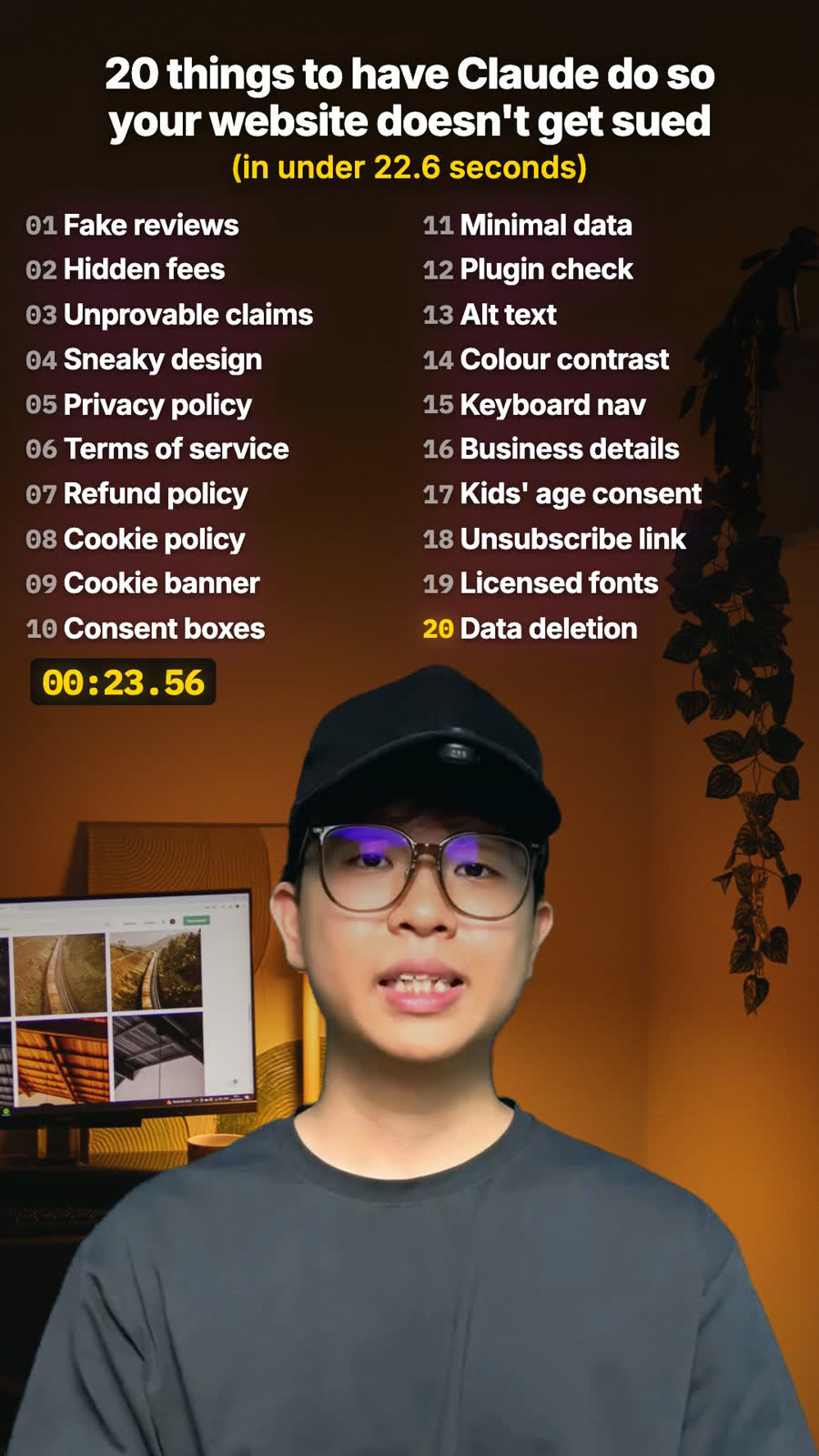
The full twenty, in the order they appear below:
fake reviews · hidden fees · unprovable claims · sneaky design · privacy policy · terms of service · refund policy · cookie policy · cookie banner · consent boxes · collect less · plugin audit · data deletion · children's data · unsubscribe link · alt text · colour contrast · keyboard navigation · business details · licensed fonts and images
They're grouped by the kind of risk rather than ranked, because the risk depends on where you trade. If you want an order to work in, it's at the bottom.
What you claim
1. Fake reviews. Regulators treat an invented testimonial as deceptive advertising, and several now have explicit rules with per-violation penalties attached. The trap for small businesses is inherited copy: a previous agency wrote three glowing quotes to fill the template and nobody ever removed them. Go and check that every testimonial on your site came from a real customer who actually said that. If you can't name the person, take it down today.
2. Hidden fees. Booking fees, service charges and compulsory extras that only appear at the final step. Drip pricing is being legislated against by name in multiple markets, and the standard being applied is whether the headline price is the price a person can actually pay. If a fee is unavoidable, it belongs in the number you advertise.
3. Claims you can't prove. Number one, best, fastest, leading, award-winning, certified. Every one of those is a factual claim you can be asked to substantiate, and the burden sits with you rather than with whoever complained. Either produce the evidence and cite it on the page, or soften it to something true. "Award-winning" with the award named and dated is fine; "award-winning" on its own is a liability.
4. Sneaky design. Dark patterns: a pre-ticked consent box, a cancel route buried three levels deep, a countdown timer that resets on refresh, a decline button written so it reads like agreement. These are increasingly regulated under their own name, and they are the single easiest thing for a regulator or a journalist to screenshot and publish.
The pages you need
5. A privacy policy. Non-negotiable the moment you collect anything at all, and a contact form counts. It has to say what you collect, why, who you share it with, where it's stored and how long you keep it. A generic template with another company's name still in it is genuinely worse than nothing, because it demonstrates you never read it.
6. Terms of service. What you are agreeing to provide, what happens when something goes wrong, how disputes get handled, and the limits of your liability. This is the page that protects you rather than your customer, which is exactly why it's the one people skip.
7. A refund policy. State it plainly and put it where someone can find it before they buy. Ambiguity here turns into chargebacks, and in most consumer-protection regimes your silence gets read in the customer's favour rather than yours.
8. A cookie policy. Distinct from the privacy policy. It lists what specific cookies run on your site, what each one does, whether it's yours or a third party's, and how long it persists. If you can't write that list, it's because nobody knows what's running, which is item 12.
Consent and data
9. A cookie consent banner. A real one, meaning it does not set analytics or marketing cookies until consent has actually been given. A banner reading "by continuing you agree" while the tracking already fired on page load is decorative, and that pattern has been ruled insufficient repeatedly. Rejecting should be as easy as accepting.
10. Consent boxes on your forms. Unticked by default, separate from terms acceptance, and specific about what is being agreed to. Bundling marketing consent into "I accept the terms and conditions" does not hold up anywhere that takes consent seriously, because consent has to be freely given and unbundled.
11. Collect only what you need. Every field on your form is a liability you have chosen to hold. If you never call anyone, don't ask for a phone number. If you don't post anything, don't ask for an address. The cheapest possible data breach is the data you never collected, and minimisation is an explicit principle in most modern privacy law rather than just good hygiene.
12. Check the plugins you installed. The one nobody thinks about. Every third-party script on your site, the chat widget, the heatmap, the advertising pixel, the analytics, is a company you have silently handed your visitors' data to, and you are the one answerable for it. Open your site with the network tab running and list every domain it calls. Most people find at least one they had forgotten entirely.
13. A data deletion route. People have the right to ask you to delete what you hold about them in most jurisdictions that matter. There has to be a way to ask, and a person who responds inside the statutory window. An unmonitored inbox is not a process, and "we never received it" is not a defence when the address was on your own contact page.
14. Age consent for children's data. If under-13s could plausibly use your service, the rules change sharply and the penalties get serious quickly. Most businesses do not need a compliance programme here, they need to be able to say honestly that they do not target or knowingly collect from children, and to have their sign-up reflect that.
15. An unsubscribe link in your emails. Required by anti-spam law nearly everywhere, and it has to work in one click without making someone log in. This is the most enforced item on this entire list, because it's the easiest thing in the world to prove: the complainant simply forwards the email.
Access and honesty
16. Alt text on images. Accessibility claims are being brought and settled in a lot of markets, and missing image alt text is the most visible and most cited failure. It costs an afternoon, it helps your search ranking, and it makes the site usable for someone on a screen reader, which was the point.
17. Colour contrast. Light grey on white fails WCAG AA, and it is the most common accessibility complaint on the web by a wide margin. A contrast checker takes two minutes per page and the fix is usually one variable in your stylesheet.
18. Keyboard navigation. Everything clickable has to be reachable and operable with the Tab key alone, with a visible focus indicator so someone can see where they are. Custom dropdowns, modals and carousels are where this breaks, because the default components handle it and bespoke ones rarely do. Try tabbing through your own homepage right now.
19. Your business details. Registered business name, entity number and a real contact address, where your jurisdiction requires them, and many do for anyone selling online. A contact form on its own is frequently not sufficient. It's also a trust signal, so it earns its place regardless.
20. Licensed fonts and images. The item that produces actual invoices. Stock agencies and font foundries run automated infringement detection at scale and send real demands with real numbers on them. A font copied out of a template, or an image a freelancer found and dropped in, is your exposure and not theirs. Keep the licence receipts somewhere you can find them.
FAQ
Is this website legal checklist legal advice?
No. It's the checklist I run on my own site and on sites I build. What applies to you depends on where you and your customers are.
Which website legal issues carry the most risk?
Fake reviews, hidden fees, claims you can't prove and sneaky design carry the most direct penalties. The unsubscribe link and licensed fonts and images are the two most likely to produce an actual letter.
Does my website need a cookie banner?
If you run analytics or marketing cookies for visitors in places that require consent, yes, and it has to block those cookies until someone agrees. A banner that only announces them doesn't count.
Can Claude check my website for legal risks?
Yes. Give it a legal checklist like this one and ask it to go through one item at a time and quote the evidence for each, rather than asking whether your site is compliant, which gets you a reassuring summary.
How to actually run this
Don't do it manually. Give the list to Claude with access to your site and ask it to go through item by item and report what's missing, rather than asking "is my site compliant", which gets you a reassuring essay.
The prompt shape that works: "Go through this checklist against my site one item at a time. For each one, tell me whether it's present, partly present or missing, quote the evidence you found, and say what you would change. Do not summarise until you've done all twenty."
The order I'd fix them in, since the grouping above is by risk type rather than by urgency. Items 1 to 4 first, because deceptive claims carry the most direct penalty and cost nothing but honesty to remove. Then 15 and 20, because those are the two most likely to generate an actual letter. Then the pages, then accessibility.
The framing worth holding onto is that almost none of this is about lawyers. It's the same work as getting a site ready to launch properly, approached from the side of what happens if you're wrong. A site that treats people straight usually passes most of this by accident.
Send this to whoever built your site. If they built it well, they'll have done most of it already, and if they haven't, better that you find out now than in a letter.