Claude Code
How to Turn Any YouTube Tutorial Into a Claude Skill
Can Claude watch videos? Yes, with claude-video, a free, MIT-licensed plugin that turns any YouTube link into timestamped frames and a transcript. How to install it without the terminal, the prompt that turns a tutorial into a Claude skill, what it costs, and where it falls short.
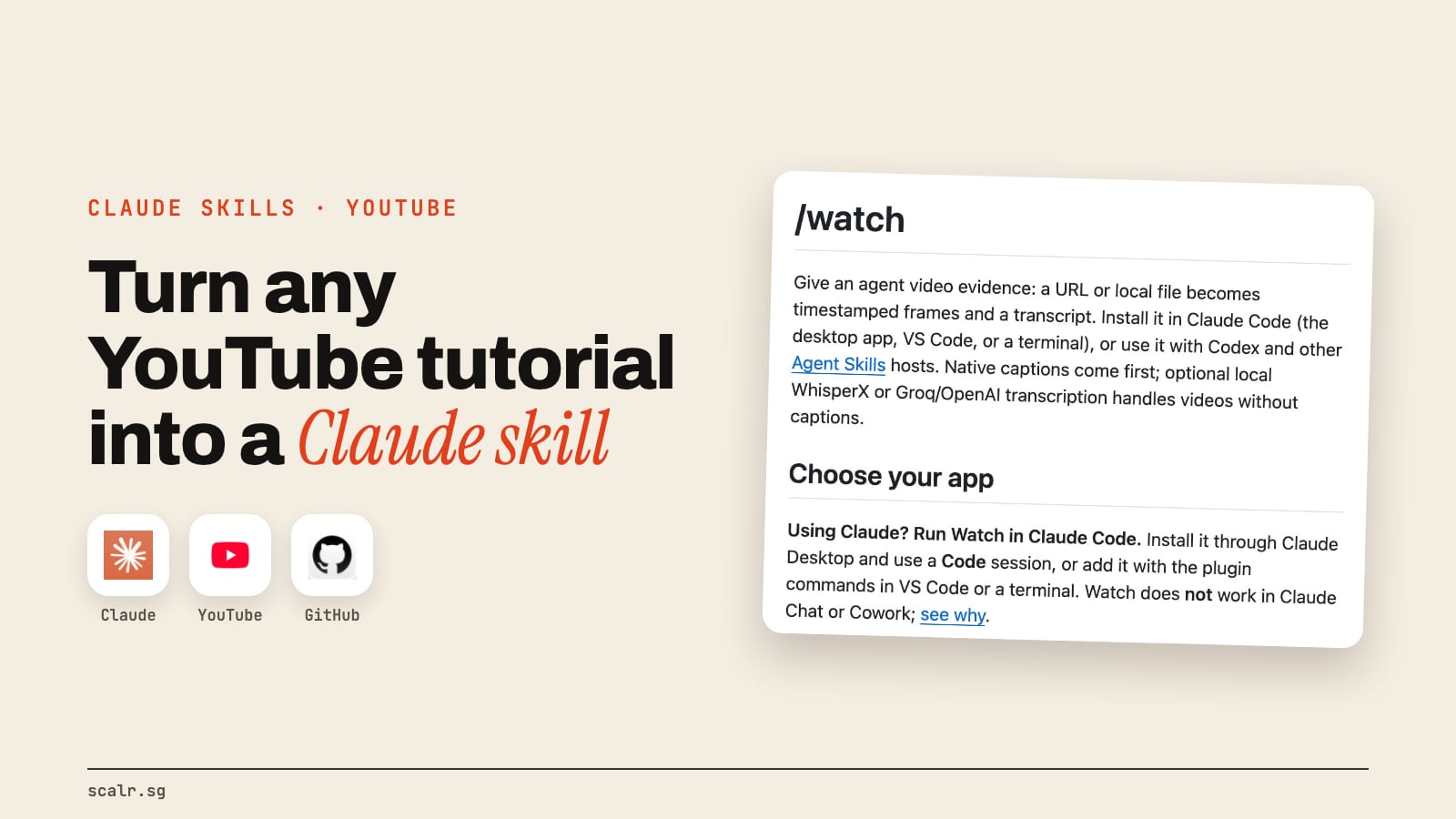
Claude can't watch a video on its own, but a free plugin called claude-video gives it the ability. You hand its /watch skill a YouTube link or a video file, and it pulls out timestamped frames and a transcript, so Claude sees what was on screen as well as what was said. Then you ask Claude to turn what it watched into a skill, and next time it does the job without the video.
The plugin is MIT-licensed, built by bradautomates on GitHub, and it had 20,289 stars on 9 November 2026. It runs in Claude Code, which includes the Code tab of the Claude desktop app, so you never have to open a terminal.
What does claude-video actually do?
It turns a video into evidence Claude can read. You give it a link or a file, and it does three things:
- Downloads the video with yt-dlp, a free downloader, or reads the captions straight from the link when that's all it needs.
- Samples the key frames, up to a cap. It doesn't keep every frame of the video. On the balanced setting it looks for scene changes, or spaces frames evenly when the clip barely moves, keeps up to 100 and drops near-duplicates.
- Gets the words. It uses the video's own captions first, and for a video without captions it can transcribe the speech, either on your computer for free or through a paid speech service if you add a key.
Then it hands Claude the frames and the transcript together, each stamped with its time in the video. The pairing matters because a transcript alone tells Claude that the presenter "clicked the setting", while the frame at that second shows which setting it was.
It's the same trick my own video editing setup uses: Claude learns an editing style from reference reels by pulling frames with FFmpeg and transcribing the speech, which I walk through in how my AI edits my videos. claude-video packages that into one command for any video.
There's also a faster route. If you give it a free Google AI Studio key, it hands the whole video to Google's Gemini model and relays the answer. That one sends the video to Google, so the local route stays the one to use for anything private.
How do you install claude-video without the terminal?
In the Claude desktop app, it takes six steps. These are the README's steps:
- Open Claude Desktop and click Customize in the sidebar.
- Select Plugins, open Add, then choose Add marketplace.
- Choose Add from a repository.
- Paste the repo address, github.com/bradautomates/claude-video, into the URL field and click Sync.
- Find Watch in the marketplace you just added and install it. Adding the marketplace alone doesn't install it.
- Start a Code session and ask Claude to use the watch skill.
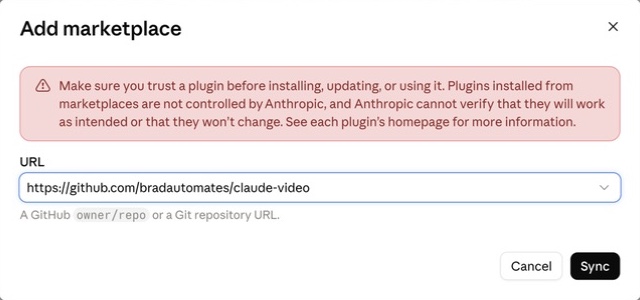
That warning in the dialog is worth reading. Plugins from a marketplace aren't controlled by Anthropic, so look over the repo before you install it, the same as any skill from GitHub.
If you haven't opened the Code tab before, Claude Code without coding covers it. In VS Code, type /plugins in the Claude Code panel and add bradautomates/claude-video under Marketplaces. In a terminal session, it's two lines:
/plugin marketplace add bradautomates/claude-video
/plugin install watch@claude-video
The plugin brings the instructions and scripts but not the programs they run. It needs Python 3.10 or newer, FFmpeg and a current yt-dlp, and YouTube links also need a JavaScript runtime called Deno. You don't have to install those yourself first: ask Claude to "use the watch skill's bundled setup.py to check dependencies", and on a Mac it can install the missing media tools through Homebrew, the free installer most Mac developers use.
How do you turn a YouTube tutorial into a Claude skill?
It takes two prompts, one to watch the video and list the steps and one to write the skill from that list.
Use the watch skill on https://www.youtube.com/watch?v=YOUR_VIDEO
with balanced detail, and include the transcript.
List every step the presenter takes, in order, with the
timestamp and what's on screen at each one.
Read that list before you go further. If a step is missing or wrong, tell Claude now, because the skill will copy whatever the list says. Then:
Turn the steps you just watched into a Claude skill using
skill-creator. Write down what the skill is for, the steps in
order, any exact settings or values shown on screen, and how
to check the result worked. Show me the SKILL.md before you save it.
skill-creator is Anthropic's own skill for building skills. It drafts the SKILL.md, tests it and tunes the description so the skill fires when you ask for that job. Once it's saved, you start a new session, ask for the job, and Claude follows the skill. The video isn't needed again.
This is how I build my own skills anyway: I dictate the steps and the reasoning, and Claude writes the skill through skill-creator. A tutorial just hands Claude the steps in someone else's words. If you've never seen a skill folder, the Claude skills guide shows what's inside one.
Which settings should you use?
The detail level decides how many frames Claude gets, and frames are what cost you usage.
| Detail | What you get | Frames, by default |
|---|---|---|
transcript | The words only | None |
efficient | Fast keyframes | Up to 50 |
balanced | Scene changes | Up to 100 |
token-burner | Every scene change, no cap | No limit |
For a tutorial, balanced is the sensible start. The README says accuracy is usually best on videos under 10 minutes, so for a long tutorial, point it at the part you need with --start 2:15 --end 6:40. If the presenter's screen has small text you need to read, --resolution 1024 sends sharper frames than the default 512 pixels wide.
Does claude-video cost anything?
The plugin is free. The default route, frames plus the video's own captions, needs no key and no paid service. Transcribing a video without captions is free too if you let it run WhisperX on your own computer, which the README says needs at least 3 GB of disk and 8 GB of memory. Groq and OpenAI are the paid alternatives, each with its own key.
What you do pay for is Claude Code itself, which takes a paid Claude plan, and every frame you send uses some of that plan's allowance. That's the real reason to keep the detail level sensible.
When is claude-video the wrong tool?
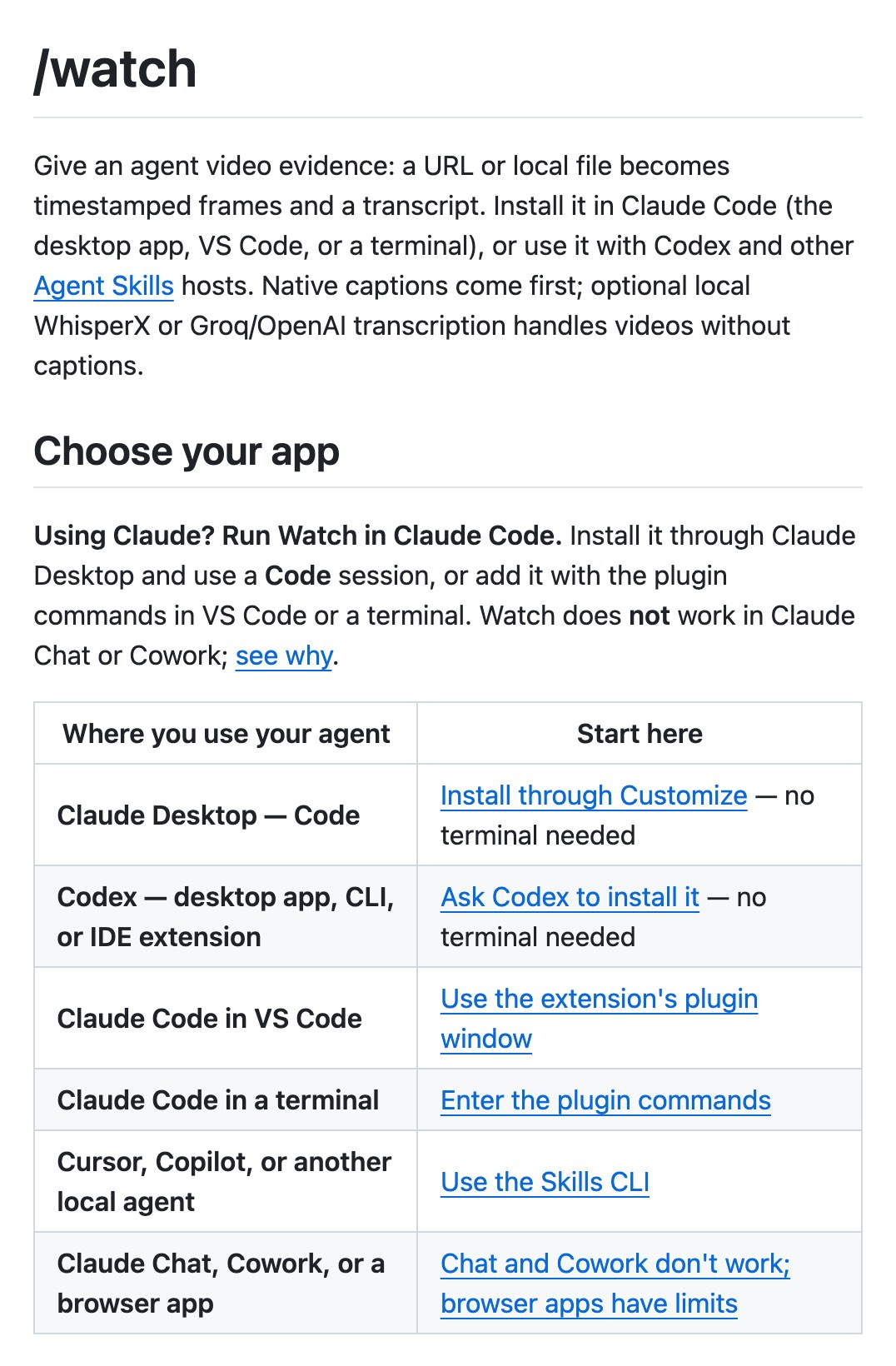
It's the wrong tool in the Claude chat app or in Cowork. The README is plain that neither works, including uploading the skill file to a chat. It needs Claude Code, Codex or another local agent.
It's also weak on anything that changes without a cut. Scene detection can miss a small change on screen, like one value typed into a field, and the README itself says scene changes "do not capture every event". If the tutorial hinges on a detail like that, tell Claude the timestamp and ask it to look there.
And a skill made from one tutorial is only as good as that tutorial. If the steps are outdated, the skill will be too, so run it once while you watch before you trust it with real work.
Key takeaways
- claude-video is a free, MIT-licensed plugin whose
/watchskill turns a YouTube link or video file into timestamped frames and a transcript Claude can read. - Install it in the Claude desktop app through Customize, Plugins, Add marketplace, then use it in a Code session. It doesn't work in the chat app or Cowork.
- Turn a tutorial into a skill with two prompts: watch and list the steps, then have skill-creator write the skill.
- Use
balanceddetail and short clips. Every frame uses some of your Claude plan.
FAQ
Can Claude watch YouTube videos?
Not on its own, but it can with the free claude-video plugin. Its /watch skill turns a YouTube link into timestamped frames and a transcript inside Claude Code, so Claude can describe and follow what happens on screen.
Is the claude-video plugin for Claude free?
Yes. claude-video is free and MIT-licensed, and its default route needs no API key. You need a paid Claude plan to use Claude Code, and the optional cloud transcription through Groq or OpenAI is billed by those services.
Does claude-video work in the Claude app or Cowork?
No. claude-video works in Claude Code, including a Code session in the Claude desktop app, VS Code and the terminal. Its README says it doesn't work in Claude chat or Cowork, even if you upload the skill file.
Do I need the terminal to install claude-video?
No. In the Claude desktop app you install claude-video through Customize, Plugins and Add marketplace, pasting the repo link, then run it in a Code session. Claude can also check for and install the programs it needs.
How do I turn a YouTube video into a Claude skill?
First have claude-video's /watch skill watch the video and list every step with timestamps. Check that list, then ask Claude to write a skill from it with Anthropic's skill-creator. The saved skill does the job in later sessions without the video.
Where this leaves you
Pick one tutorial you've watched more than once, run the two prompts on it, and read the list of steps before Claude writes anything, because that list is what the skill will follow.