Higgsfield
Claude Can Shoot Your Product Photos Now. Here Are My Twenty Prompts.
A free connector called Higgsfield turns Claude into a product photo and video studio. The real setup, what it costs once the free part ends, and twenty prompts across the five styles it handles best.
I keep a mental list of jobs that used to need a specialist and now just need a sentence. Product photography just landed on it. There's a free connector you can paste into Claude in under a minute, and once it's sitting there, typing a few words like magazine cover or 360 spin against a photo of your product turns out a finished shot. No new app to learn, no studio to book, no photographer's calendar to work around.
Here's the whole thing in one breath: Higgsfield is an AI image and video studio that now plugs straight into Claude through a free custom connector, so typing something like magazine cover, ad creative, product explosion, 360 spin or UGC against a product photo generates that exact shot. Connecting the two costs nothing. Every actual generation still draws on Higgsfield credits, which is the one catch worth understanding before you start.
Below is the full breakdown: what the connector is, how to wire it up, what it costs once the free part ends, and twenty prompts split across the five styles it handles best.
- Magazine cover
- Ad creative
- Product explosion
- 360 spin
- UGC, in someone's hands
What is Higgsfield, and what does it do?
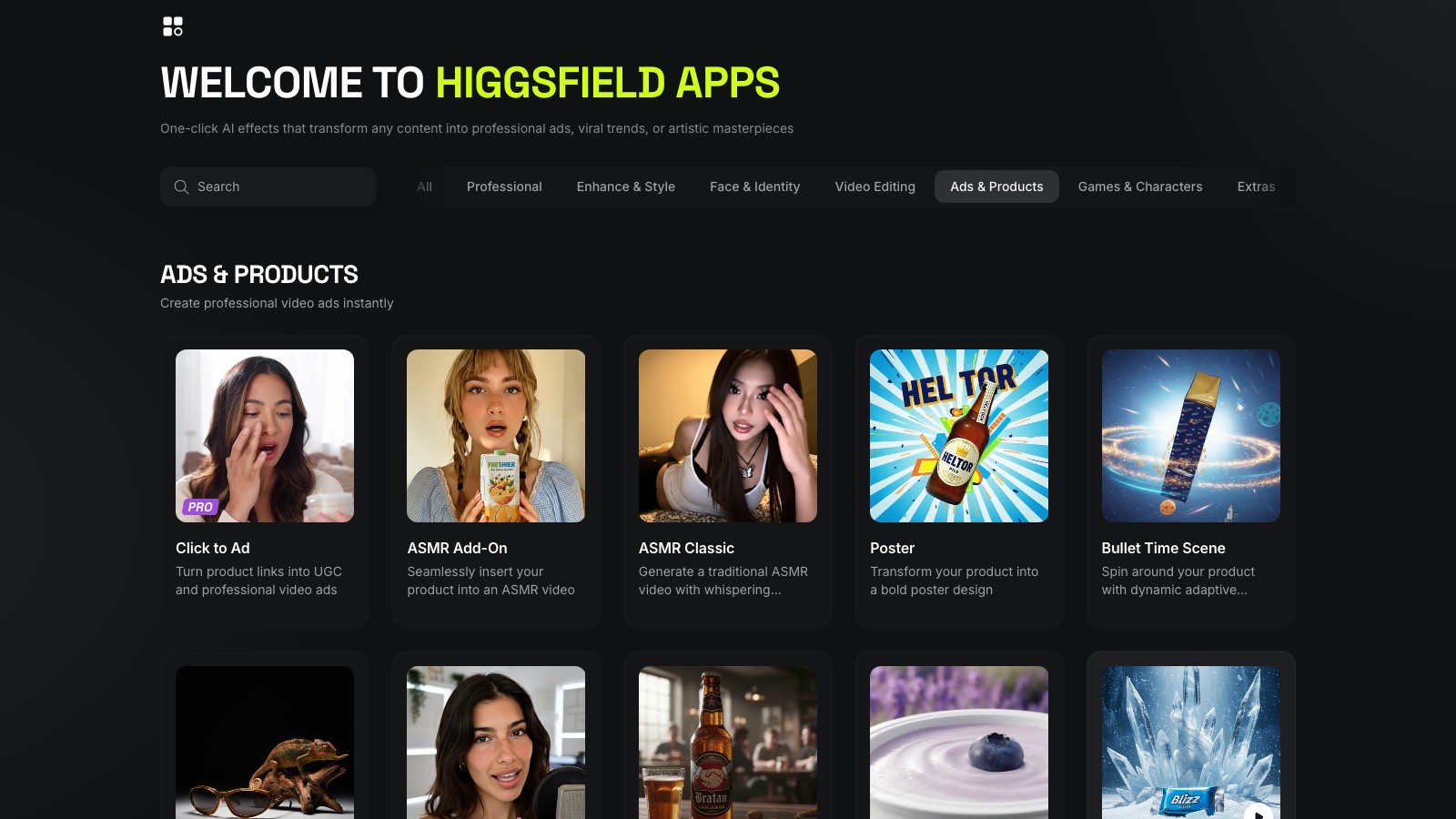
Higgsfield is an AI content studio built specifically around ads and product shots, not a general-purpose image generator you have to steer by hand. Under the hood it runs a catalogue of models rather than one, and Higgsfield names them directly on its own blog: "Seedance 2.5, Kling 3, Nano Banana Pro, GPT Image 2, Soul 2.0, and the rest of the catalog." Its own Ads & Products gallery is worth a look on its own, because it's a real, working catalogue of the same idea the connector gives you inside Claude: turn one product photo into a poster, a 360 spin, a UGC-style hold, or a full ad, without touching a camera.
What changed recently is where you can reach it from. You don't need to open Higgsfield's own site or app anymore. A connector lets Claude call Higgsfield's tools directly, which means the product photo you already have on your phone can go straight into a chat and come back as a finished shot, without a separate upload step or a separate account tab open in another browser window.
How do you connect Higgsfield to Claude?
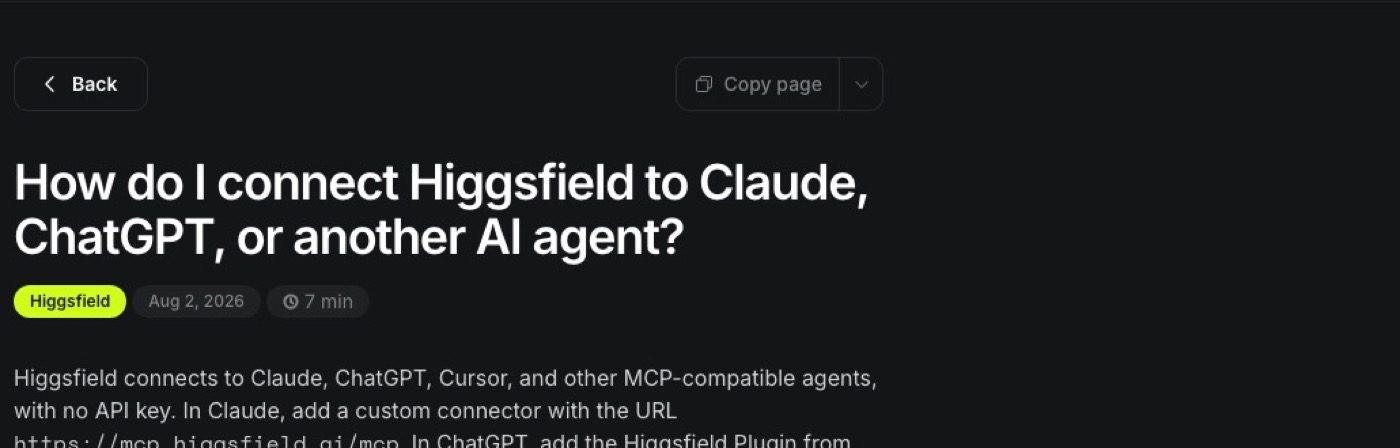
The setup really is short, and Higgsfield spells it out plainly on its own help page: "Higgsfield connects to Claude, ChatGPT, Cursor, and other MCP-compatible agents, with no API key. In Claude, add a custom connector with the URL https://mcp.higgsfield.ai/mcp."
In practice, that means:
- Open Claude, on the web, desktop, or the phone app. Anthropic's own help centre confirms web connectors work on "Claude, Cowork, Claude Desktop, and Claude Mobile (iOS and Android)," so this isn't a desktop-only trick.
- Go to Settings, then Connectors.
- Add a custom connector, name it Higgsfield, and paste in
https://mcp.higgsfield.ai/mcp. - Connect, and it's live in that chat.
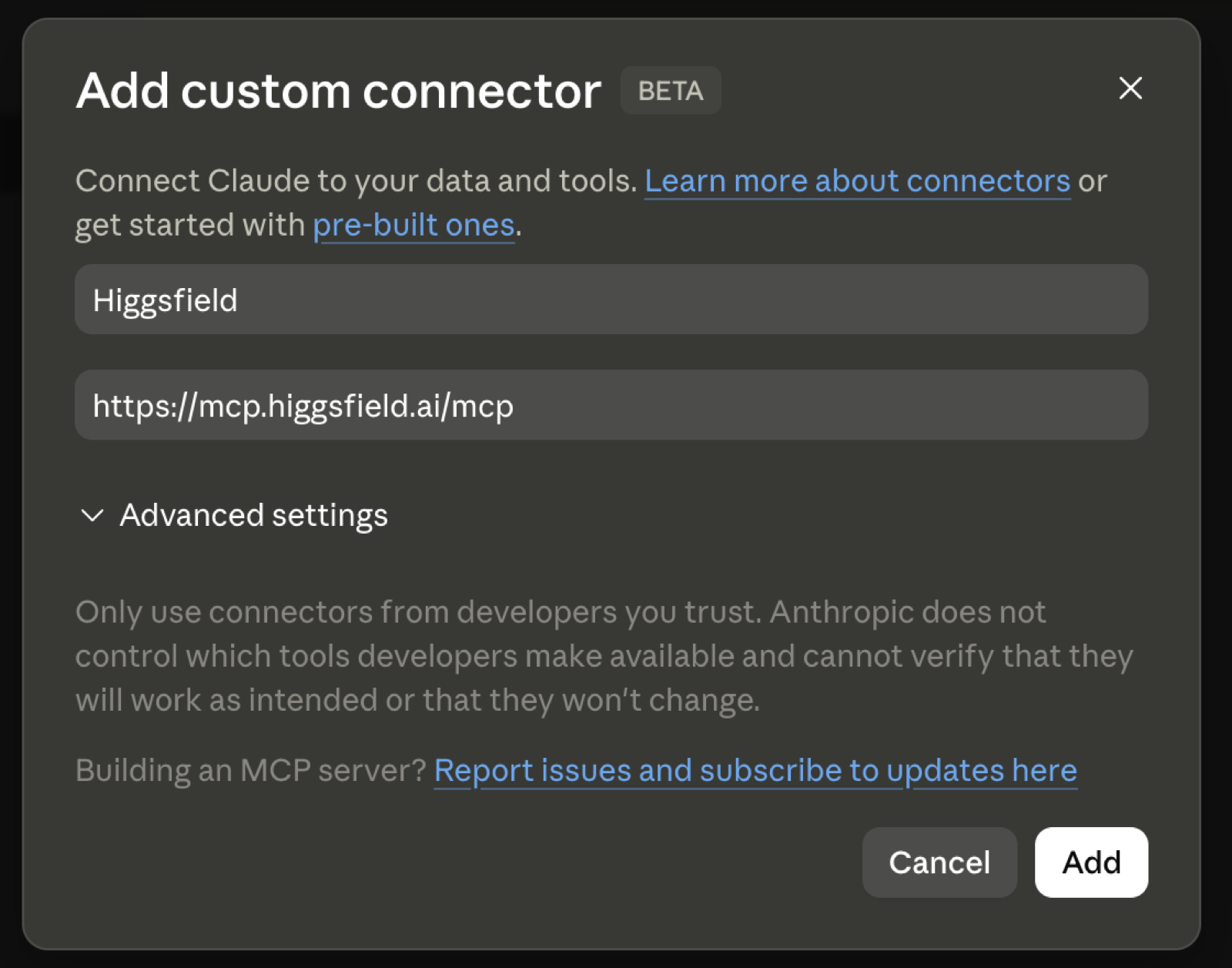
The part worth stating plainly, because it's the exact detail the script leans on: this works on Claude's free plan. Anthropic's own documentation is direct about it: "Custom connectors using remote MCP are available on Claude, Cowork, and Claude Desktop for users on Free, Pro, Max, Team, and Enterprise plans." The one limit on Free is that you're capped at one custom connector at a time, which is fine here since Higgsfield is the only one you need for this.
What that free plan covers is the wiring, not the generations. Higgsfield's own guide is equally direct on its side: "An active Higgsfield subscription and an account in the AI agent are required," and "every generation through a connected agent deducts credits, regardless of your plan." So the connector itself is free to add, and every photo, video, or spin it produces afterward spends Higgsfield credits, not Claude's.
What does it actually cost?
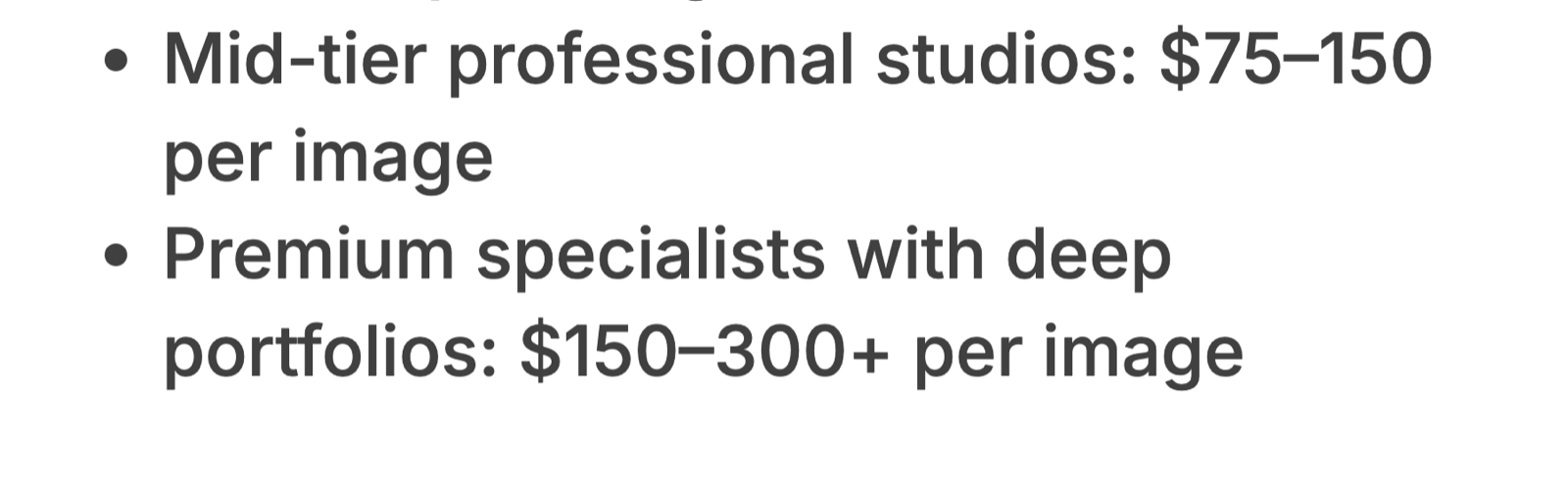
The reel's opening line is the real comparison: studios charge up to three hundred dollars for one product shot. That figure comes from Squareshot, a product photography studio, whose own CEO Alex Davidovich writes that "per-image pricing for product photography typically runs $25 to $300, depending on complexity, volume, and retouching," with "premium specialists with deep portfolios" sitting at "$150 to $300 or more per image." That's the studio route.
The Higgsfield route runs on credits instead, and here's what those cost, straight from Higgsfield's own pricing page as of this week. There's a genuine free tier to try it on, though it's thin: most of the named models show as not included on Free in Higgsfield's own comparison table. The first paid rung is Starter, at $15 a month with no discount for paying annually, for 200 credits. Above that sits Plus, at $39 a month billed annually (or $49 month to month) for 1,000 credits, then Ultra, at $99 a month billed annually (or $129 month to month) for 3,000 credits.
What a credit buys varies a lot by what you're generating, and this is where the honest caution sits. A still image runs one to four credits depending on the model. A five-second video clip runs anywhere from about seven credits on the low end up past a hundred on the high end, depending on the model and resolution. In practice that means the magazine cover and ad creative prompts below, which are stills, are cheap. The product explosion, 360 spin, and UGC prompts, which usually come back as short video clips, are the ones that quietly eat a Starter plan's 200 credits fastest. Run those three families sparingly until you've watched your own credit balance move.
One route I didn't use, worth naming so you don't chase it expecting something different: Higgsfield also has a ChatGPT plugin. I'm on ChatGPT's free plan myself, and whether the plugin is even available there is genuinely unclear from OpenAI's side, since availability "can depend on your plan, region, and workspace settings" per Higgsfield's own note. Even where it works, it still spends the same Higgsfield credits per generation. The Claude connector spends the same credits too. I use it because it's the simpler door in.
The twenty prompts, grouped the way the video runs through them
These aren't ranked by which result looks best. They're grouped in the order the reel moves through them, stills first, then the three video-heavy styles that cost more. Swap [product] for what you're shooting, and be specific about it. A name, a material, and a colour give the model something to hold onto; "my product" on its own doesn't.
One more honest note before the list: I put these together as a starting set, not a tested-and-ranked top twenty. Treat them as prompts to try and adjust against your own product photo, not a guarantee of the exact shot on the first attempt.
Magazine cover
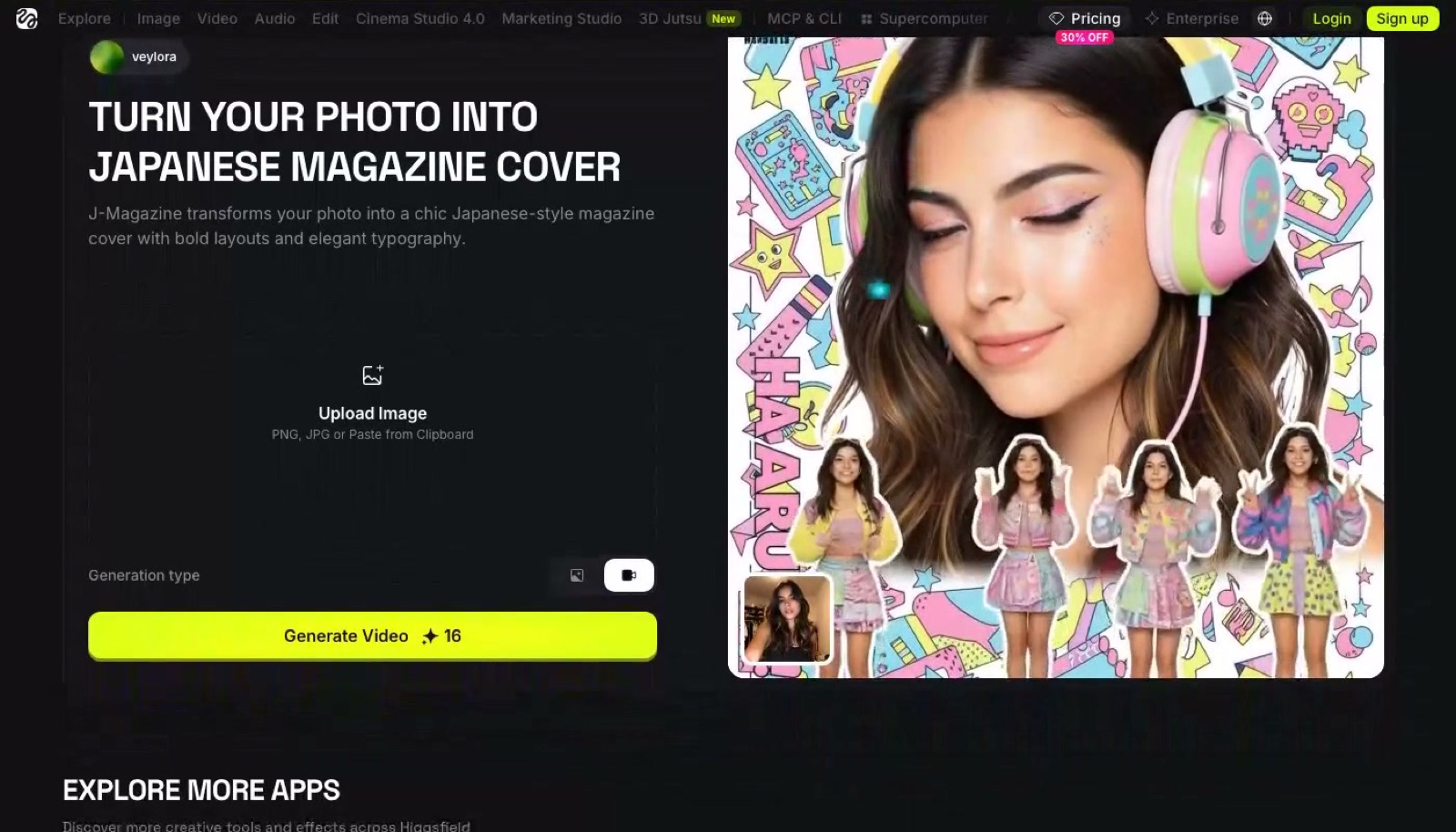
"Put [product] on the cover of a glossy fashion magazine. Bold masthead across the top, one coverline about it, studio lighting, nothing else competing for attention in frame." Good as a first test, since it's a still image and cheap to iterate on.
"Make this look like the cover of a serious business magazine, the kind with clean type and a plain background, [product] as the single hero shot." Useful if the product reads more premium or professional than lifestyle.
"Design a limited-edition style magazine cover around [product], with an oversized pull-quote across the front the way lifestyle magazines run them." Works well for anything with a story or a launch angle attached to it.
"Turn this photo of [product] into a minimalist editorial cover: one bold word as the headline, a lot of empty space, high-fashion feel." The one to try when the product photo itself is already strong and doesn't need much dressing up.
Ad creative
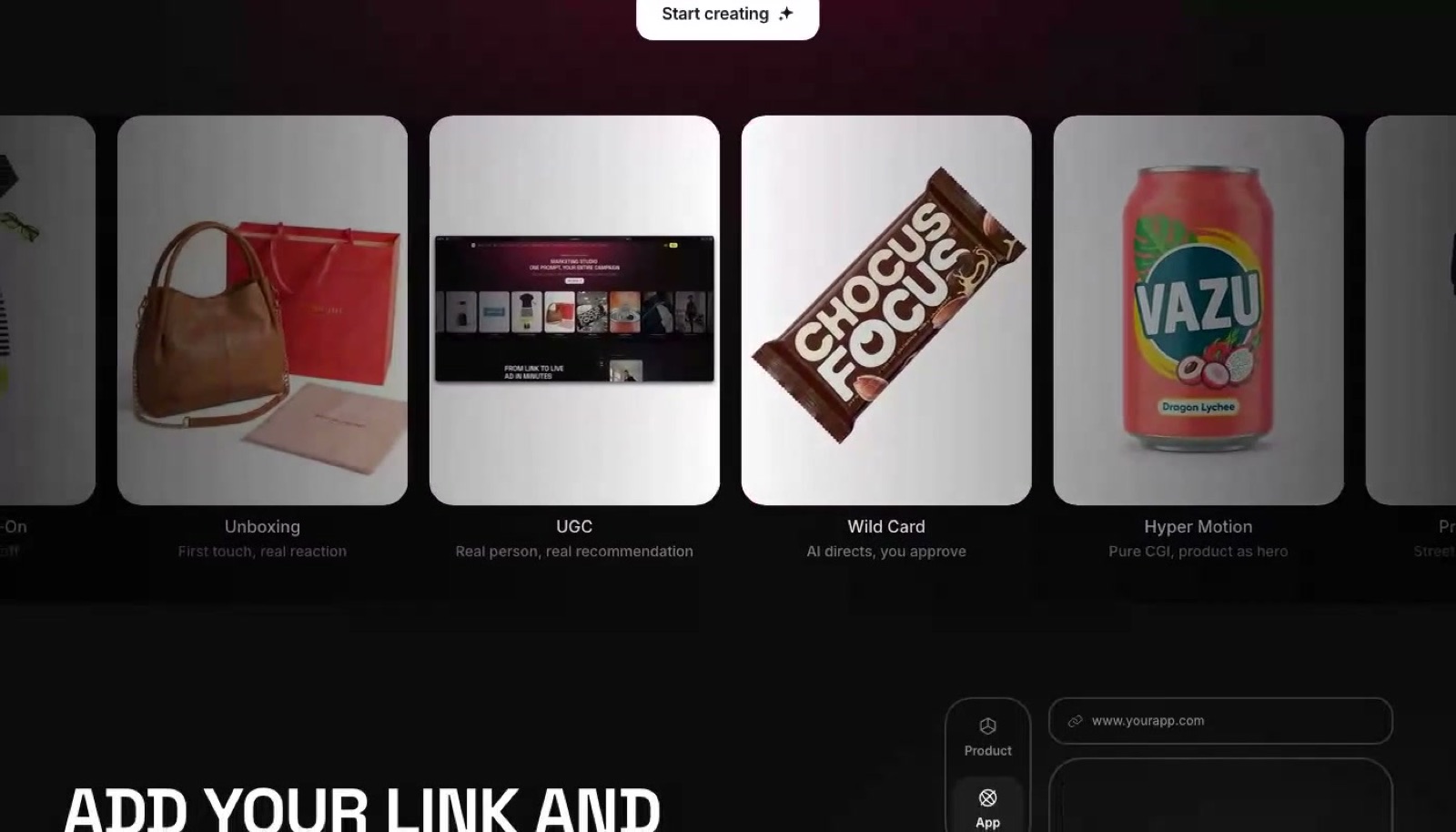
"Build a full advertisement around [product]: a headline, one short line of ad copy, and a call-to-action button, in a clean modern layout." The closest of the twenty to something you could run as a paid ad without further editing.
"Create a bold, high-contrast poster ad for [product], the kind you'd see on a billboard, with a single punchy line of copy." Good for testing how the product reads at a glance, which is the same thing a real billboard has to survive.
"Design a social ad for [product] with a limited-time offer banner and a clear price callout." The most literally commercial of the four, worth trying once you know the actual offer you're running.
"Make an ad for [product] that looks like a glossy print campaign: one hero shot, minimal text, premium finish." The one to reach for when you want restraint rather than a hard sell.
Product explosion
Worth naming properly, because this is the one people go looking for and type the wrong thing into: on Higgsfield's own side the effect is called Exploded View, and it sits in their motion presets alongside a separate plain Explosion. There is no slash command for it. You describe what you want in the chat and Claude calls the right tool, which is true of all five of these.
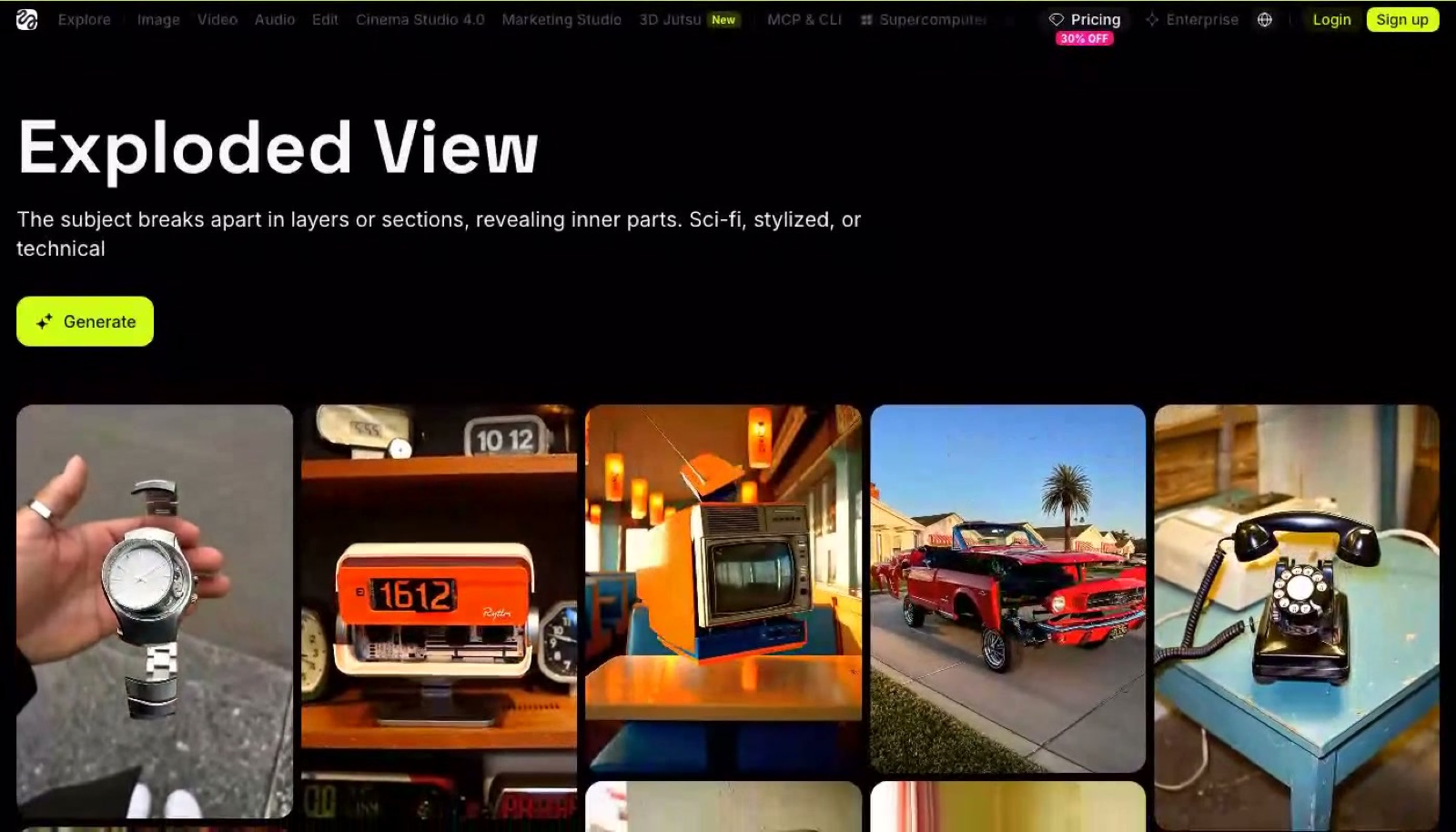
"Explode [product] apart in 3D, every component floating around the main body, dramatic studio lighting." This is a video family, so expect it to cost noticeably more credits than the stills above.
"Show [product] mid-explosion, pieces flying outward with motion blur, like a cinematic tech-reveal shot." Reads best on products with more than one visible part or layer.
"Break [product] into its layers, each one hovering above the last, like a labelled cutaway diagram." Good for anything where "what's actually inside this" is part of the pitch.
"Do a bullet-time explosion of [product], frozen mid-burst, camera slowly circling around it." The closest match to Higgsfield's own Bullet Time preset style, and the most dramatic of the four.
360 spin
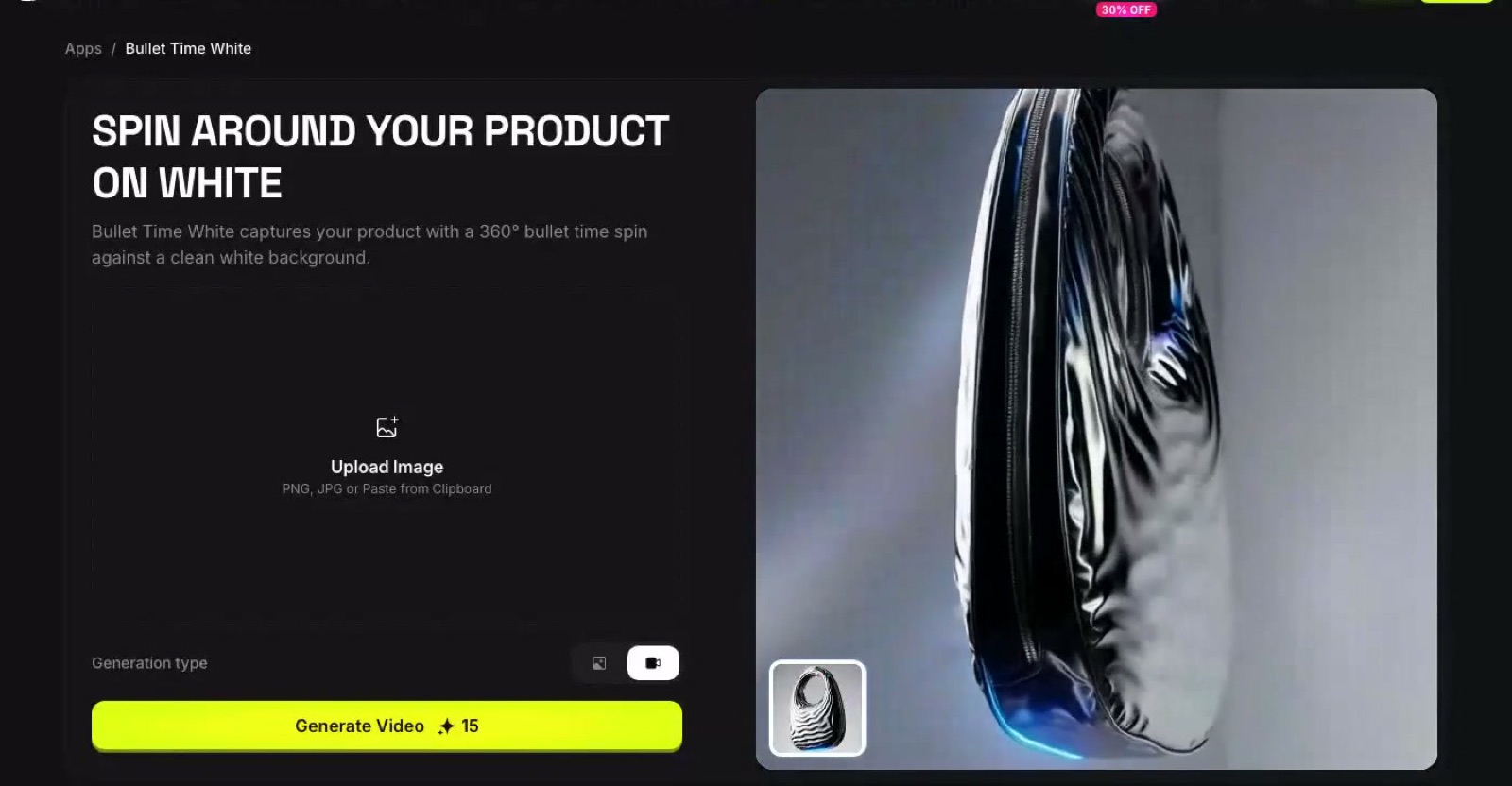
"Spin [product] a full 360 degrees on a clean white background, even studio lighting, no dramatic shadow, just a clean turntable shot." The plainest and most e-commerce-ready of the four, close to what a real product listing photo needs.
"Rotate [product] 360 degrees against a dark, moody background with a single rim light." Better for anything positioned as premium rather than everyday.
"Give [product] a slow 360 spin with a subtle reflection underneath, like it's sitting on a showroom floor." Works particularly well on anything with a glossy or metallic surface.
"Spin [product] 360 degrees in front of a dynamic, colour-shifting background." The most attention-grabbing of the four, and the one best suited to a short ad rather than a catalogue listing.
UGC, in someone's hands
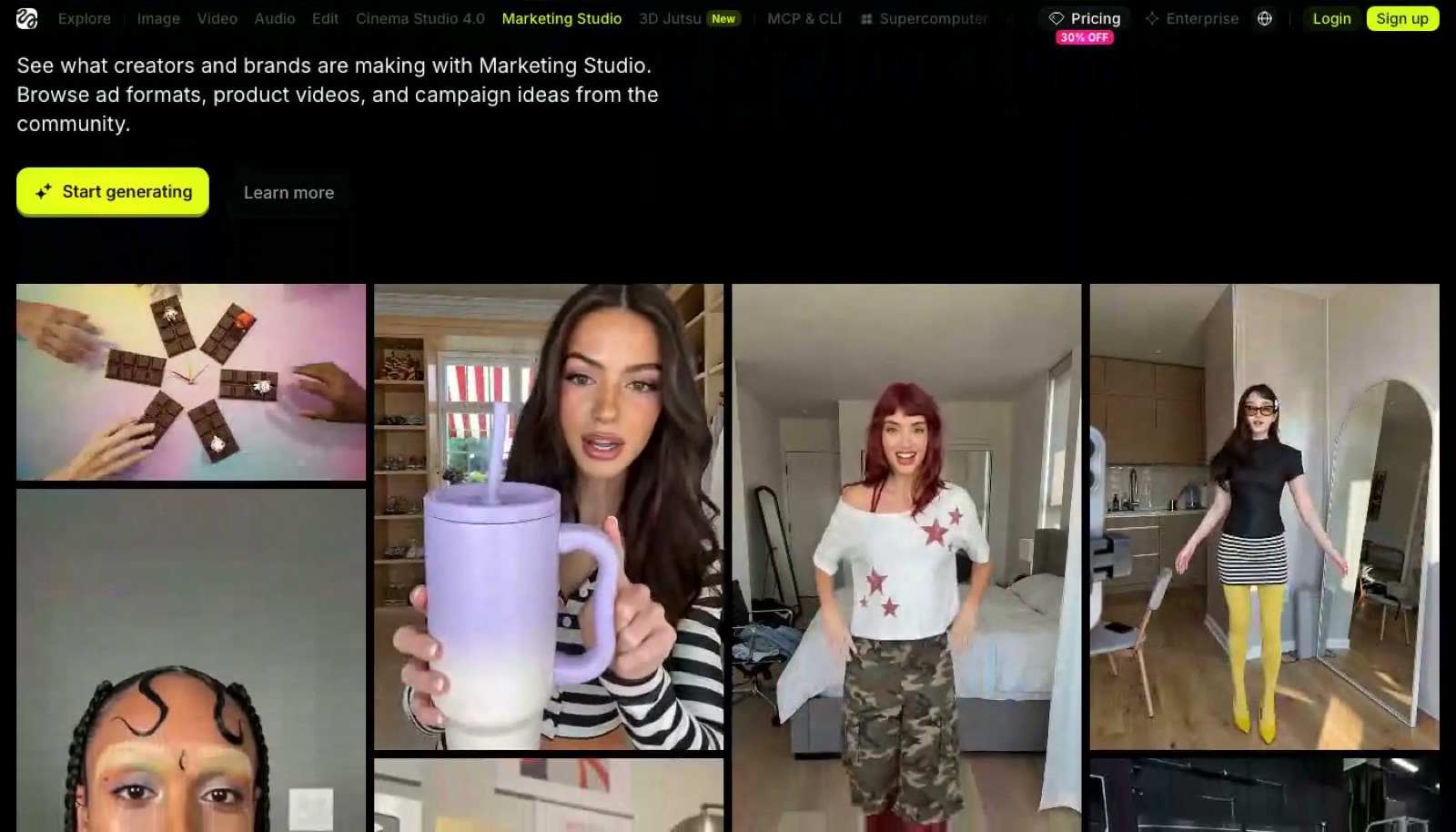
"Show [product] held in someone's hand, casual lighting, like an ordinary phone photo, not a studio shot." The whole point of this family is that it should look unpolished on purpose.
"Put [product] in someone's hands mid-use, candid angle, like they've just opened the box." Good for anything where the unboxing moment is part of the appeal.
"Create a UGC-style clip of someone holding up [product] and talking about it, natural home setting." The most video-heavy and most expensive of the twenty, so worth testing last once you've seen how your credits are moving.
"Show [product] being picked up off a table by hand, phone-camera framing, nothing staged about the background." The simplest of the four, and a reasonable one to start on if you're new to this family.
Is this worth it if you don't run a studio?
I don't sell physical products, so I'm looking at this the way I look at most things: as someone who runs a lot of AI tools and notices when one of them quietly removes a cost that used to be fixed. A small business here in Singapore selling on Shopee or Lazada or their own site has always had two bad options for product photography: pay a studio per shot, which adds up fast at Squareshot's own $150 to $300 range once you've got more than a handful of items, or shoot it themselves on a phone against a bedsheet, which looks exactly like what it is.
What Higgsfield through Claude changes isn't the ceiling. A real studio shoot with a real photographer still wins on anything that needs precise control. What it changes is the floor. For a few dollars of credits on an existing free Claude account, a small seller can put a passable magazine-style or 360-spin shot next to their listing instead of nothing, and decide later whether the categories that sell deserve the real studio budget. That's the part I keep coming back to: it doesn't replace the top of the market, it just raises the bottom of it.
FAQ
Do I need my own Higgsfield account to use Higgsfield in Claude?
Yes. Higgsfield's own connection guide says you need "an active Higgsfield subscription and an account in the AI agent", so the Claude connector gets you into Higgsfield's tools but doesn't replace an account there.
Does connecting Higgsfield to Claude cost anything?
No. Adding the custom connector is free on every Claude plan, including Free. What costs money is generating anything afterward, since that draws on Higgsfield credits.
How much does a Higgsfield Starter plan cost?
$15 a month for 200 credits, with no discount for paying annually. That's the cheapest paid rung, well under the $150 to $300 a premium studio charges per image.
How many credits does a still image cost on Higgsfield?
One to four credits, depending on which model generates it. A short video clip costs far more, anywhere from about seven credits on the low end past a hundred on the high end, which is why stills are the cheap thing to test first.
Can I use Higgsfield in Claude from my phone?
Yes. Anthropic's help centre confirms web connectors work across "Claude, Cowork, Claude Desktop, and Claude Mobile (iOS and Android)," so the whole thing runs from the Claude app on a phone.
Try one prompt first
The setup takes less time to do than it took to read this far. Paste the link, type one of the twenty above against your own product photo, and see what comes back before deciding whether it's worth a paid plan.