Claude
Meta's Own Claude Connector Lets You Run Your Ads by Typing
Meta built an official connector that plugs your ad account into Claude. How to set it up, what it can and can't touch, the three prompts worth starting with, and the fine print on cost, bans and access.

Meta's ads connector is an official bridge, built and hosted by Meta, that lets Claude read your ad account and make changes in it when you ask in plain English. You add one web address to Claude, log in with Facebook, and from then on you can pull yesterday's numbers, pause what isn't working or draft a new campaign from the chat window.
In short, it's Meta's own server sitting between Claude and your ad account, and nothing changes in that account unless you ask for it and approve it.
Meta launched it on 29 April 2026 as an open beta of what it calls Meta ads AI connectors, with "no developer credentials, API setup, or coding required". It works with ChatGPT and Perplexity too, but I'm sticking to Claude here. Every screen below comes from Meta's and Anthropic's docs or Porter Metrics' public walkthrough, not from a client's account.
What makes it different from the ad tools that got accounts banned?
Meta built it, and that's most of the difference. Until now, getting an AI near your ad account meant someone else's app holding access to it, or a browser extension clicking through Ads Manager for you. Jon Loomer, one of the better-known Meta ads writers, noted in May that advertisers had reported unexplained account shutdowns tied to unapproved AI integrations only a couple of months before this launched.
This one sits on Meta's side. Meta's developer docs describe it as "a Meta-hosted Model Context Protocol server" at mcp.facebook.com/ads. MCP is the open standard Claude uses to plug into other software, so Claude talks to Meta's server, and Meta decides which actions Claude is allowed to take.
And it doesn't run on autopilot. Claude only acts when you ask it to in a chat, and Meta's help article says "any actions taken on your behalf require your authorisation through the AI agent."
How do you connect Meta ads to Claude?
Five steps, all in the browser, and Anthropic's custom connector guide describes the same path.
- In Claude, open Customize in the left menu, then Connectors.
- Click the plus sign and choose Add custom connector.
- Give it a name, paste
https://mcp.facebook.com/adsas the server URL, and click Add. - Click Connect on the new connector. Facebook Login opens and asks which business portfolios Claude can reach.
- In a new chat, click the plus sign, go to Connectors, and make sure it's switched on.
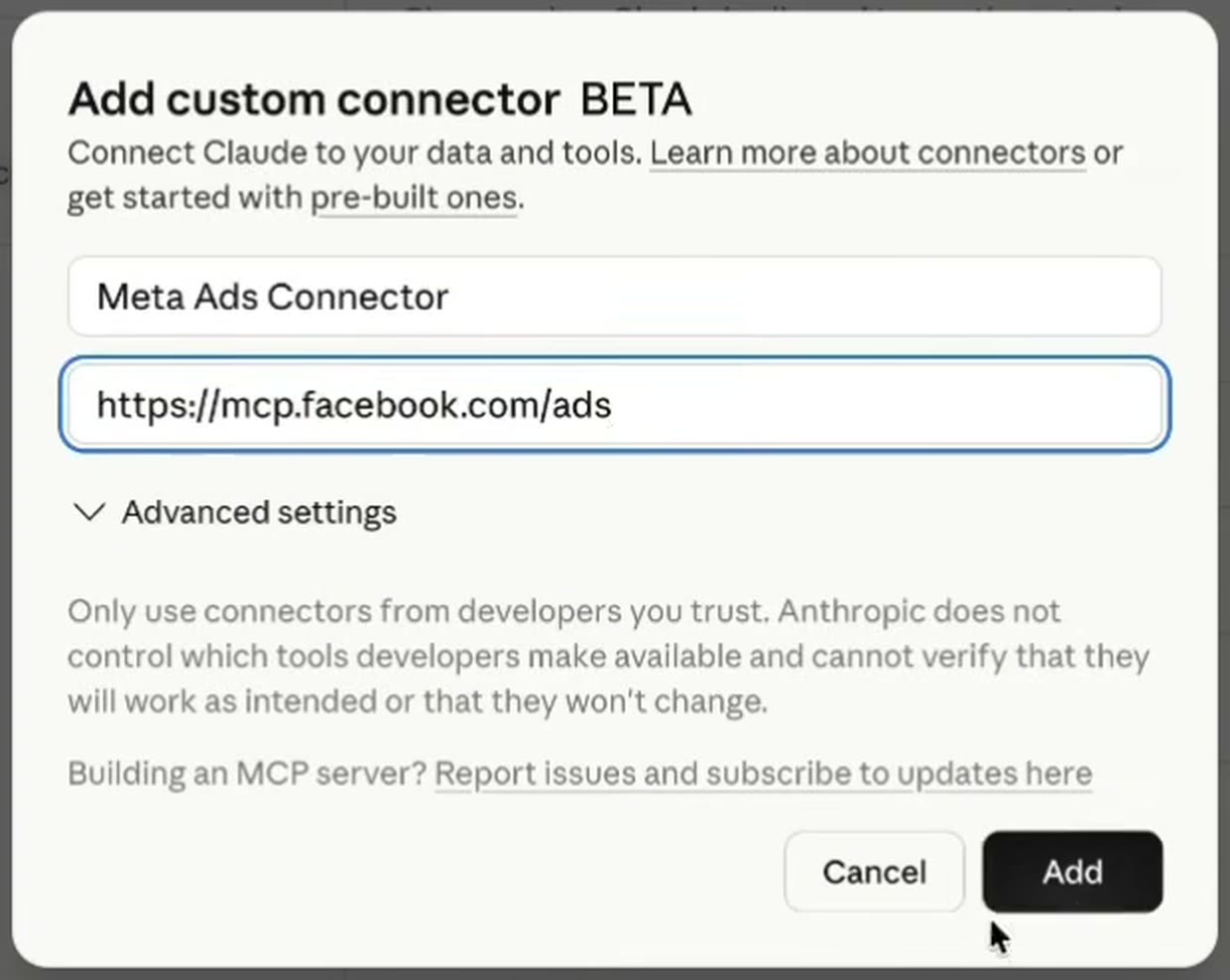
If you've already connected Gmail to Claude (how that one works), the idea is the same, except this one goes in by URL as a custom connector.
Step four is the one to slow down on.
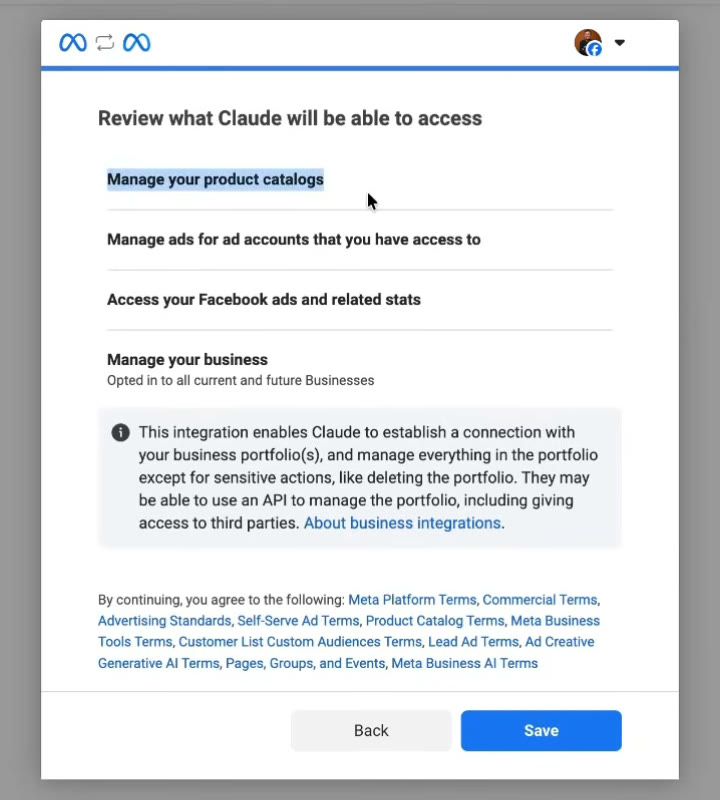
That screen lists what you're handing over, from your ads and their stats to your catalogs and your business. Jon Loomer points out the catch for anyone on client accounts: the connector inherits everything your Facebook user can reach, so client ad accounts shared with your portfolio are in scope too. So tick only the portfolios you actually want Claude in.
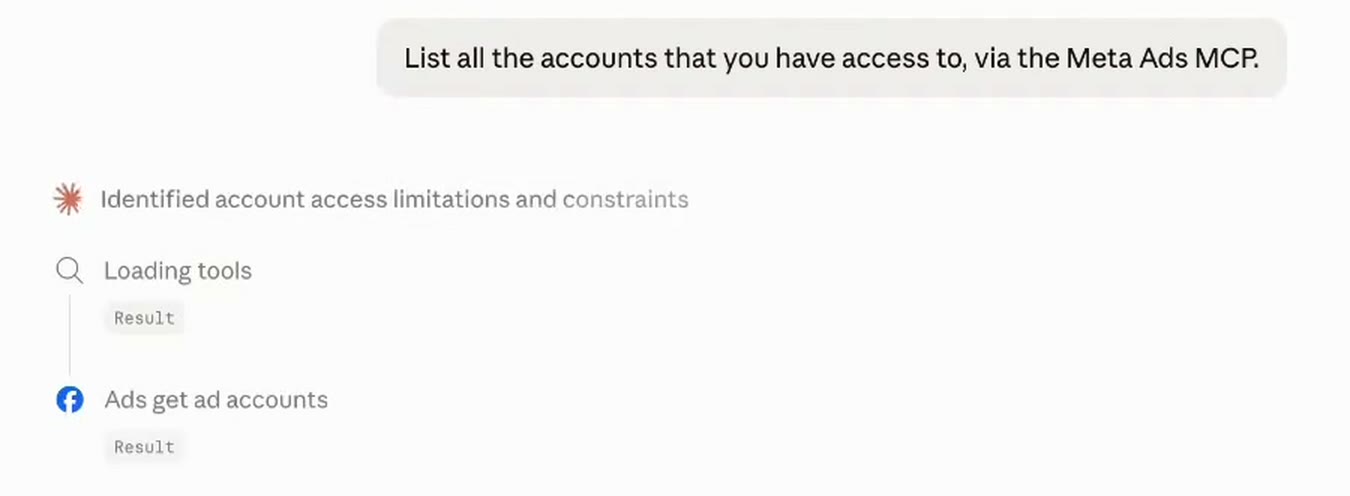
And once it's on, Claude calls Meta's tools by name and you can watch each one run in the chat.
What can it touch, and what can't it?
Meta's docs group the tools into seven areas, and the ad creation and management page is the one to read before you let it write anything. Jon Loomer counted 29 tools when he connected it in May.
What it can do:
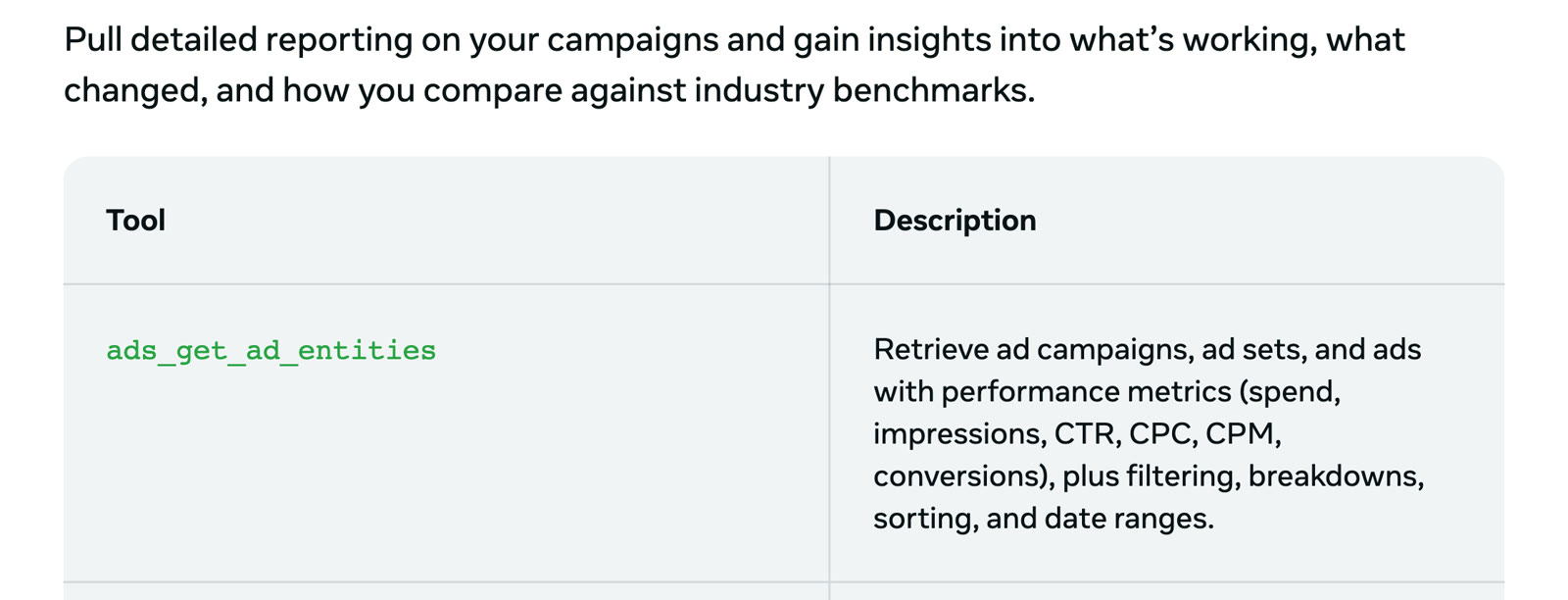
- Reporting. The main tool,
ads_get_ad_entities, pulls campaigns, ad sets and ads with spend, impressions, CTR, CPC, CPM and conversions, with filters, breakdowns and date ranges. Other tools flag anomalies, track trends including ROAS (return on ad spend), and compare your ad sets against similar advertisers. - Building. It creates campaigns, ad sets and ads with targeting and budget, uploads images and video, and can boost an existing Instagram post.
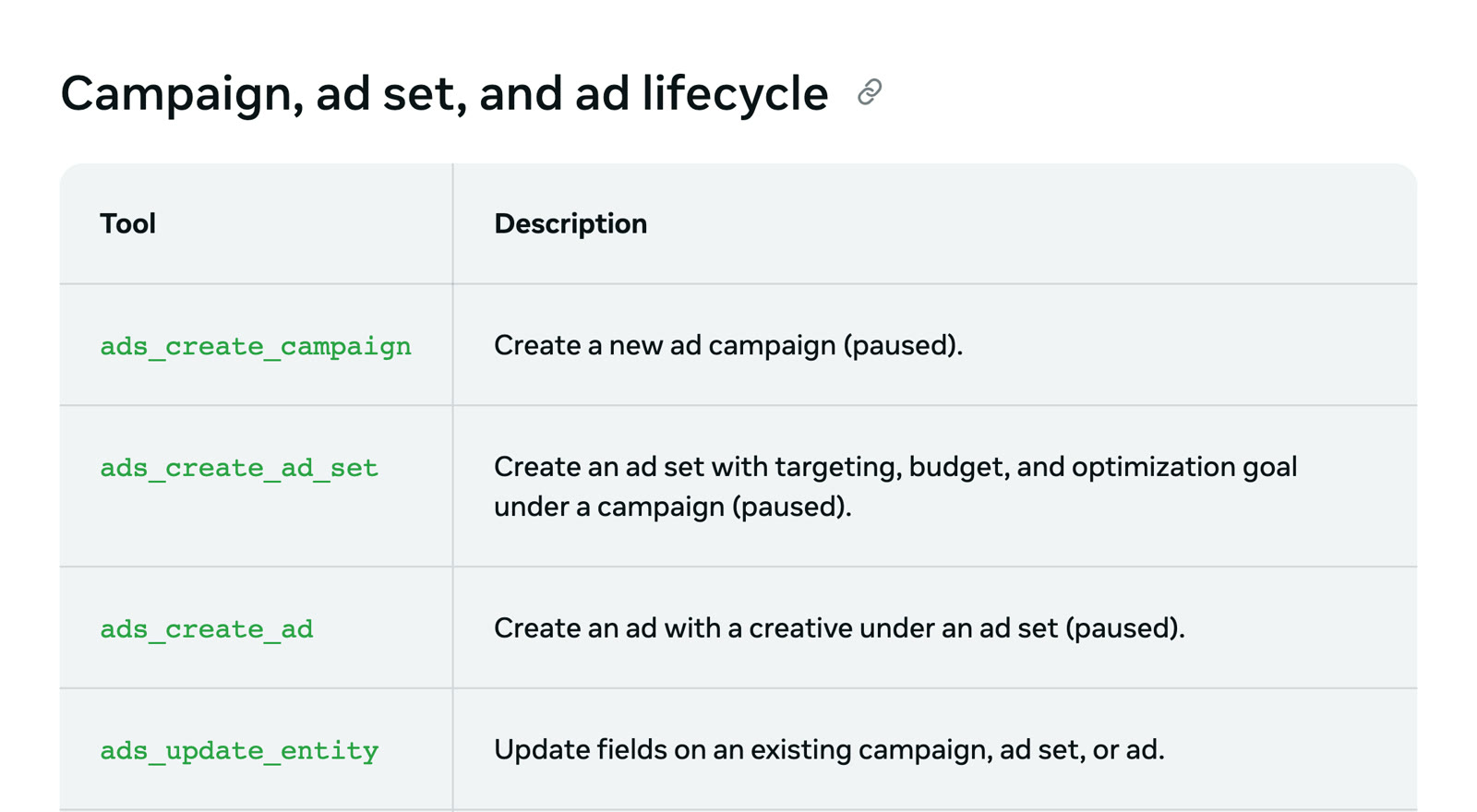
- Editing. It updates an existing campaign, ad set or ad, and that includes pausing it.
- Everything around the ads. Custom audiences, product catalogs, pixel and signal health, A/B tests, conversion lift studies and the account's activity log.
What it won't do by itself:
- Spend on anything new. Every write tool creates things paused. Meta's own line for
ads_create_campaignis "Create a new ad campaign (paused)", and its help article says "all ads are paused by default until you set them live." Going live is a separate tool that Meta says "starts spending budget", and the docs say your AI client asks for confirmation before that step. - Act without asking. Claude asks before it runs a tool, and Anthropic's advice is to click "Allow always" only for a server and tool "you trust to run unsupervised". On anything that writes to an ad account, I'd leave that off.
- Ignore your limits. If you have full control of a business portfolio, Meta lets you set rules per ad account in Business Suite, under Settings, Integrations, then Ads MCP server. You can block campaign creation outright or block any budget above a number you choose, and Meta's server enforces it. That feature is still rolling out, so it may not be in your settings yet.
What do the three prompts look like in practice?
These are the three from the video, written the way I'd actually type them. Each one maps to a tool Meta documents.
Yesterday's performance
Using the Meta ads connector, show me yesterday's
performance for every active ad: spend, results, cost per
result and ROAS, sorted by spend.
This one only reads, so it's safe. I'd run it for a week before asking for any change, just to check its numbers match Ads Manager.
Pause anything under a 1.5 ROAS
List every active ad with a ROAS under 1.5 over the last 7
days and at least $100 in spend. Show me the list first, and
don't pause anything until I confirm.
ROAS only exists if your pixel or Conversions API sends purchase values back to Meta, so a lead generation account has nothing to filter on. One bad day on a small spend also tells you very little, which is why the prompt sets a date range and a spend floor. And a pause takes effect the moment you approve it, with no paused-by-default step in between, so asking for the list first gives you a chance to check it before anything stops.
A new campaign at $50 a day
Set up a new sales campaign called October Test with one ad
set at $50 a day, targeting Singapore, ages 25 to 54. Leave
everything paused and summarise what you built.
It'll build the structure and leave it paused. So check it in Ads Manager the way you'd check a new hire's first campaign, then switch it on. The budget is in your ad account's currency, so on a Singapore dollar account that $50 is S$50, and Porter Metrics flags currency mix-ups as an easy way to set spend badly wrong.
Will using it get your ad account banned?
Nobody can promise that, but what Meta says on its own help page is the closest thing to an answer.
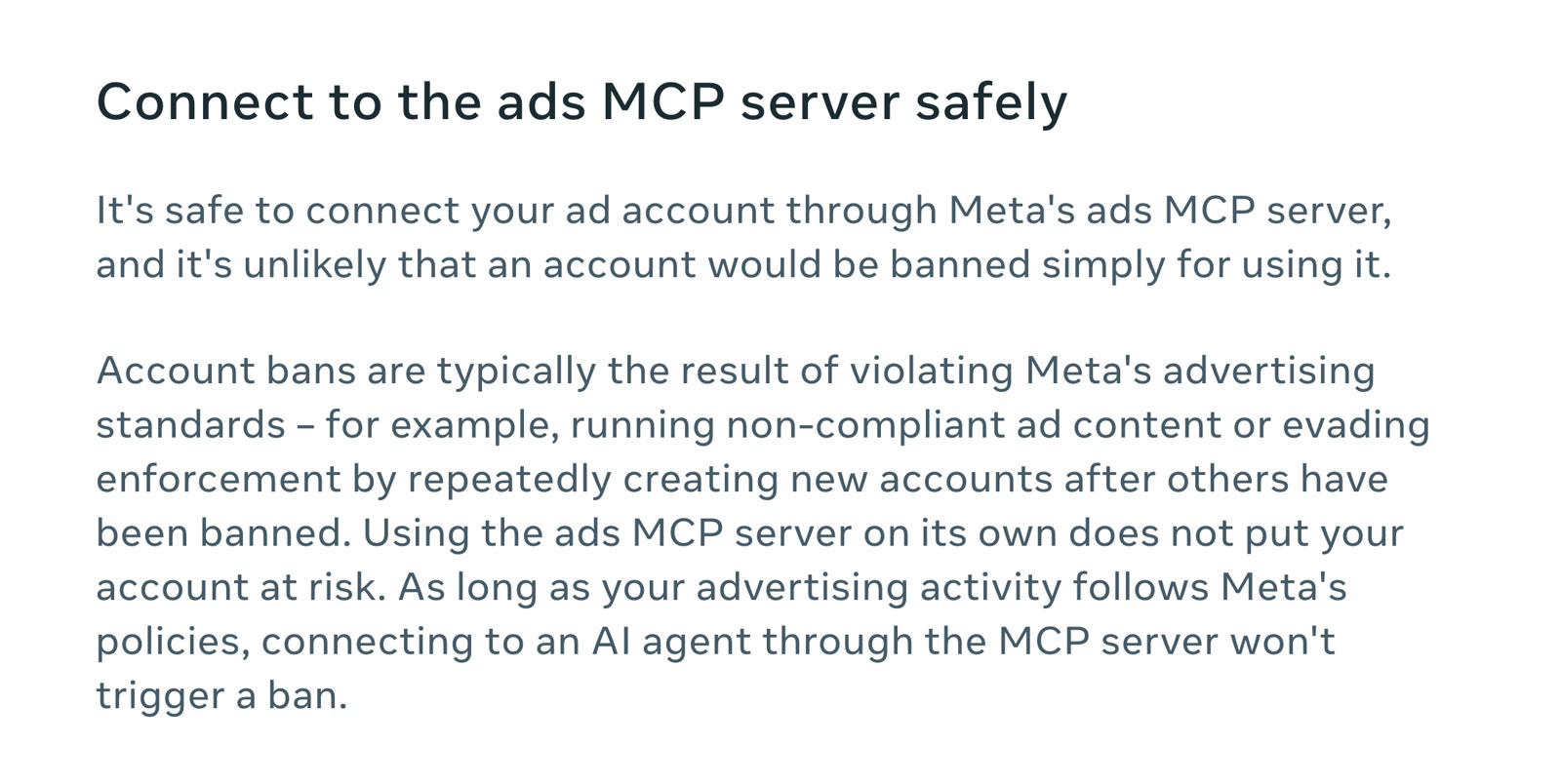
Meta writes that "it's unlikely that an account would be banned simply for using it", and adds the condition straight after: "As long as your advertising activity follows Meta's policies, connecting to an AI agent through the MCP server won't trigger a ban."
This is Meta's official route into your account, which puts it in a very different position from a third-party tool Meta never approved. What gets accounts banned is what always did, which Meta lists as non-compliant ads and opening new accounts to get around an earlier ban. Claude will happily write an ad that breaks policy if you ask for one, so the review is still yours.
What does it cost, and who can use it?
- Cost. Adding it costs nothing. Meta hasn't published a price for the connector, and Porter Metrics' guide describes it as free during the beta with nothing announced for after. Your ad spend is billed as normal.
- Claude plan. Custom connectors work on every Claude plan including Free, but Anthropic limits free users to one custom connector. On Team or Enterprise, an Owner has to add it before anyone else can connect.
- Access. It's an open beta that's reaching accounts gradually. Meta's help page opens with "You may not have access to all tools/features yet", and Jon Loomer warned that you might finish the setup and still get no data back.
- One account at a time. Porter Metrics, who sell a multi-account alternative, note there's no multi-account setup, so an agency works through client accounts one at a time.
- Other AI apps. On 16 July 2026 Meta opened the server to any AI application through your own Meta developer app. Claude doesn't need one.
FAQ
Is Meta's ads connector for Claude free?
Adding Meta's ads connector to Claude costs nothing. Meta hasn't published a price, and Claude's free plan allows one custom connector. Your ad spend is billed as normal.
Can Claude launch Meta ads on its own through the connector?
No. Campaigns, ad sets and ads that Claude creates through Meta's connector start paused, and switching one on is a separate step that Claude asks you to confirm. You can also switch it on yourself in Ads Manager.
Can connecting Claude to Meta ads get my account banned?
Meta's help page says it's unlikely an account would be banned simply for using its ads MCP server, as long as your advertising follows Meta's policies. It's Meta's own official connector, but nobody can guarantee an account against a ban.
Why is Claude not returning data from my Meta ad account?
Meta's ads connector is in open beta and reaching accounts gradually, so you can finish the setup in Claude and still get nothing back until Meta enables it for your account.
Can Meta's Claude connector manage several client ad accounts?
Meta's connector can reach every ad account your Facebook user has access to, but it has no multi-account setup, so you work through client accounts one at a time.
When isn't it worth connecting?
If you run one campaign and look at it once a week, Ads Manager is still faster and I wouldn't bother. The connector earns its place when daily checking eats your time across several campaigns or clients. It's also not worth much where conversion tracking is broken, because Claude analyses bad numbers as confidently as good ones.
I don't think this ends media buying, but it probably takes most of the clicking out of it. Pulling reports and pausing losers was always the easy half of the job. Deciding what to test next, and why, is still on a person, and in my opinion that half gets more of your week once the reports pull themselves. Meta also made every new campaign start paused, so it's clearly expecting a person to be the one who switches it on.
If what you want is a second opinion on how an account is set up before you hand Claude the controls, I've written up a free ad audit you can run with Claude as well.