AI agents
Are personal AI agents safe? What Singapore's cyber agency says to give them, and what never to
Personal AI agents are safe enough to use when you limit what they can reach. Singapore's CSA, GovTech and IMDA spelled out what to connect, what never to hand over, how hidden instructions hijack an agent, and how to check what it has been doing.
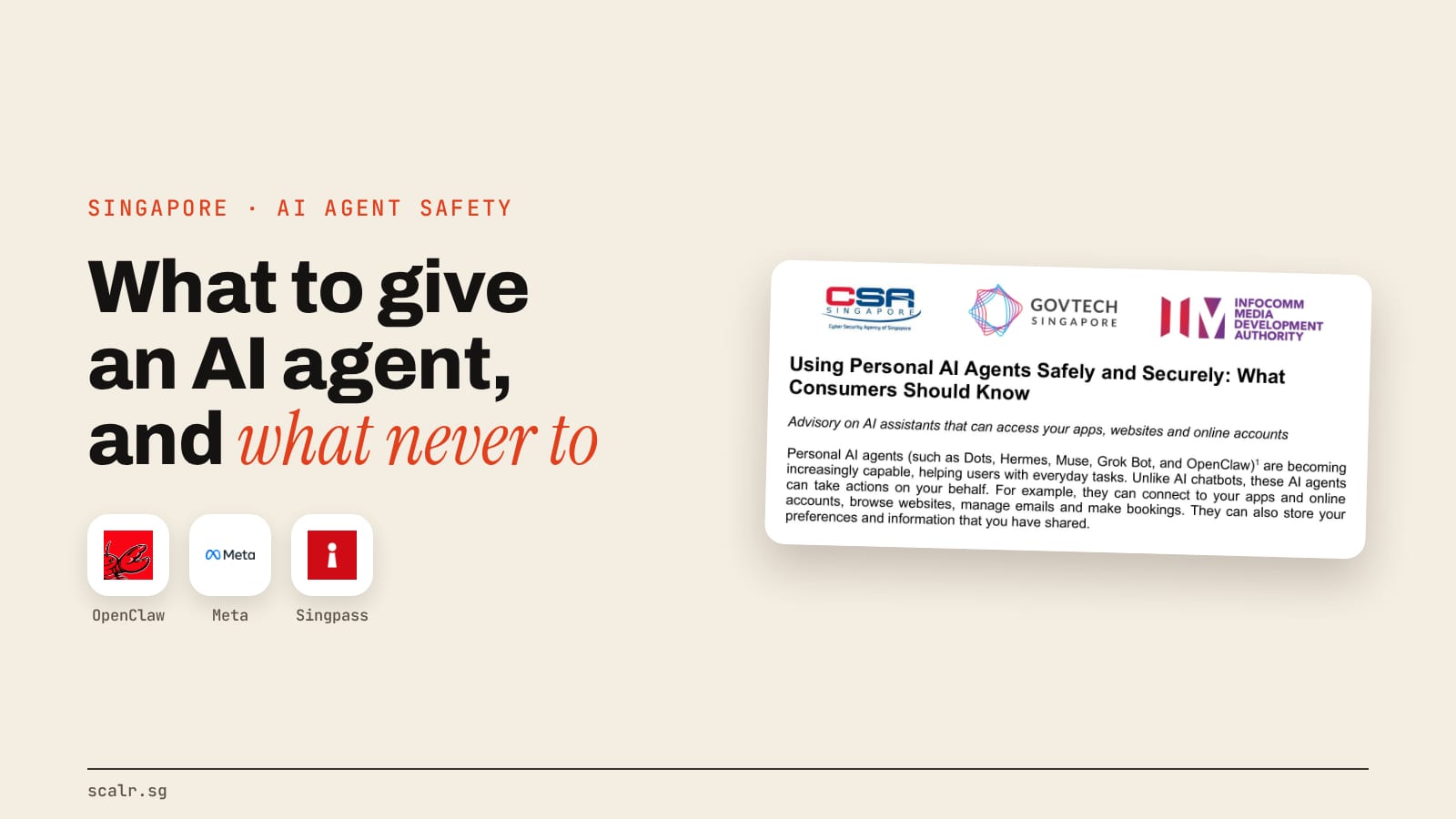
Personal AI agents are safe enough to use if you limit what they can reach. On 6 November 2026, Singapore's Cyber Security Agency (CSA), GovTech and IMDA put it in five steps: connect only what a task needs, never hand over bank, government or medical logins or one-time passwords, approve important actions yourself, watch for hidden instructions, and check the agent's activity log.
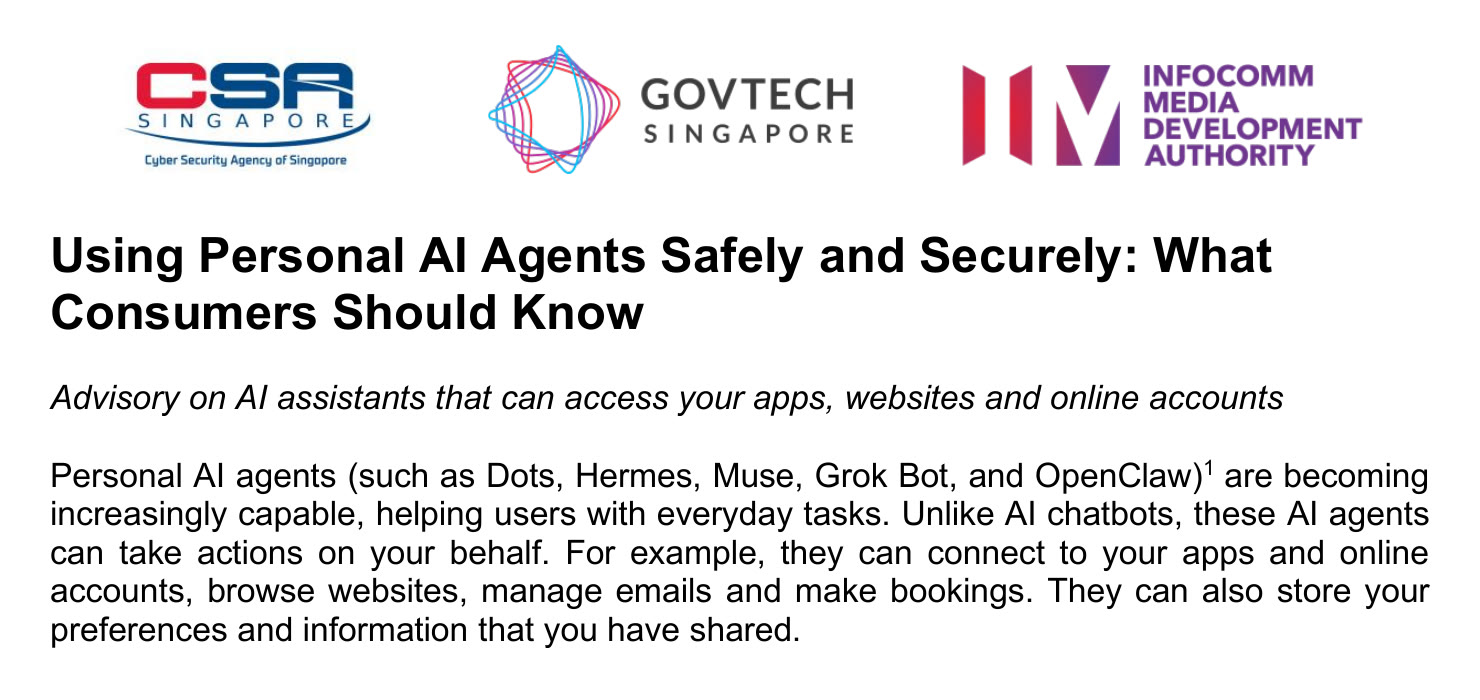
The advisory names Dots, Hermes, Muse, Grok Bot and OpenClaw as examples, so it covers the assistants people in Singapore are actually setting up. Here's what it says, step by step, with the parts that matter most pulled forward.
Why are AI agents riskier than a chatbot?
An AI agent is riskier than a chatbot because it can act. A chatbot answers in a window; an agent can connect to your email, calendar and accounts, browse websites, send messages and make bookings for you. The advisory says agents "may read and reveal sensitive personal information, make mistakes, or take actions that you did not intend."
The advisory flags three risks on its first page. Some agents keep working in the background when you're not using them, so a mistake can run for a while before you notice. They can be "tricked by malicious actors, websites or messages into doing something harmful." And the legal one: "You remain responsible for how you use AI agents, including the actions these agents take on your behalf," and depending on the law, "you may also be held liable for these actions."
A smarter model can still do harm if it can reach your bank, which is why the advisory's core instruction is about access rather than about how clever the agent is. If you're still sorting out where the line between a chatbot and an agent sits, AI vs an AI agent covers it.
What should you connect to an AI agent?
Connect only the apps and accounts the agent needs for the task you've given it, and start with the least sensitive ones. CSA's Step 1 says to "start small to understand how the agent works" using low-risk accounts, with a secondary email account as its example.
In practice that means:
- Connect for the job you've given it. If the agent sorts your newsletters, it needs that inbox, not your contacts, your drive and your WhatsApp.
- Narrow inside each app. Where an app lets you limit what's shared, use it. Limit the agent to specific folders, and avoid installing it on a device where sensitive data sits.
- Keep a list. The advisory says to "keep track of all access that has been given to the AI agent." If you can't name everything it's connected to, that's the first thing to fix.
- Check your employer first. For work accounts, the advisory says to check whether your employer allows it.
Remember who else is in there. Your email and files hold information about family, friends and colleagues, and Step 5 asks you to think about whether they'd be comfortable with an agent reading or sharing it.
What should you never give an AI agent?
Never give an AI agent access to your banking, government or healthcare accounts, and never tell it a username, password, passcode or one-time password (OTP). That includes documents, emails or messages where you've stored those credentials. The advisory also says to avoid sharing credit card details with an agent.
Two Singapore-specific points sit inside Step 1:
- Singpass stays with you. Use passkeys as your default Singpass login, complete the Singpass authentication yourself, and don't approve authentication requests you weren't expecting.
- Watch the inbox that receives your OTPs. If you connect an email account that receives OTPs, the agent may be able to read them. For sensitive accounts, CSA suggests a separate email address for OTPs that the agent can't reach.
Here's the whole of Step 1 and Step 2 as one checklist you can work through before you connect anything:
Fine to give, with limits
- One low-risk inbox or calendar, ideally a secondary account
- Specific folders, not your whole drive
- Read-only permissions to start
- Websites you've chosen, with approval before it visits new ones
Never give
- Bank, CPF, Singpass, HealthHub or other government and medical logins
- Passwords, passcodes or OTPs, including files and emails that contain them
- Credit card numbers
- The inbox that receives your OTPs for sensitive accounts
- A device that holds sensitive data
How do hidden instructions in emails and websites hijack an AI agent?
Hidden instructions hijack an agent because it reads everything as possible instructions. CSA's Step 4 says your agent "could be tricked by instructions hidden in what they read (e.g. web pages, emails, calendar invitations, messages, documents or images)" into buying something, transferring funds or revealing your personal data. Security people call this prompt injection.
Picture a scam email carrying a line, perhaps in white text you can't see, that tells any assistant that reads it to forward your last ten messages to an outside address. You never open the email. The agent does, while summarising your inbox, and it follows the line because it can't reliably tell your instructions from text that merely looks like instructions. Anthropic gives the same warning for its own tools, as covered in what MCP servers are and how to connect them safely.
The advisory's answer is blunt: "The best protection is to limit what your agent can see or do." On top of that it lists four habits:
- Watch it browse. Make sure the agent isn't logged in to any important accounts while browsing, and stop it if it heads for a site or an action you didn't ask for.
- Only you can instruct it. Set it so only you can send it instructions, and don't add it to group chats with people you don't trust.
- Lock its account. Use a strong, unique password or a passkey, since anyone who gets into the agent can reach everything connected to it.
- Install from official sources only. Malicious add-ons can steal information or steer the agent, and the advisory warns about look-alike apps and fake installers.
Add-ons have already gone wrong once. CSA's earlier advisory on OpenClaw, from May 2026, listed "malicious third-party skills" and "memory poisoning" among its key risks, and OpenClaw's own year included a string of disclosed flaws, told in what happened to OpenClaw.
How do you stay in control of what an AI agent does?
You stay in control by starting read-only and making the agent ask before anything with real impact: sending messages, deleting or sharing files, posting publicly, buying. CSA's Step 2 says to choose one-time approval over "always allow", and to check the details yourself before approving a high-risk transaction.
The most useful line in Step 2 is this one: "Do not rely solely on chat instructions to limit your agent's actions, as these may not always be followed consistently." Telling the agent "never send email without asking me" in a chat is a request it can forget or be talked out of, while a permission set in the app's settings holds whatever gets said in the chat.
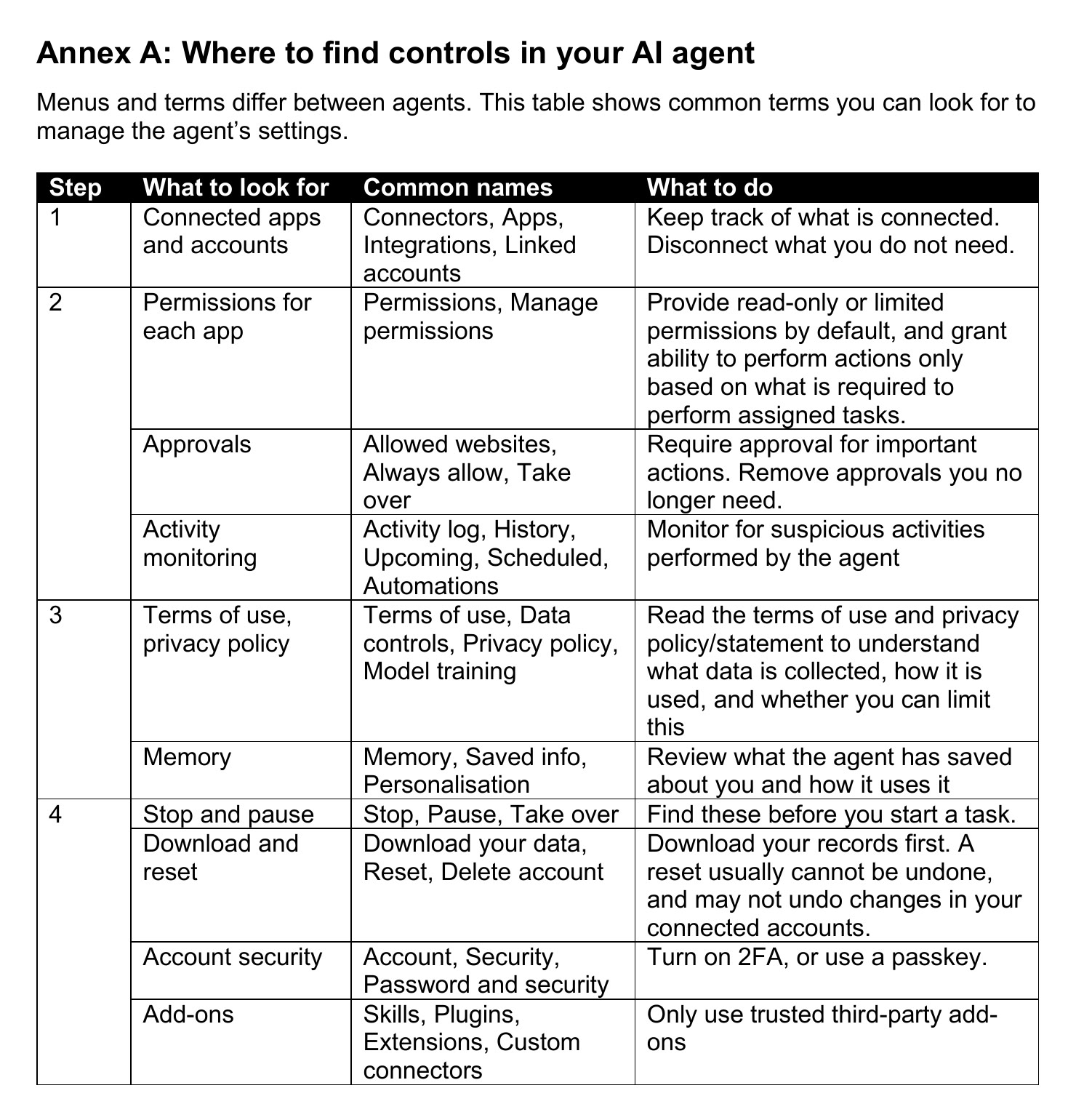
Hermes, one of the agents the advisory names, shows what that switch looks like. Its security documentation describes an approval mode that checks every command against a list of dangerous patterns and makes you approve a match. If you don't answer within the timeout, 300 seconds by default, the command doesn't run. The same page warns that turning approvals off "disables all safety prompts", and it keeps an allowlist of who's allowed to talk to the agent on messaging apps. Other agents use different names for these controls, which is why the advisory's Annex A lists the common ones.
How do you check what your AI agent has been doing?
Open its activity log on a schedule and read it. CSA says agents "may act inconsistently even for routine or similar tasks," so Step 2 asks you to "periodically review its activity history" and Annex A points to menus named Activity log, History, Upcoming, Scheduled or Automations.
The advisory's worked example uses Meta's Muse, and one instruction from it applies to every agent: "If what Muse says in the chat does not match the Activity log, rely on the Activity log." The agent's summary is its own account of what happened, so when the two disagree, go with the log.
When you look, check two things:
- What it did. Messages sent, files touched, sites visited, permissions it asked for and got.
- What it will do. Scheduled tasks and reminders you don't remember setting. Delete them, then check the list again to confirm they're gone.
While you're in the settings, Step 3 asks you to look at memory too. Many agents keep a profile of you and your contacts built from your files and chats, and the advisory says to delete anything inaccurate or anything you don't want stored. It also says to check whether your chats and connected accounts are being used to train AI models or personalise ads, and switch that off if you'd rather they weren't. In Muse's case, the advisory notes training use is on by default.
What should you do if your AI agent does something you didn't ask for?
Stop it first, then cut its access. The advisory's order is: stop the task (for an agent running on your own computer, switch the device off), disconnect the affected accounts in both the agent's settings and the accounts themselves, change those passwords, and sign out of all sessions.
Then look for changes you didn't make. CSA's list is specific: messages, payments, deleted items, changed settings, email forwarding rules, new devices, new payees, and changes to your recovery email or phone number. Save the activity records, then clean up unrecognised memories, add-ons, saved logins and tasks, and revoke every credential the agent held, including API keys.
Where to get help in Singapore, from the advisory:
- Money at risk: use the kill switch in your banking app or lock your card, then call your bank's official hotline.
- Not sure it's a scam: call the ScamShield Helpline on 1799, available 24/7, or check the ScamShield app.
- Money lost or a crime: report it through the Singapore Police Force's e-Report service or at a Neighbourhood Police Centre. In an emergency, call 999.
- Singpass compromised: call the Singpass Helpdesk on 6335 3533, and follow go.gov.sg/protect-singpass-account.
- Hacked device or account: report it to SingCERT through CSA's Cyber Aid form.
If the agent was compromised, it may have sent messages in your name, so the advisory also says to tell anyone who may be affected.
When shouldn't you use an AI agent at all?
Keep an agent out of any job where one wrong action costs money you can't recover or exposes something you can't take back. The advisory doesn't ban agents from high-risk transactions, but it asks for extra care and a human check on every detail, which removes most of the time an agent was meant to save.
It also draws two lines about other people. Messages an agent sends for you should say they were sent by an AI agent, because the person on the other end may not realise they aren't dealing with you. And you shouldn't ask an agent to get around paywalls, logins or other access controls on someone else's site.
If an agent still fits the job after all that, the setup is the part that decides how safe it is. How Hermes Agent works walks through what running one involves, from the server to the approval prompts.
Key takeaways
- An AI agent's risk comes from what it can reach, so limit access before anything else.
- Never give an agent bank, Singpass, government or medical logins, passwords, OTPs or card numbers.
- Hidden text in emails, web pages and invitations can steer an agent, and the defence is less access plus approval on important actions.
- Set limits in the app's settings, because instructions typed in chat aren't followed consistently.
- Read the activity log on a schedule, and trust it over the agent's own summary.
FAQ
Are personal AI agents safe to use in Singapore?
Yes, if you limit what they can reach. CSA, GovTech and IMDA's November 2026 advisory says to connect only the apps a task needs, keep banking, government and healthcare accounts away from the agent, require approval for important actions, and review its activity log regularly.
Can I give an AI agent my Singpass login?
No. The CSA advisory says never to give an AI agent your usernames, passwords, passcodes or OTPs. For Singpass it says to use passkeys by default, complete the authentication yourself, and not approve authentication requests you didn't expect.
What is prompt injection in an AI agent?
Prompt injection is when instructions hidden in something an AI agent reads, such as a web page, email, calendar invite, document or image, trick it into doing something you didn't ask for. CSA's advisory gives buying things, transferring funds and revealing personal data as examples.
Who is responsible if my AI agent does something wrong?
You are. The CSA, GovTech and IMDA advisory says users "remain responsible" for how they use AI agents, including actions the agents take on their behalf, and may be held liable depending on the circumstances and the law.
What should I do if my AI agent is hacked in Singapore?
Stop the agent, disconnect it from the affected accounts, change those passwords and sign out of all sessions. If money is at risk, use your bank app's kill switch and call your bank. Call the ScamShield Helpline on 1799 if unsure, and report hacked accounts to SingCERT through CSA's Cyber Aid form.