video editing
OpenCut: The Free, Open-Source CapCut Alternative That Runs in Your Browser
OpenCut is a free, MIT-licensed video editor you open in a browser tab: cut, caption and export with no install. What it does today, the first-run steps, the big rewrite you should know about, and when I'd skip the editor altogether.
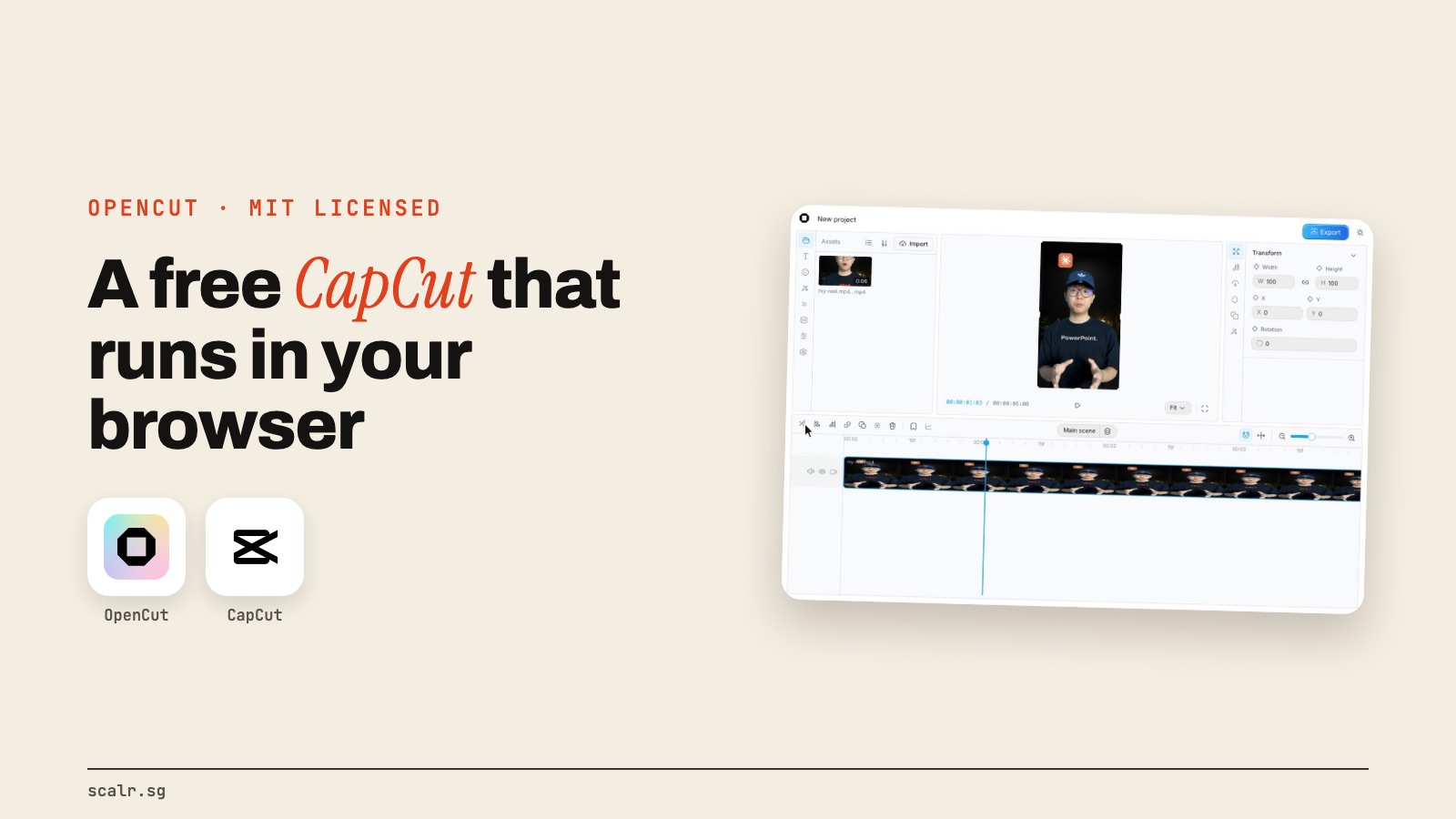
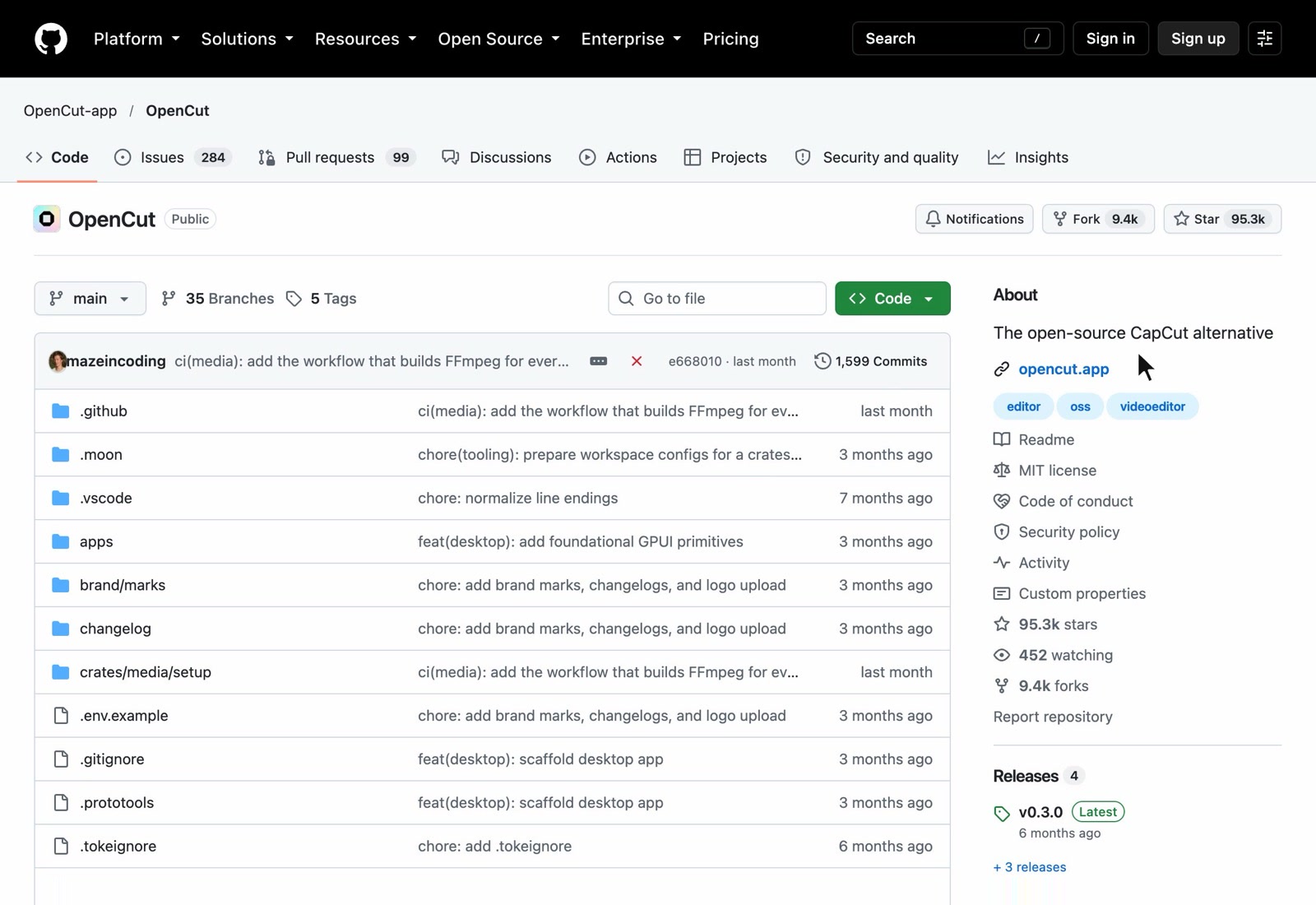
If you edit your own videos, you've probably paid for CapCut Pro at some point, or at least hit the wall where the feature you need sits behind it. Someone open-sourced an alternative. It's called OpenCut, it runs in your browser, it's free, and it had more than 95,000 stars on GitHub on 20 October.
What is OpenCut?
OpenCut describes itself as "a free and open source video editor for web, desktop, and mobile." The code is under the MIT licence, which means anyone can use it, change it and build on it without paying. Its own GitHub page calls it "The open-source CapCut alternative," and that's the clearest way to think about it: a timeline editor for short videos, without the subscription.
The version you can use today runs at opencut.app. You open it in a browser tab and start editing. There's nothing to install.
How do you make your first edit?
A first session is simple enough that you'll recognise it if you've ever used CapCut.
- Go to opencut.app and click Try early beta. That opens your projects.
- Start a new project and drag your clip into the media panel, then onto the timeline.
- Cut by moving the playhead to the spot and splitting the clip. Delete the bits you don't want.
- Add text from the left panel and drag it onto the track above your video.
- Click Export in the top right and download the MP4.
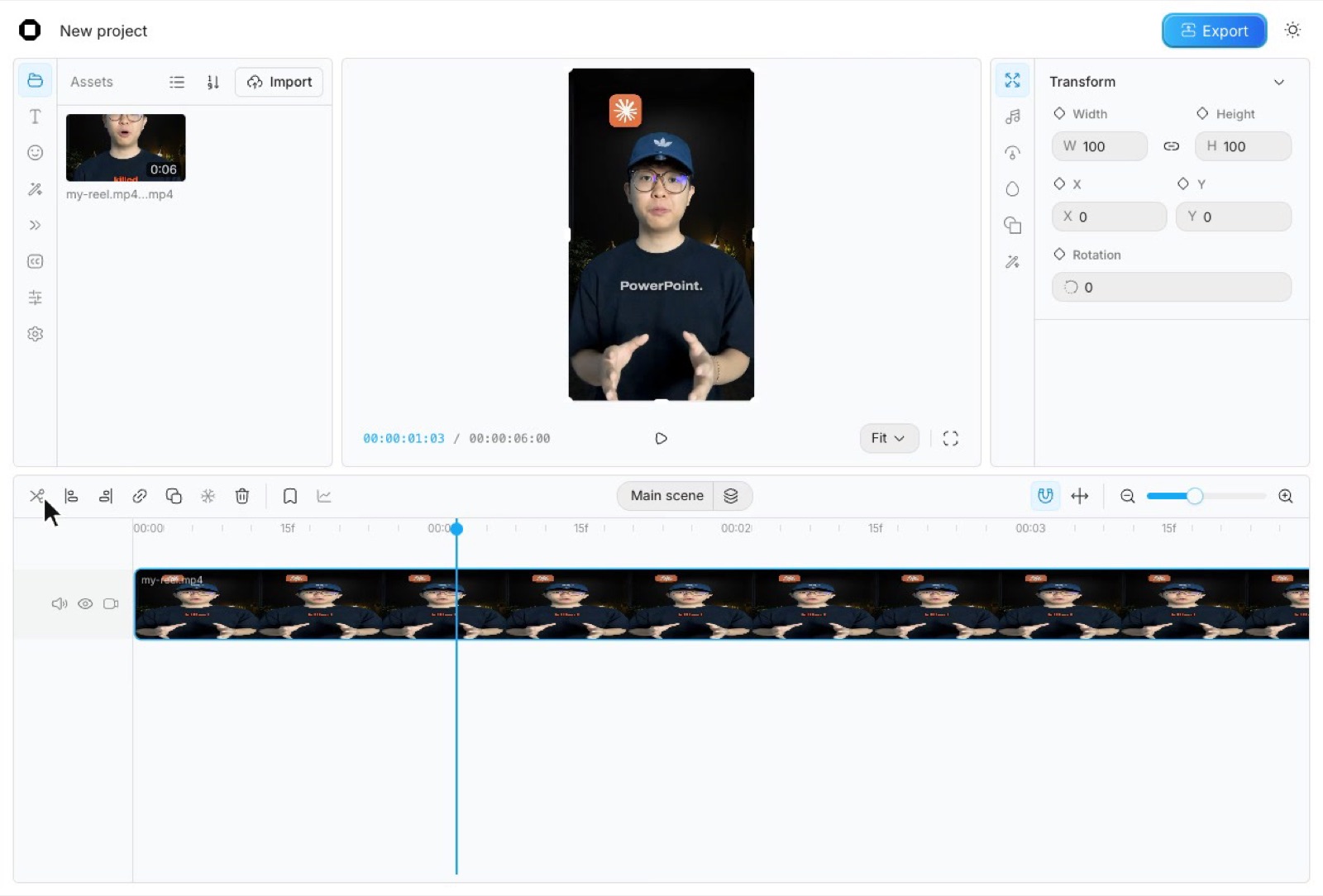
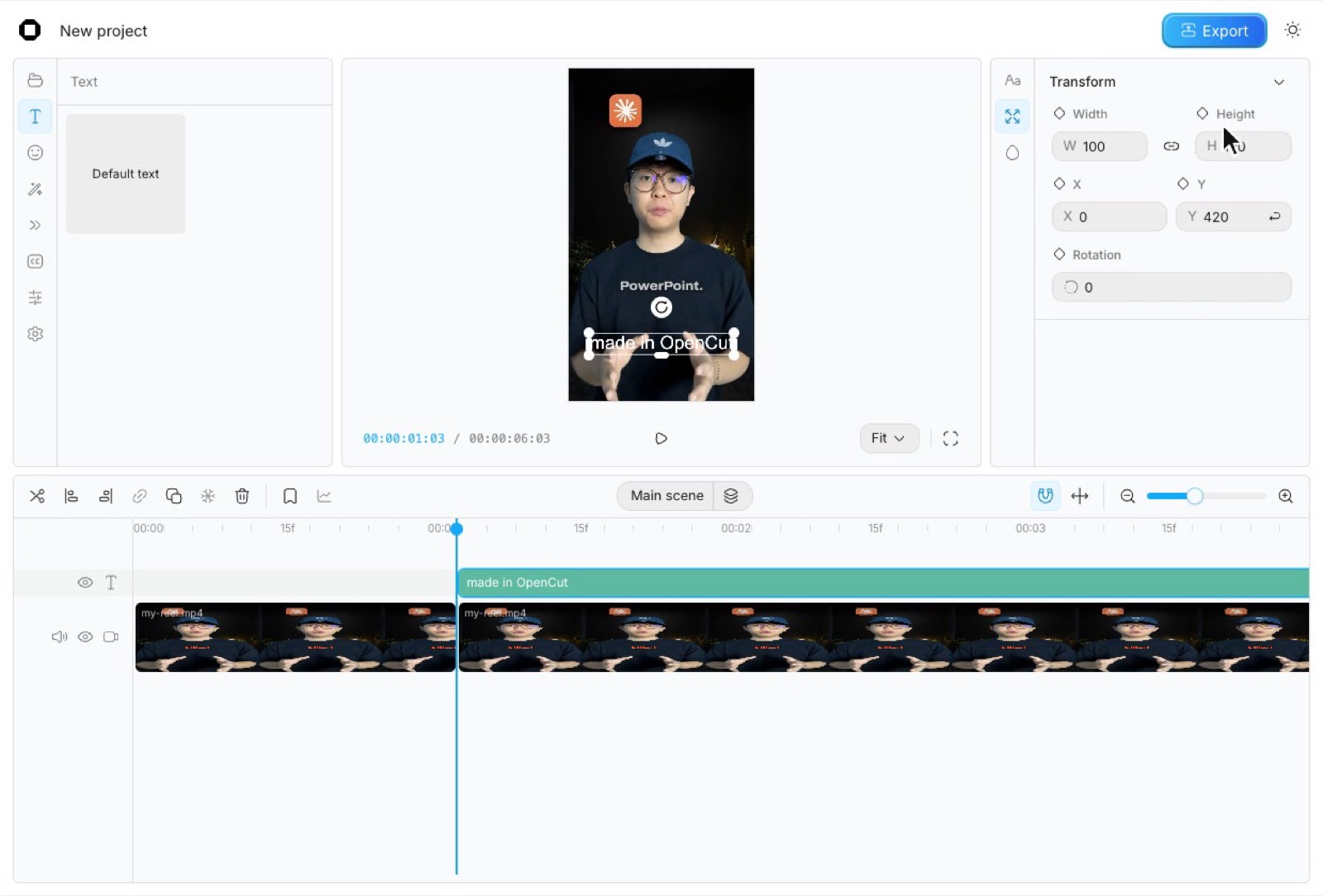
And here's the exported file, with the caption burned in:

Cutting, captioning and exporting covers most of what people actually use a phone editor for.
What's the catch?
OpenCut is still being built, and you'll feel it. Its README says plainly that "OpenCut is being rewritten from the ground up." The team is building a new version with a plugin system, a desktop and mobile app from one codebase, a headless mode for batch rendering, and an MCP server so AI agents can drive the editor.
Until that's ready, opencut.app still runs the classic version, and the README points people to the classic repo as "the one to reach for today." The rewrite lives at new.opencut.app in the meantime.
So expect rough edges. It's labelled an early beta, so don't expect CapCut's full library of effects and templates. For simple cuts and captions it's fine, and for anything fancy you'll hit the limits quickly.
Who should use it?
If you already edit your own videos and you're about to pay for an editor, try OpenCut first. It's free, it runs in a browser tab, and it might be all you need.
If you make a lot of videos, though, the bigger shift is not opening an editor at all, which is what we do now. My reels are cut, captioned and animated by code that Claude writes, which I explained in how Claude animates my videos and every stage my AI runs to edit a video. We run the same kind of system for a law firm's bilingual talk series, where raw footage from two cameras comes out as finished, captioned clips, with a person checking every cut. It's on our work page.
OpenCut's own roadmap points the same way. Once its MCP server and headless mode land, AI agents will be able to drive the editor directly. Until then, it's a solid free editor for doing it by hand.
If you make videos every week and want that kind of system for your own brand, book a free 30-minute call. I'll show you how we run it on my reels and the law firm's series, and what it would take for yours. It works out cheaper than paying an editor every month.
FAQ
Is OpenCut free to use?
Yes. OpenCut is free and open source under the MIT licence. The current version runs in your browser at opencut.app with nothing to install.
Is OpenCut a good CapCut alternative?
For simple edits, yes. OpenCut covers cutting, captions and export on a timeline like CapCut's, but it's an early beta, so don't expect CapCut's full library of effects and templates.
Why is OpenCut being rewritten?
OpenCut's team is rebuilding it from the ground up to support plugins, desktop and mobile apps from one codebase, a headless mode for batch rendering and an MCP server for AI agents. The classic version stays live at opencut.app until the rewrite is ready.
Do I need to install OpenCut?
No. You can use OpenCut in a browser by going to opencut.app and clicking Try early beta. Developers can also run it locally from the GitHub repo.