The Free LinkedIn Skills for Claude That Work Like a Growth Team
A free, open-source set of 12 Claude skills that drafts your LinkedIn posts and comments, rewrites your profile, and sorts everyone who engaged with a post into peers and potential buyers. How to set it up, which skills to run first, and which ones need a key.

linkedin-skills is a free, MIT-licensed set of Claude skills by Serge Bulaev that does most of what a small LinkedIn growth team would do for you. It drafts your posts in your voice, drafts your comments and replies, rewrites your profile, plans your week, and pulls everyone who liked or commented on a post so you can see which of them could actually buy from you. It was sitting past 4,000 stars on GitHub when I checked on 6 October.
The README lists 12 skills. The repo's one-line description still says 11, because the twelfth, an Interviewer skill, only landed on 13 September. And the thing that makes all of it safe to try is written into the README in plain words: "Every skill shows you a draft first and waits for your OK before doing anything. Nothing gets posted without your approval."
What's actually in linkedin-skills?
Here's the full set. The column that decides your setup is the last one, which shows the four skills that read LinkedIn data. Those four can fetch posts, comments and engagers automatically if you give them an Apify token. Without one, they ask you to paste the text in. Everything else runs on what you type.
| Skill | What it does | Reads LinkedIn with Apify? |
|---|---|---|
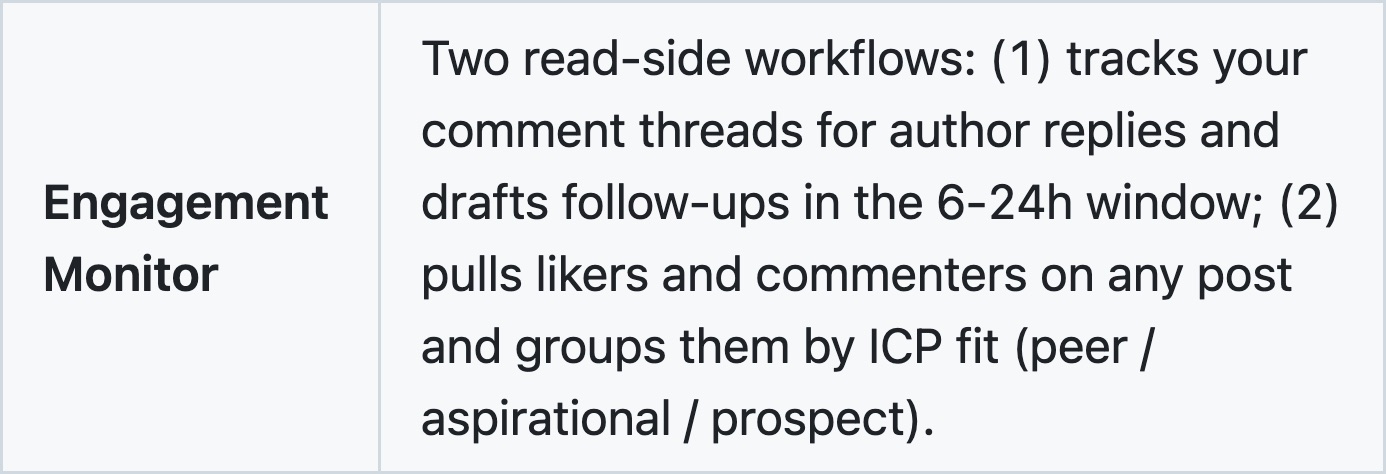
| Engagement Monitor | Pulls the likers and commenters on a post and sorts them into peer, aspirational and prospect. Also watches your comment threads for author replies | Yes |
| Profile Optimizer | Rewrites your headline, About, Featured and Experience sections | No, you paste the profile |
| Interviewer | Interviews you once and keeps the answers in a Story Bank every other skill reads | No |
| Post Writer | Drafts posts from 20 hook formulas, in your voice | No |
| Comment Drafter | Drafts a comment on any post from its URL | Yes |
| Reply Handler | Drafts replies under your posts, or sweeps a whole thread at once | Yes |
| Content Planner | A 7-day plan with topics, formats, posting times and comment targets | No |
| Humanizer | Strips the AI tells out of a draft | No |
| Post Audit | Checks a draft against algorithm rules and AI patterns before you publish | No |
| Hook Extractor | Reverse-engineers the hook formula from a viral post | Yes |
| Repurposer | Turns a tweet, video, blog or newsletter into a LinkedIn post | No |
| Employee Advocacy | Plans a LinkedIn program for a whole team | No |
How I decided what to run first
I went through the README and the skill files themselves on 6 October, including the instructions the engagement tracker follows, because the README summarises and the skill files are what Claude actually reads. I haven't run the read-side skills against live posts, so every cost below is the repo's own number, not one I measured.
I ordered them by asking which skill changes who you spend your time on. Most LinkedIn advice is about writing better posts. The bigger leak for anyone selling to businesses is time spent commenting under people who'll never buy. So the skill that fixes that goes first, and the writing skills follow.
Start with the engagement tracker
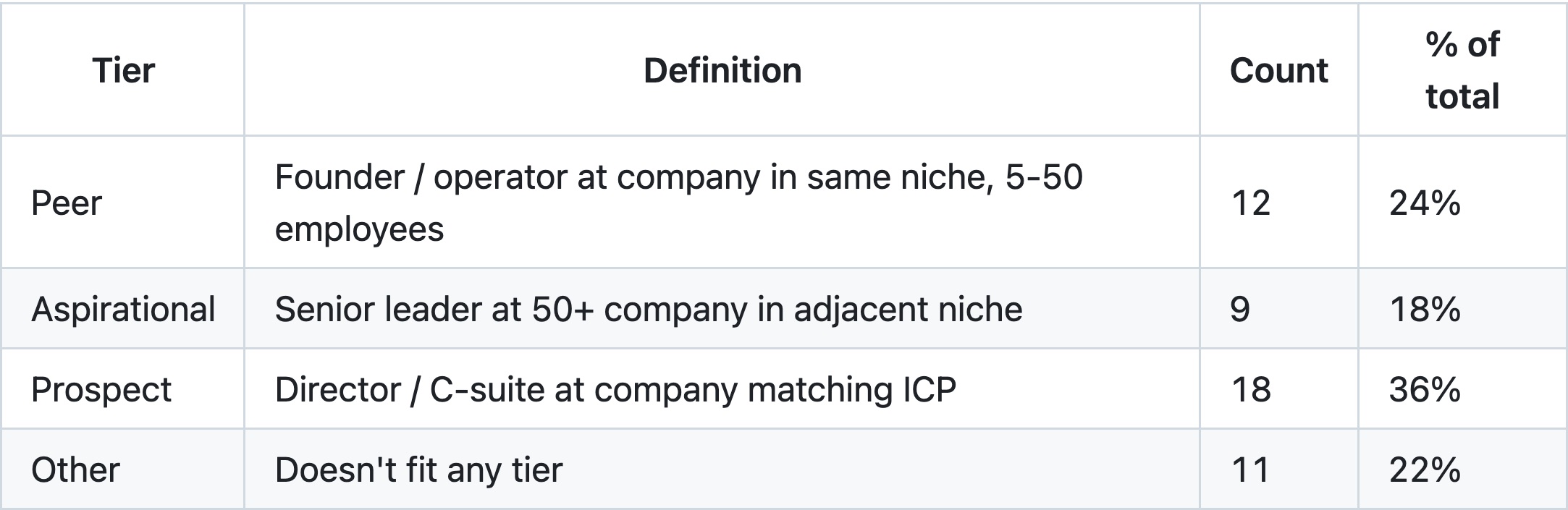
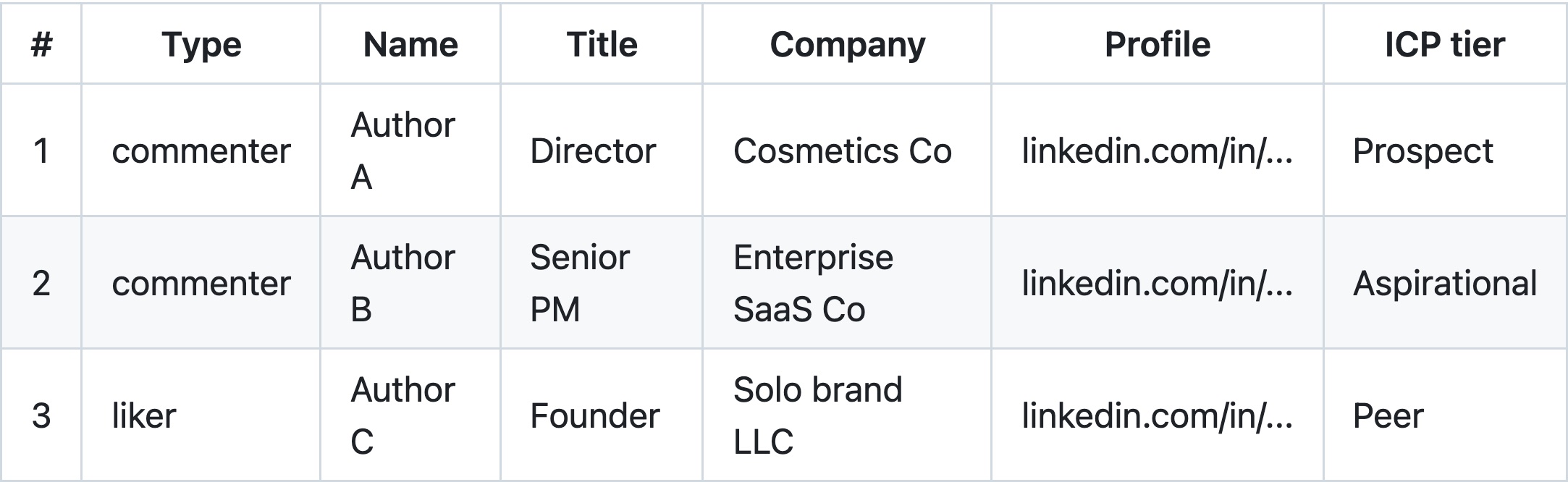
The Engagement Monitor, the engagement tracker from the reel, is the one worth installing the whole bundle for. You give it a post, it pulls every person who liked or commented, reads their job title and company, and sorts them into four tiers.
Per the skill file, a peer is a founder or operator at a similar company in your niche, aspirational is a senior leader at a bigger company next door, and a prospect is someone whose title and company both match the customer you described. Everyone else lands in Other. You supply that customer definition yourself (target titles, company size, industry), so the sorting is only as sharp as the description you give it.
Then it turns the roster into action lists: peers to follow back, aspirational people to comment under, and prospects with a one-line opener that references the post they engaged with. It even tells you to wait 24 to 72 hours before messaging someone who just engaged, which is better manners than most outreach tools ship with.
What it costs. The engagement tracker is the skill that genuinely wants the Apify token, because pasting a list of a hundred likers by hand isn't realistic. The skill file prices it at roughly half a US cent per person pulled, so about US$0.25 for a post with 50 engagers and US$1 for 200. Apify's free plan comes with US$5 of usage a month, and the README reckons a typical weekly sweep stays under US$2.
What bothers me about it. The README says it works on "any post", and the skill's own hard rules say something narrower: "Don't run engager analytics on posts you didn't write or aren't tracking with permission." I'd take the hard rule seriously. Separately, LinkedIn's User Agreement bars using scripts or crawlers to scrape profiles and other data from the site. The Apify actors these skills call don't log in as you, but that doesn't make the clause go away, so pointing this at someone else's audience is a call you make with your eyes open. Running it on your own posts is the clean use, and it's where I'd start.
Who should skip it. If you post for reach and don't sell anything, a list of who might buy from you isn't much use.
Fix your profile before anyone clicks through
The engagement tracker sends you into other people's comment sections, and every good comment sends a few people to your profile. So the profile needs to be ready before the traffic arrives.

The Profile Optimizer scores nine parts of your profile (photo, banner, headline, About, Featured, Experience, Skills, custom URL, recommendations) and rewrites the ones that fail. It asks you to pick a goal first, clients, job seeking or authority, and changes what it puts in Featured based on that. For anyone selling, the "clients" goal points Featured at a lead magnet, a case study with results and a calendar link.
It can't read your profile from a link, though, with or without a key. The skill file is explicit that there's no profile reader, so you copy your sections in and screenshot the visual parts, and I actually like that it won't guess.
Then let it learn your voice
The writing skills are only as good as what they know about you, and this is where most AI post writers fall over. linkedin-skills keeps two files for that. A voice profile, built from three to six posts you've already written, holds how you sound. A Story Bank, filled by the Interviewer skill in a 20 to 40 minute session, holds what you have to say, like your roles, real numbers, turning points and the positions you'd defend.
Run the Interviewer before the Post Writer. Its whole reason for existing, per the commit that added it, is that the writing skills kept stopping mid-draft to ask for a specific number, and the answers were lost when the session ended. Filling the bank once should stop the drafts coming back generic.
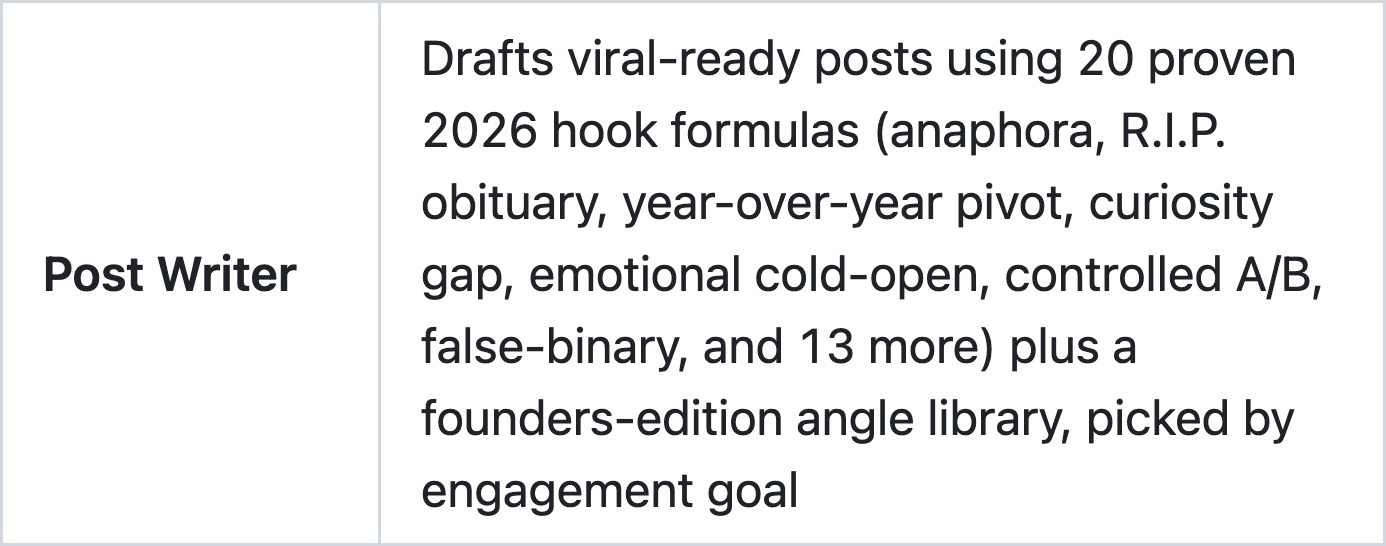
The Post Writer then picks one of 20 hook formulas by the goal you set (comments, reposts, likes or saves) and runs the draft through the bundle's own Humanizer before you see it. If you want to know what a humanizer pass is catching, I went through the full list of tells in my piece on the Humanizer skill. What bothers me here is the "viral-ready" framing. A formula gives you a shape that worked for someone else, and on a platform where your buyers read closely, I think a post that sounds like a formula does you more harm than good. So use the hooks as a starting point and edit hard.
The same forty people, every week
This is where the skills come together. The Content Planner builds a week with posting days, a commenting day and three to five people to engage with on each posting day. The Comment Drafter writes a comment on any post you hand it. The Reply Handler drafts the replies under your own posts, and the second half of the Engagement Monitor watches your comment threads so you can follow up when an author replies.
Feed the planner the prospects and aspirational names from the engagement tracker and you get the approach I'd actually use, which is to stop commenting everywhere and show up under the same forty or so people every week until they know your name. On a platform where the buyer reads for a while before they ever reply, I think that kind of familiarity with the right people is worth more than a burst of reach. That's my read, not something the repo claims.
How do you set it up?
In Claude Code, two commands:
/plugin marketplace add sergebulaev/linkedin-skills
/plugin install linkedin-skills@linkedin-skills
In claude.ai or the Claude Desktop app, open Customize, go to the Plugins tab, choose Add marketplace, add from a repository, paste sergebulaev/linkedin-skills and sync. Then find the plugin under Discover and add it. The README notes this route needs a paid Claude plan with code execution turned on. There's also a one-line npx skills add sergebulaev/linkedin-skills for other agents that read skill files.
Two optional keys go in a .env file in the folder:
- An Apify token for the four read-side skills. Without it they still work, you just paste the text.
- A Publora key if you want Claude to publish for you. By default every skill drafts for you to copy and paste. Publora's free plan covers 15 posts a month.

Even with Publora connected, nothing goes out on its own. The skill shows the draft, waits for you to reply "post" or "yes", and only then calls the publishing API. The repo also ships a self-test script that tells you which keys are connected and which skills work right now, which saves a lot of guessing.
What I'd leave for later
Employee Advocacy plans a LinkedIn program for a whole team, which is a different job from running your own profile. Hook Extractor and Post Audit are useful once you're posting regularly, not on day one. And Repurposer only earns its place if you already publish somewhere else, like a newsletter or YouTube.
Is there a version with no keys at all?
Yes. linkedin-agent-skill by Jake Schincariol is a separate, MIT-licensed set of eleven LinkedIn skills for Claude, at about 1,350 stars when I checked on 6 October. Its README puts it plainly: "no signup, no API key, nothing to connect." It covers posts, comments, replies, a profile score out of 100, a weekly plan and a humanizer, and it never posts for you by design. Its README argues there's no official API for posting to a personal profile without an approved partner app, so every skill ends in a copy-ready block you paste yourself.
What you give up is the engagement tracker, because without a data source nothing pulls the people under a post for you. So if you only want help with the writing, that one's the simpler place to start, but if you want to know who's worth your time, you'll want linkedin-skills.
FAQ
Is the linkedin-skills bundle for Claude free to use?
Yes. The skills are MIT-licensed and free. Installing them through claude.ai needs a paid Claude plan, and the two optional services have free tiers: Apify includes US$5 of usage a month and Publora's free plan covers 15 posts a month.
Does linkedin-skills post to LinkedIn without asking?
No. Every skill shows a draft and waits for your approval, and by default it only drafts for you to paste. It publishes through Publora only if you connect Publora and reply "post" or "yes" to the draft.
Do I need an Apify token to use linkedin-skills?
Only for automatic reading. The Engagement Monitor, Comment Drafter, Reply Handler and Hook Extractor fetch LinkedIn data with an Apify token and ask you to paste the text without one. The writing and profile skills never need it.
How does the linkedin-skills engagement tracker decide who is a potential customer?
It reads each person's job title and company from their LinkedIn headline and matches them against the customer profile you give it. A prospect is someone whose title and company both match, a peer is a founder at a similar company in your niche, and aspirational is a senior leader at a larger company nearby.
Is there a LinkedIn skill set for Claude that needs no API keys?
Yes. Jake Schincariol's linkedin-agent-skill is eleven free Claude skills with no signup and no API key. It drafts posts, comments, replies and a weekly plan, scores your profile, and never posts for you.
The order I'd run it in
Install it, then fill the Story Bank with the Interviewer and give it three of your best posts for the voice profile. Paste your profile into the Profile Optimizer and fix what it flags before you start showing up in other people's comments. Then run the engagement tracker on your own last few posts, with a clear description of who you sell to, and look at who's actually in the prospect tier. That list feeds the Content Planner, the Comment Drafter keeps you showing up under those people, and the Post Writer comes last, because by then it has something real to write from.